Ever wondered how to make your WordPress website more accessible and inclusive for all? The answer lies in ADA Compliance Plugins.
These innovative tools are designed to ensure your website adheres to the standards set by the Americans with Disabilities Act (ADA), making it usable for people with different types of disabilities. This introduction will dive into the best ADA Compliance Plugins that can enhance your website’s accessibility and inclusivity.
Understanding the importance of ADA compliance is crucial in today’s digital world. With a staggering 15% of the world’s population living with some form of disability, it’s never been more critical to make your website accessible to all.
The plugins discussed in this list will not only help you adhere to legal standards but also boost your brand perception and expand your market reach. So, keep reading to discover the top ADA Compliance Plugins for WordPress that can enhance your website’s accessibility and user experience.
Web Accessibility By accessiBe

Web Accessibility By accessiBe is the leading ADA compliance plugin for WordPress. It is an AI-powered solution that maintains ADA and WCAG compliance, making your website accessible and user-friendly for all.
This plugin not only boosts your brand perception but also expands your market reach by making your website accessible to the 15% of the global population living with disabilities. It also mitigates legal risks, making it a trusted solution for numerous businesses and industry leaders.
Features and Benefits
- AI-Powered Process: The plugin uses artificial intelligence to scan and analyze websites, adjusting them to the user’s screen readers. It automatically adds keyboard-only functionality to website elements. This feature benefits users by making navigation easier and more intuitive.
- Accessibility Interface: The plugin offers an interface with a range of customization options that support multiple UI and design adjustments. This feature allows users to tailor the online experience according to their individual needs.
- Automatic Compliance: By installing this plugin and registering on the accessiBe site, you enable 24/7 compliance. The AI technology scans for new and revised content every 24 hours, ensuring your website remains compliant at all times.
- Developed with People with Disabilities: The first stable version of this plugin was developed in collaboration with people with disabilities. This feature ensures that the plugin is designed with the real needs of disabled people in mind, making it a truly inclusive solution.
Pricing Structure
The pricing for accessiBe starts at $490 per year for websites with up to 1,000 pages. For larger websites, the pricing scales based on the number of pages.
For instance, websites with up to 10,000 pages are priced at $1,490 per year, and those with up to 100,000 pages at $2,490 per year. For websites with more than 100,000 pages, custom pricing is available upon request. All plans include a 7-day free trial with no credit card required.
WP ADA Compliance
The WP ADA Compliance Check Basic is an essential plugin for WordPress that ensures your website is accessible to all users, including those with disabilities.
As a comprehensive accessibility solution, it helps websites adhere to Section 508 and WCAG 2.2 LEVEL A/AA Web Accessibility Standards. With an impressive set of 81 individual error checks, it surpasses many similar plugins in its scope and effectiveness.
Features and Benefits
- Comprehensive Accessibility Checks: The plugin performs 81 individual error checks, making it one of the most comprehensive solutions on the market. This ensures your website is fully compliant with all accessibility standards.
- Seamless Integration: The plugin can assess your content for accessibility issues as soon as it’s published, or you can run a full scan of your site to identify potential problems. This makes it easy to incorporate accessibility checks into your regular workflow.
- Useful Reports: The plugin generates detailed reports that provide references and easy-to-follow instructions to resolve any identified issues.
- Compatibility: The plugin is compatible with any website editor, including Gutenberg, Elementor, Beaver Builder, ClassicPress, and Divi.
- PRO Features: The PRO version of this plugin offers additional benefits such as automatic correction of many issues, a web accessibility widget, the ability to identify untagged PDF files, and many more.
Pricing Structure
While the basic version of the plugin is limited to 15 posts or pages during full scans, the PRO version offers a more comprehensive solution. The full version automatically corrects common issues using convenient, time-saving filter options. The pricing starts at $159 per year.
Equalize Digital Accessibility Checker
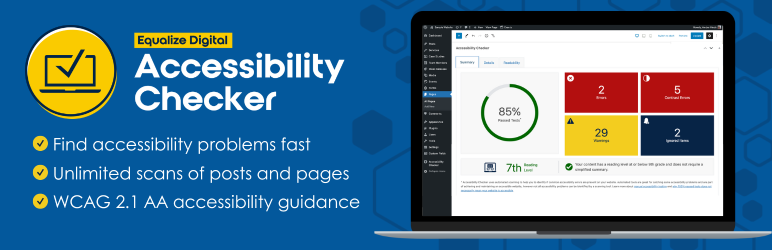
Equalize Digital Accessibility Checker is a powerful WordPress plugin designed to aid in the creation and maintenance of ADA-compliant websites.
This tool automatically scans your website’s content each time you save a draft or hit publish, flagging any issues that could result in WCAG, ADA, or Section 508 accessibility errors. It provides an essential solution for website owners striving to meet accessibility standards and avoid potential legal complications related to ADA compliance.
Features and Benefits
- Real-time Accessibility Scans: This feature runs an automatic scan each time you save a draft or publish content, identifying over 40 different potential accessibility issues.
- Detailed Error and Warning Notifications: The plugin provides a comprehensive list of the code that triggered each error or warning, enabling you to prioritize and address issues effectively.
- Compliance Assurance: For already accessible websites, the Accessibility Checker ensures ongoing compliance with WCAG, ADA, and Section 508 standards.
- Readability Analysis: The plugin includes a Flesch Kincaid grade level analysis to ensure your content meets WCAG Success Criterion 3.1.5 Reading Level.
- Pro Features: The Pro version of the plugin offers additional features like bulk scanning, accessibility status columns, user restrictions on the ‘Ignore’ feature, and more.
Pricing Structure
The Equalize Digital Accessibility Checker offers a free version with basic features, while the Pro version comes at different pricing tiers depending on the size of the business starting at $144/ year.
Accessibility by Audioeye
AudioEye is a revolutionary ADA Compliance plugin for WordPress, designed to make your website more accessible for those with disabilities.
With its patented technology, this plugin automatically detects and resolves over 400 accessibility issues, making your content more inclusive. AudioEye not only ensures your site’s compliance with ADA, Sec 508, AODA, and more, but it also provides a valuable toolset for maintaining and improving your site’s overall accessibility.
Features and Benefits
- Path to compliance with ADA, Sec 508, AODA & more: AudioEye helps you meet the requirements of various accessibility standards, ensuring your website is accessible to all users, and protecting you from potential legal issues.
- AudioEye Trusted Certification: With this certification, you can assure your site’s visitors that you prioritize accessibility and inclusiveness.
- Usability toolbar with 24/7 Helpdesk: AudioEye provides a handy toolbar for quick fixes and accessibility enhancements. Plus, a 24/7 helpdesk is available for any inquiries or issues you may encounter.
- Suite of AI-Powered Tests & Fixes: AudioEye uses artificial intelligence to identify and rectify hundreds of accessibility issues, saving you time and resources.
- Access to Certified Accessibility Experts: For complex issues that can’t be resolved automatically, AudioEye provides access to a team of certified experts who can guide you through the remediation process.
- Basic Legal Support & Warranty: In case of any legal concerns related to accessibility compliance, AudioEye provides basic legal support and warranty.
- For custom needs, AudioEye offers additional features such as advanced legal support, manual remediations, premium support, and custom training.
Pricing Structure
The use of the AudioEye plugin requires an active subscription to an AudioEye Plan. The pricing depends on the plan you choose.
What are ADA Compliance Plugins in WordPress
ADA compliance plugins are tools designed to help website owners ensure their websites are accessible to all users, including those with disabilities. The Americans with Disabilities Act (ADA) is a civil rights law that prohibits discrimination against individuals with disabilities in all areas of public life, including jobs, schools, transportation, and all public and private places that are open to the general public.
While originally not specifically aimed at digital properties, legal interpretations have increasingly required websites to be accessible, leading to the need for ADA compliance in the digital space.
What ADA Compliance Plugins Do
ADA compliance plugins assist in making websites more accessible by providing features like:
- Text-to-speech functionality: Converts text on the site into audible speech.
- Keyboard navigation enhancements: Enables users to navigate the website using keyboard shortcuts, crucial for those who cannot use a mouse.
- Contrast adjustments: Offers options to change text and background colors for better visibility.
- Font size adjustments: Allows users to increase or decrease the font size for better readability.
- Alt text for images and ARIA labels: Ensures that all visual content is accompanied by descriptive text or labels that can be read by screen readers.
- Error identification and suggestions: Helps in identifying and correcting errors within forms or navigation that could hinder accessibility.
Why ADA Compliance Plugins Are Required
- Legal Compliance: The ADA implies that websites should be accessible to everyone. Non-compliance can lead to lawsuits and financial penalties, as seen in increasing legal actions against inaccessible websites.
- Wider Audience Reach: Making your website accessible opens your content or services to millions of users with disabilities, thus expanding your audience and potential customer base.
- SEO Benefits: Many accessibility adjustments, like proper use of headings and alternative text for images, can also improve your website’s SEO, making your site more discoverable.
- Corporate Social Responsibility (CSR): Ensuring your website is accessible reflects positively on your brand’s values and commitment to inclusivity and equality.
- Improved User Experience: The enhancements made for accessibility can also benefit users without disabilities, such as those using mobile devices or those in environments where audio playback is not feasible, enhancing overall user experience.
Implementing ADA compliance plugins is part of a broader strategy to make web content accessible. However, it’s important to note that these plugins alone may not make a website fully compliant with all ADA requirements. A holistic approach, including manual auditing, user testing with people with disabilities, and potentially redesigning elements of the website, might also be necessary.
Final Word
In conclusion, ensuring ADA compliance on your WordPress site is crucial not only for inclusivity but also for expanding your reach and avoiding legal complications.
Plugins such as Web Accessibility by accessiBe, WP ADA Compliance, Equalize Digital Accessibility Checker, and Accessibility by Audioeye offer various features, from AI-powered scanning to comprehensive error checks that aid in maintaining compliance.
While they all come at different pricing structures, their benefits to your website’s accessibility and user experience are invaluable. Therefore, it is highly recommended to explore these plugins and select the one that best fits your needs. Engage with us in the comments or share this blog post to help others prioritize web accessibility.
FAQs
1. What Are ADA Compliance Plugins for WordPress?
ADA compliance plugins are tools designed to assist website owners in making their WordPress sites accessible to individuals with disabilities, ensuring compliance with the Americans with Disabilities Act (ADA). These plugins offer various features such as text-to-speech functionality, keyboard navigation enhancements, contrast adjustments, and more, aimed at improving website accessibility.
2. Why Are ADA Compliance Plugins Important?
ADA compliance plugins are crucial for several reasons: they help in avoiding legal complications by ensuring your site meets ADA standards, expand your audience by making your site accessible to people with disabilities, improve overall user experience, and can also positively impact your SEO efforts.
3. How Do ADA Compliance Plugins Work?
ADA compliance plugins work by adding accessibility features to your WordPress website. These can include providing alt texts for images, enabling keyboard navigation, offering font size adjustments, and more. They can automatically detect and fix certain accessibility issues or provide recommendations for manual adjustments.
4. Can ADA Compliance Plugins Guarantee Full ADA Compliance?
While ADA compliance plugins significantly improve accessibility, they cannot guarantee full compliance on their own. Achieving ADA compliance often requires a comprehensive approach, including manual site reviews, user testing with people who have disabilities, and modifications beyond what automated tools can achieve.
5. What Are Some Popular ADA Compliance Plugins for WordPress?
Some popular ADA compliance plugins for WordPress include WP Accessibility Helper, Accessibility Checker, and UserWay’s Accessibility Widget. Each offers different features, so choosing one depends on your specific needs and the level of customization you require.
6. How Often Should I Check My Website for ADA Compliance?
It’s advisable to regularly check your website for ADA compliance, especially after making significant updates or changes. Periodic audits using ADA compliance plugins, coupled with manual checks and user feedback, can help ensure ongoing compliance.
7. Are ADA Compliance Plugins Difficult to Use?
Most ADA compliance plugins are designed with ease of use in mind. They often come with user-friendly interfaces and documentation to guide you through setting up and customizing the plugin to fit your website’s needs.
8. Do ADA Compliance Plugins Affect Website Performance?
While adding any plugin can impact website performance to some extent, most ADA compliance plugins are optimized to minimize this impact. It’s important to choose well-coded plugins and test your website’s performance before and after installation to ensure any changes are acceptable.


