Stepping into the world of web design can be a daunting task, especially when you’re trying to create a unique aesthetic for your WordPress site. One essential aspect is typography, which plays a vital role in your website’s overall look and feel.
This is where ‘WordPress Custom Font Plugins‘ come in handy. These tools can help you customize your site’s typography and stand out from the crowd, offering a plethora of font options and customization features.
The following listicle explores several powerful WordPress Custom Font Plugins that serve as excellent alternatives to FontAwesome. You’ll learn about the unique features and benefits of each plugin, and understand how they can help enhance your website’s performance, typography, and design.
Table of Contents
Best FontAwesome Alternatives: WordPress Custom Font Plugins
Custom Fonts – Host Your Fonts Locally

Custom Fonts is a powerful WordPress plugin that serves as an excellent alternative to FontAwesome. It allows you to host your fonts locally, offering improved speed, performance, and privacy. Whether you’re an eCommerce store owner, a web designer, or a blogger, Custom Fonts can significantly enhance your website’s typography and overall design.
Features and Benefits
- Improved Speed and Performance: Custom Fonts enables you to host your fonts directly on your server, reducing external requests and significantly speeding up page load times.
- Customizable Typography: Upload your custom fonts or choose from a vast collection of Google Fonts, allowing you to personalize your website to match your unique brand identity.
- Multiple Font Variants: You can upload any number of font variants to suit your design needs, offering limitless customization options.
- Enhanced Privacy and GDPR Compliance: By self-hosting your fonts, Custom Fonts eliminates any privacy concerns associated with external font services.
- Full Site Editing Theme Support: This feature allows seamless integration with WordPress full site editing themes, offering consistent and visually appealing typography across your entire website.
- User-friendly Interface: The interface, built with React JS, is intuitive and easy to use, making it simple to manage your custom fonts and typography settings.
- Completely Free: Custom Fonts is completely free, with no hidden costs or upsells.
Pricing Structure
The plugin is free to use.
Use Any Font | Custom Font Uploader
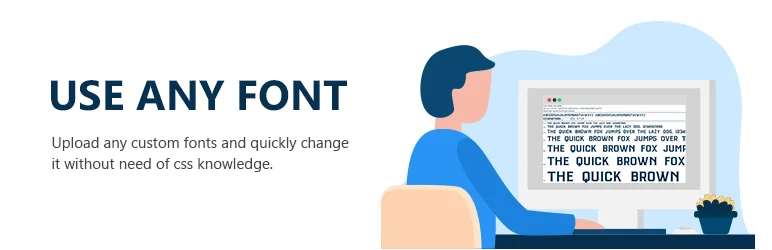
Use Any Font | Custom Font Uploader is a WordPress plugin that lets you upload and utilize any custom fonts on your website. This plugin solves the problem of limited font selections and dependency on server uptime by allowing you to use any custom fonts if you have its font format (ttf, otf, woff).
You can upload your chosen font in one format and the plugin will automatically convert it into other needed formats for compatibility with all browsers.
Features and Benefits
- Quick and easy to set up: This feature lets you change fonts with ease, even if you have no knowledge of CSS, making the setup process quick and simple.
- Supports all browsers: This ensures that your chosen font will display correctly on any browser that your visitors may use.
- Automatic font conversion: Uploaded custom fonts are automatically converted to the compressed woff2 format for faster loading.
- Use custom fonts in various platforms: The plugin allows you to use uploaded custom fonts directly from WordPress Editor, Gutenberg Editor, Divi Builder, Site Origin Page Builder, Elementor Page Builder, Beaver Builder, Themify Builder, Kadence Theme and Blocks, Oxygen Builder, Generate Press, Astra Theme, Ocean WP Theme, Bricks Builder, Themeisle, Revolution Slider, WPBakery Page Builder, and any visual builder using the class.
- Supports multiple custom fonts: You can use more than one custom font on your website, increasing the versatility of your site’s design.
- Faster load time: Since your custom fonts are stored on your own server, your site can load faster, improving user experience.
- SEO-friendly: Fonts are embedded using @font-face css, which is SEO-friendly and helps in improving your site’s search engine visibility.
Pricing Structure
The plugin is free to use with the premium version starting from $9.99.
Fonts Plugin | Google Fonts Typography

The Google Fonts Typography Plugin is a remarkable solution for customizing the fonts on your WordPress website. It offers an extensive library of unique fonts and the flexibility to use different fonts for different sections of your website.
This plugin eliminates the struggle of choosing the right font by providing a live preview feature, allowing you to test and visualize how each font will look with your content. The Google Fonts Typography Plugin simplifies the process of enhancing the aesthetics of your website, making it easy to find the perfect font combination for a striking and engaging website design.
Features and Benefits
- Live Customizer Preview: Allows users to select and preview fonts in real time using the WordPress Customizer, enhancing user experience and ensuring the best font choice.
- Over 1000+ Google Fonts: With a broad range of fonts to choose from, users can easily customize their website to fit their unique style and brand identity.
- Adobe Fonts (Typekit) Integration: Expands the font options, offering more flexibility and variety in typography.
- Compatibility with any WordPress Theme: Eliminates the need for coding, making it user-friendly for people with no technical background.
- Easy One-Click Updates: Ensures that users always have access to the latest features and improvements.
- WooCommerce Support: Compatibility with WooCommerce allows e-commerce websites to maintain brand consistency using custom fonts throughout their site.
- SEO-Friendly: Ensures that using custom fonts won’t affect your website’s search engine ranking.
- Upload Custom Fonts: Provides even more flexibility, allowing users to upload their own fonts.
- Font Size, Weight, Color, and Line Height Typography Settings: Allows users to fine-tune the appearance of their fonts, enhancing the overall aesthetic of their website.
Pricing Structure
The plugin is free to use with the premium version starting from €58 for single website.
Wbcom Designs – Custom Font Uploader
The Custom Font Uploader by Wbcom Designs is a powerful, versatile plugin that allows you to personalize your WordPress site with a wide range of Google web fonts. You can also upload your own custom fonts, further expanding your options for unique, eye-catching typography.
The plugin is designed to make it easy to integrate your selected fonts into your site’s theme, without the need for any external APIs. All the fonts are stored on your server, ensuring a seamless user experience.
Features and Benefits
- Unlimited Font Upload: Enjoy complete creative freedom with no limit to how many fonts you can upload, allowing you to customize your site’s typography to your liking.
- Google Fonts Integration: Directly integrate Google web fonts into your site, accessing a vast library of professional, high-quality fonts to enhance your web presence.
- Custom CSS: Utilize your own custom CSS to gain precise control over how your fonts are displayed, ensuring your site’s typography matches your unique style.
- Page Builder and Theme Support: Benefit from compatibility with popular page builders and themes, including Astra, Beaver Builder, Elementor, and Kirki Framework-based themes, enabling the use of custom fonts regardless of your site’s design.
- Easy-to-Use UI: The plugin features a user-friendly interface designed to simplify the selection and management of your fonts, complete with a preview feature to visualize fonts on your site before finalizing your choice.
Pricing Structure
The plugin is free to use.
Styleguide – Custom Fonts and Colors

The Styleguide – Custom Fonts and Colors plugin is a powerful tool for effortlessly customizing your WordPress themes using the WordPress Customizer. This plugin allows you to implement live previews of your changes before permanently saving the new settings.
It addresses the need for unique website aesthetics without necessitating the services of a designer or the hassle of code editing. Styleguide supports all default WordPress themes, with provisions for more in the future. It also enables customization of other themes.
Features and Benefits
- Extensive Google Fonts Selection: Styleguide allows you to choose from the top 45 Google fonts to personalize your website, enhancing its aesthetic and usability.
- Editing Colors: For certain themes, you can edit the colors, thus enhancing your website’s visual appeal.
- Filter Fonts: This feature is beneficial for non-Latin languages such as Russian, as it allows you to filter fonts based on the character set, ensuring better accessibility.
- Support for Multiple Character Sets: Styleguide supports fonts with a variety of character sets, making it easy to select a font for different languages including Cyrillic, Devanagari, Greek, Hebrew, Latin, and Vietnamese.
- Developer Functionality: This feature allows developers to add support to other themes and for adding additional fonts, fostering greater customization and functionality.
- Supported Themes: The plugin supports multiple themes, including Kent, Bromley, Romero, Puzzle, Chronicle, Broadsheet, Lens, Monet, Mimbo Pro, Opti, Adaline, and the WordPress default themes from Twenty Ten through Twenty Fifteen.
- Theme Support Addition: Styleguide allows any theme to add support through the
add_theme_supportcommand, facilitating theme customization. - Extra Fonts: The plugin offers developers a filter for adding additional fonts, providing more options and versatility in design.
Pricing Structure
The plugin is free to use.
Zeno Font Resizer

Zeno Font Resizer is a dynamic WordPress Custom Font Plugin that provides an unparalleled solution to a common problem – the inability for website visitors to adjust font size.
This plugin offers your site visitors the flexibility to personalize their reading experience by choosing a font size that best suits their preference. It is a powerful tool for enhancing the usability and accessibility of your website content.
Features and Benefits
- JavaScript and jQuery Integration: The plugin uses JavaScript and jQuery to adjust the font size, ensuring a smooth and seamless user experience.
- Cookie-Based Settings: It saves settings in a cookie, allowing visitors to enjoy a consistent font size every time they revisit your site, enhancing user-friendliness and convenience.
- Customizable Admin Page: You can determine the content to be resized, the resize steps, and other options, allowing you to meet the specific needs of your audience with high customization.
- Classic Widget: There’s a traditional widget that simplifies the resizing process, further improving user experience.
- PHP Code Addition: You can enhance your theme by adding PHP code to a template, ideally a child theme, which provides a higher level of customization.
- Lightweight: The plugin is designed to be simple and lightweight, ensuring it doesn’t slow down your website while still delivering its core functionality.
Pricing Structure
The plugin is free to use.
Why You Need FontAwesome Alternative for WordPress Custom Fonts Plugins
FontAwesome has been a popular choice for web developers and WordPress users looking to incorporate scalable vector icons into their websites. It provides an easy-to-use, comprehensive set of icons. However, there are several reasons why you might consider alternatives, especially when using WordPress custom fonts plugins. Here’s a detailed breakdown of these reasons:
1. Limited Customization with Free Version: Font Awesome offers a vast library of free icons, but customization options are restricted. You can’t change the icon style or design elements significantly in the free tier.
2. Potential Conflicts and Performance Issues: If multiple plugins or your theme rely on Font Awesome, conflicts can arise. This might lead to icons displaying incorrectly or causing unexpected glitches. Font Awesome uses web fonts, which can add to website loading times, especially if you use a large number of icons.
3. Desire for a Unique Brand Identity: Font Awesome’s icons have a distinct style. If you want a more custom look that aligns perfectly with your brand identity, a different icon library might be preferable.
4. Cost Considerations (For Extensive Use): The free Font Awesome version has limitations. Upgrading to Pro for more features and customization adds a cost factor. If you need a large number of icons or extensive customization, exploring alternatives might be more cost-effective.
Ultimately, the best choice depends on your specific needs and priorities. If you only need basic icons and don’t mind the Font Awesome style, the free version might suffice. But for more customization, performance optimization, or a unique brand identity, exploring FontAwesome alternatives can be beneficial.
Final Word
With the right WordPress Custom Font Plugin, you can open up a world of exciting possibilities for your website. From improving speed and performance to offering customizable typography, these plugins can transform your site, enabling you to grow your audience, boost engagement, and establish your brand in your niche.
What’s more, the privacy and GDPR compliance offered by these plugins can put your mind at ease while you focus on what matters most – creating enticing content for your visitors. Now it’s time to take the next step. Dive in, explore these plugins, and unlock the full potential of your website.
FAQs About WordPress Custom Fonts Plugins
- What are WordPress Custom Fonts Plugins?
WordPress Custom Fonts Plugins enable users to add custom fonts to their WordPress websites, offering more unique and personalized options than standard font libraries. This enhances brand identity and user experience by allowing for the use of unique fonts not available through common sources like Google Fonts or FontAwesome. - How do WordPress Custom Fonts Plugins improve website performance?
These plugins enhance site performance by enabling the upload and usage of only necessary fonts, avoiding the loading of extensive font libraries. This selective approach reduces page load times and improves efficiency, which can contribute to a better overall user experience and SEO. - Are there SEO benefits to using WordPress Custom Fonts Plugins?
Yes. By optimizing font loading and reducing website load time, WordPress Custom Fonts Plugins can contribute to improved site speed—a critical factor in search engine rankings. Faster sites often see better user engagement and reduced bounce rates, positively impacting SEO. - Can I create my own fonts with WordPress Custom Fonts Plugins?
Most WordPress Custom Fonts Plugins are designed to upload and manage existing fonts. However, some may offer limited tools for modifying or creating fonts directly within WordPress, although full font creation generally requires specialized software. - What should I consider when choosing a WordPress Custom Fonts Plugin?
Key considerations include ease of use, compatibility with your current WordPress theme, support for multiple font formats, and additional features like font conversion tools. Also important is the plugin’s maintenance record, ensuring it receives regular updates and support. - How do I ensure the fonts uploaded via WordPress Custom Fonts Plugins are legally compliant?
Always use fonts that are either open source or for which you have purchased a license. Ensure the license specifically permits web embedding to avoid legal issues and copyright infringement. - Are WordPress Custom Fonts Plugins compatible with all web browsers?
While most are designed to support major web browsers (Chrome, Firefox, Safari, Edge), it’s crucial to test your specific fonts across different browsers to ensure consistent rendering. Compatibility with various font formats like WOFF, WOFF2, and TTF helps guarantee broad browser support. - What is the best way to optimize fonts for mobile users using WordPress Custom Fonts Plugins?
Ensure fonts are responsive, adjusting automatically to different screen sizes. Optimize font file sizes to enhance loading times on mobile networks. Consider using features like dynamic loading, which only loads the necessary characters based on page content, optimizing mobile performance further.


