

Advanced Custom Fields (ACF) helps you easily customize WordPress with powerful, professional and intuitive fields. Proudly powering over…
About WP REST Cache
This plugin helps speed up the WordPress REST API by caching the responses, making it much faster. It offers caching of default and custom endpoints, automated and manual cache flushing, and the ability to specify cache timeout. Installation can be done from within WordPress or manually.Screenshots
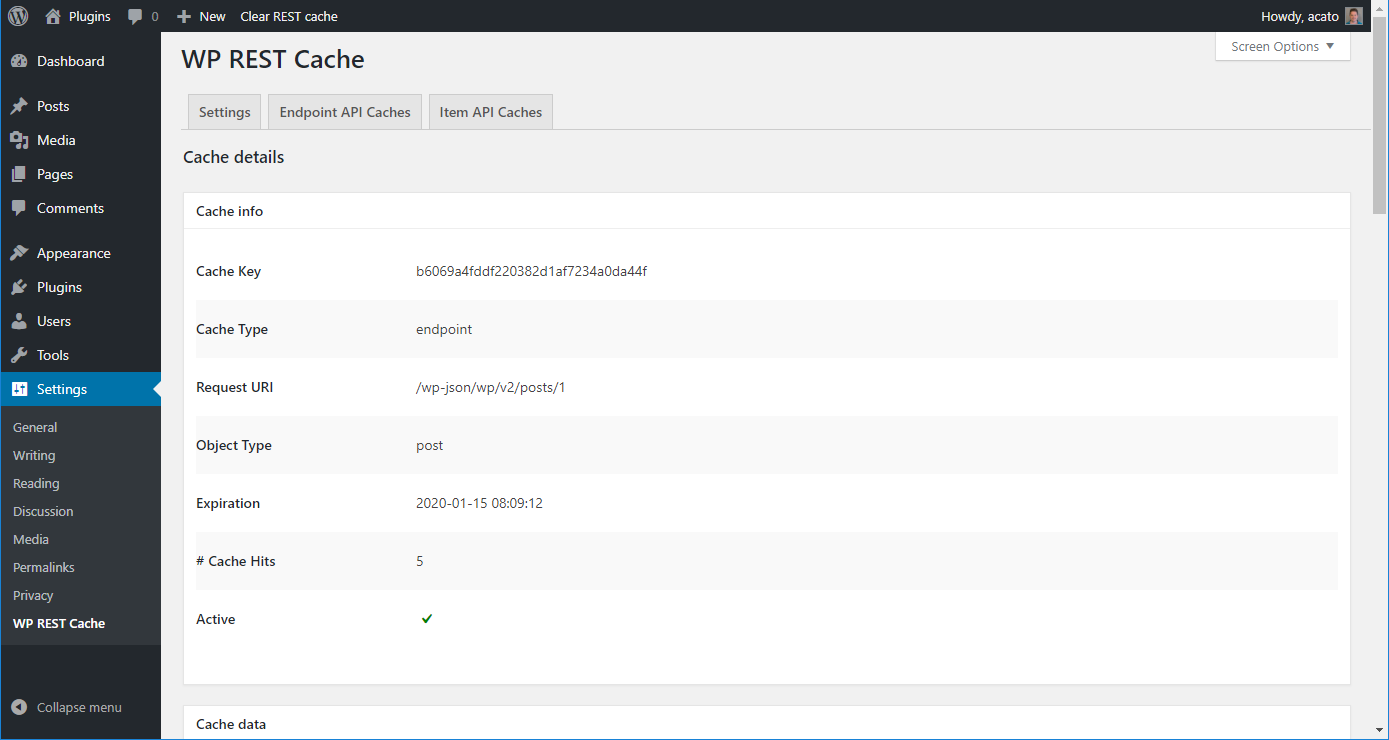
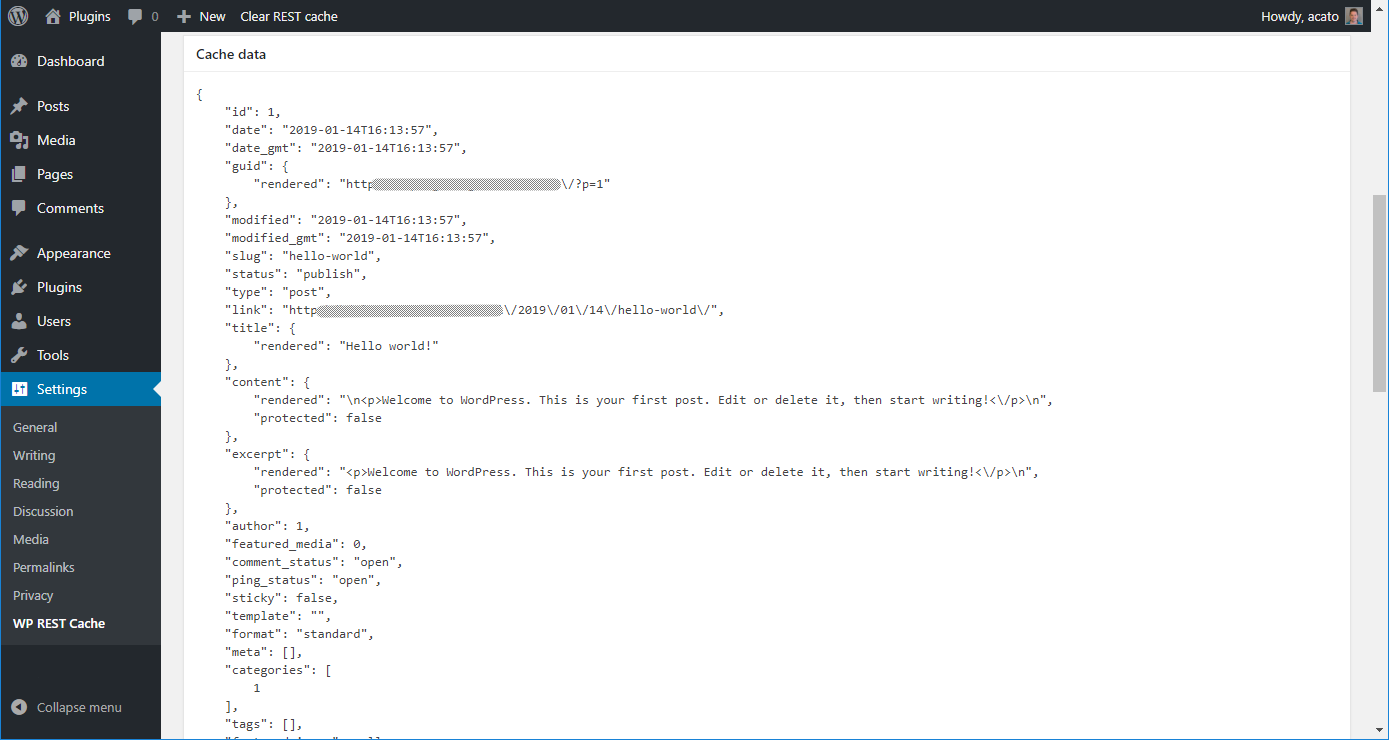
Frequently asked questions
What is WP REST Cache?
WP REST Cache is a WordPress plugin that enables caching of the WordPress REST API responses to improve speed. It automatically flushes caches when content is edited in wp-admin.
What types of REST API endpoints can be cached?
The plugin can cache all default WordPress REST API GET-endpoints, as well as custom post type and taxonomy endpoints. It also allows for registering custom endpoints for caching.
How does WP REST Cache handle cache management?
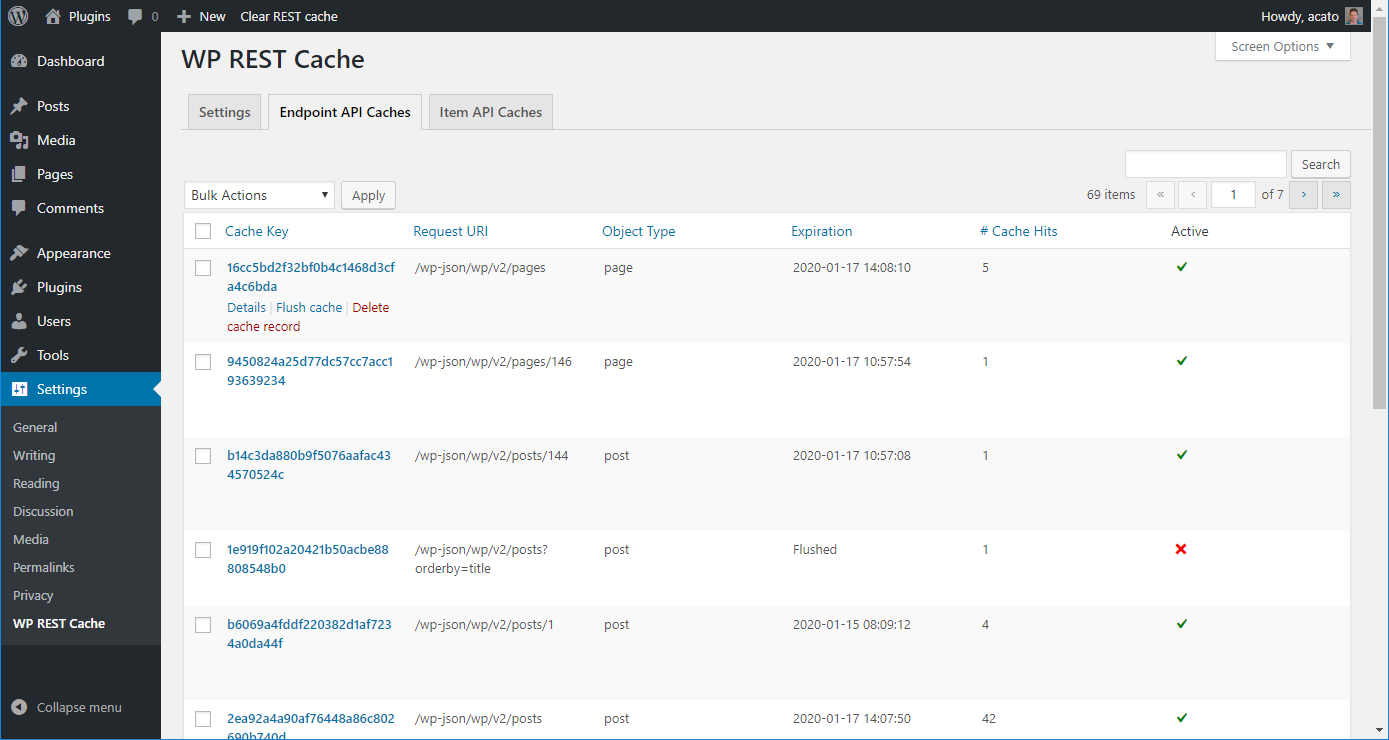
It offers automated flushing of caches when content is edited, manual flushing of all caches, and manual flushing of specific caches. Users can also specify a timeout for caches and regenerate them automatically.
How do I install WP REST Cache?
You can install it from within WordPress by searching for 'WP REST Cache' in the 'Plugins > Add New' section, or manually by uploading the plugin folder to /wp-content/plugins/. After activation, ensure the 'WP REST Cache - Must-Use Plugin' is in /wp-content/mu-plugins/.
Can I change the cache timeout?
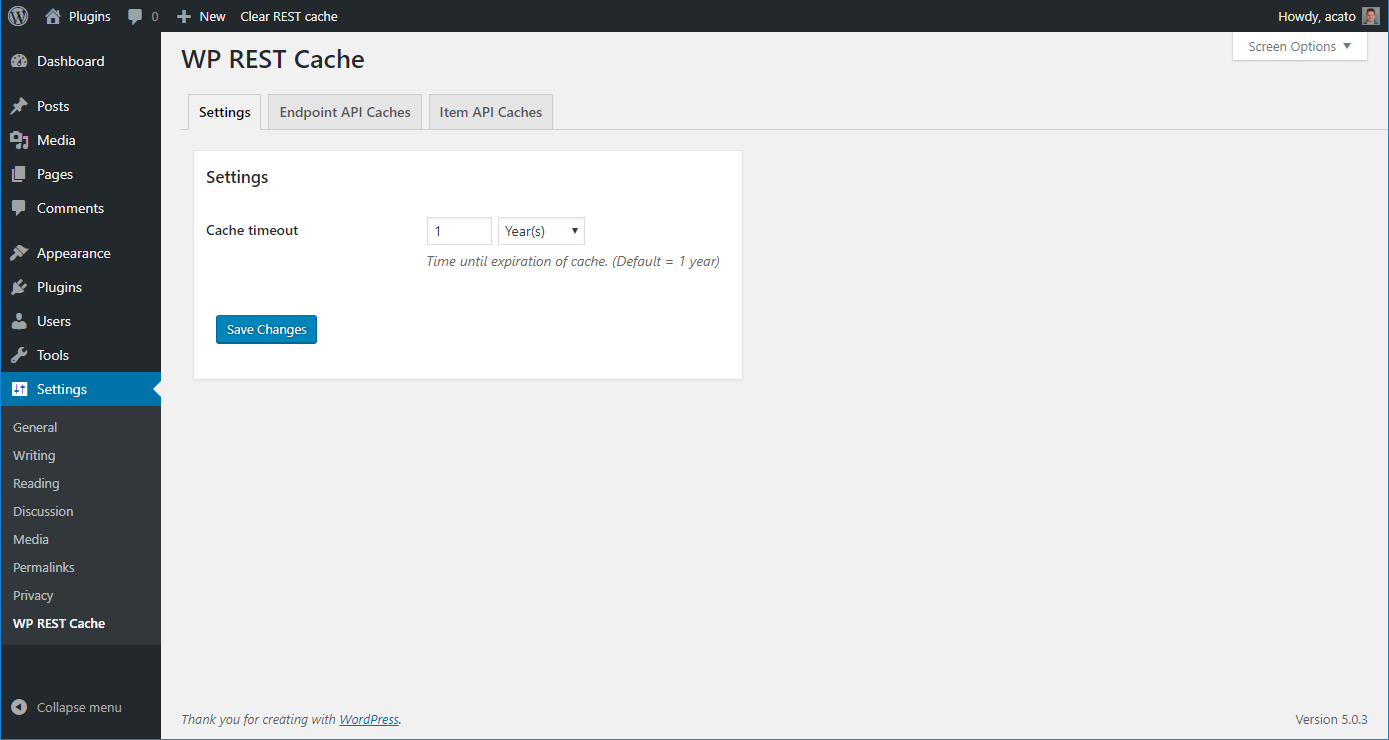
Yes, the default cache timeout is set to 1 year, but you can change this by visiting 'Settings > WP REST Cache' after activation.
Changelog
2024.3.0
Release Date: December 18th, 2024
Feature: Allow defining settings through wp-config constants.
2024.2.3
Release Date: September 30th, 2024
Bugfix: Fix fatal error when option is false.
2024.2.2
Release Date: September 9th, 2024
Bugfix: Fix incorrect building of endpoint URL when using WPML.
2024.2.1
Release Date: August 28th, 2024
Bugfix: Fix error with WP CLI command.
2024.2.0
Release Date: August 12th, 2024
Improvement: Several small improvements.
2024.1.3
Release Date: March 20th, 2024
Bugfix: Fix undefined array key warnings.
2024.1.2
Release Date: March 7th, 2024
Bugfix: Fix where the plugin caused an error on permanently deleting items.
2024.1.1
Release Date: March 6th, 2024
Bugfix: Several small fixes.
2024.1.0
Release Date: March 2nd, 2024
Improvement: Upgrade to WPCS 3.
Improvement: Prevent refresh of caches table to redo previous action.
2023.2.1
Release Date: August 29th, 2023
Bugfix: Make sure notices are shown only once.
2023.2.0
Release Date: July 21st, 2023
Feature: Added filter to allow filtering of cache headers prior to outputting.
Feature: Added filter to allow filtering whether empty result sets should be cached (Contribution by: @mjulien).
2023.1.1
Release Date: February 8th, 2023
Hotfix: Fix uncaught TypeError which might occur in rare situations.
2023.1.0
Release Date: February 6th, 2023
Feature: Added WordPress Oembed endpoint for caching.
Feature: Added action fired when deleting caches.
Feature: Added filter to skip cron deletion of caches and immediately delete the caches.
2022.2.2
Release Date: October 10th, 2022
Fix: WP CLI command wasn’t working correctly anymore.
2022.2.1
Release Date: August 25th, 2022
Hotfix: Settings page wasn’t displayed correctly.
2022.2.0
Release Date: August 25th, 2022
Feature: Added filter to allow filtering of cache output.
Improvement: Fix conflict with Wordfence.
Improvement: Added notice upon any plugin (de/)activation that cache might need to be cleared.
Improvement: Added phpstan checks and fixed all errors.
2022.1.2
Release Date: August 12th, 2022
Bugfix: prevent error on clean install.
2022.1.1
Release Date: July 15th, 2022
Bugfix: prevent notice.
2022.1.0
Release Date: July 13th, 2022
Bugfix: Fixed regeneration of flushed caches.
Bugfix: Fix possible fatal error on variable not being an array.
Bugfix: Fix deprecation notice for PHP 8.
2021.4.1
Release Date: September 15th, 2021
Bugfix: Fix notice for missing variable.
2021.4.0
Release Date: September 15th, 2021
Feature: Added filter for disabling CORS headers.
Feature: Added filter to disallow caching of (sub)endpoints.
Bugfix: Filesystem methods weren’t always loaded correctly when the plugin was loaded through a mu-plugin.
2021.3.0
Release Date: April 15th, 2021
Feature: Added support for when the plugin itself is installed as a mu-plugin.
2021.2.1
Release Date: February 27th, 2021
Bugfix: Error in delete_object_type_caches function.
2021.2.0
Release Date: February 24th, 2021
Feature: Added WP CLI command to flush caches from the command line.
Bugfix: Force saved cache to be valid JSON (to prevent errors with invalid JSON responses).
2021.1.0
Release Date: January 28th, 2021
Feature: Added a filter to allow caching of requests with a nonce.
2020.3.2
Release Date: November 10th, 2020
Bugfix: Allow CORS headers to be overwritten. (Contribution by @luisherranz)
2020.3.1
Release Date: October 19th, 2020
Bugfix: Not all caches were flushed correctly after last update.
2020.3.0
Release Date: October 12th, 2020
Improvement: Cleanup of legacy code.
Feature: Added the option to filter the cache timeout per cache.
2020.2.2
Release Date: September 7th, 2020
Bugfix: Conflict when caching two calls with same url but different request method.
Bugfix: Bulk actions were broken.
2020.2.1
Release Date: July 14th, 2020
Bugfix: WordPress bug caused screen options to not work correctly anymore.
2020.2.0
Release Date: July 2nd, 2020
Improvement: Speed up cache clearing.
Feature: Added filter for programmatically skip caching.
Feature: Added filter to disable cache hit recording.
Feature: Added option to delete all caches (vs flush all caches).
Bugfix: Do not cache API calls with a nonce.
Bugfix: Fix for not caching when there are double slashes in the request path.
Bugfix: Fix persisting the search when searching through caches.
2020.1.1
Release Date: March 12th, 2020
Bugfix: Allow usage of rest_route parameter.
Bugfix: WordPress database error: specified key was too long.
2020.1.0
Release Date: January 16th, 2020
Feature: Added a filter to ignore specific query string parameters.
Feature: Make allowed request methods filterable.
Bugfix: Make options not autoload.
2019.4.5
Release Date: November 22nd, 2019
Bugfix: Do not update database table on each load.
Bugfix: WordPress database error: specified key was too long.
2019.4.4
Release Date: November 14th, 2019
Hotfix: Fixing WordPress database error.
2019.4.3
Release Date: November 12th, 2019
Feature: Added filter for Settings page capability.
Bugfix: Problem with non-existing tables after multisite duplication.
2019.4.2
Release Date: October 15th, 2019
Bugfix: Prevent fatal error after WordPress security update.
2019.4.1
Release Date: September 5th, 2019
Feature: Flush caches with progressbar and through ajax call to prevent timeout.
Bugfix: Expiration date was displayed incorrectly.
Bugfix: Do not cache empty result set.
Bugfix: Do not use filter_input with INPUT_SERVER, it will break when fastcgi is used (see https://stackoverflow.com/questions/25232975/php-filter-inputinput-server-request-method-returns-null/36205923).
2019.4.0
Release Date: July 12th, 2019
Feature: Added option to differentiate between caches based upon certain request headers.
Feature: Added option to hide the ‘Clear cache’ button in the wp-admin bar.
Bugfix: Fix for when WordPress is installed in a subdirectory.
Bugfix: Remove Item Caching, it was causing more problems and complexity than it was improving performance.
2019.3.0
Release Date: June 18th, 2019
Improvement: Meet WordPress Coding Standards.
Feature: Added expired caches regeneration cron.
Bugfix: Added fallback check for Memcache(d). Memcache(d) treats a transient timeout > 30 days as a timestamp.
2019.2.1
Release Date: April 15th, 2019
Feature: Added option to skip cache using a parameter.
2019.2.0
Release Date: April 2nd, 2019
Feature: Added function to programatically flush cache records by endpoint path.
Bugfix: Fix correct filtering of allowed endpoints.
Bugfix: Fix fatal error with object instead of array in cache.
2019.1.6
Release Date: March 25th, 2019
Feature: Added filters for response header manipulation.
2019.1.4
Release Date: March 21st, 2019
Bugfix: bug in saving relations for comments endpoint prevented the cache for comments to be flushed automatically.
2019.1.3
Release Date: February 13th, 2019
Feature: Added support for correctly flushing caches of scheduled posts.
2019.1.2
Release Date: January 31st, 2019
First public version.

