A comprehensive collection of visual components for your site

About Media Library Categories
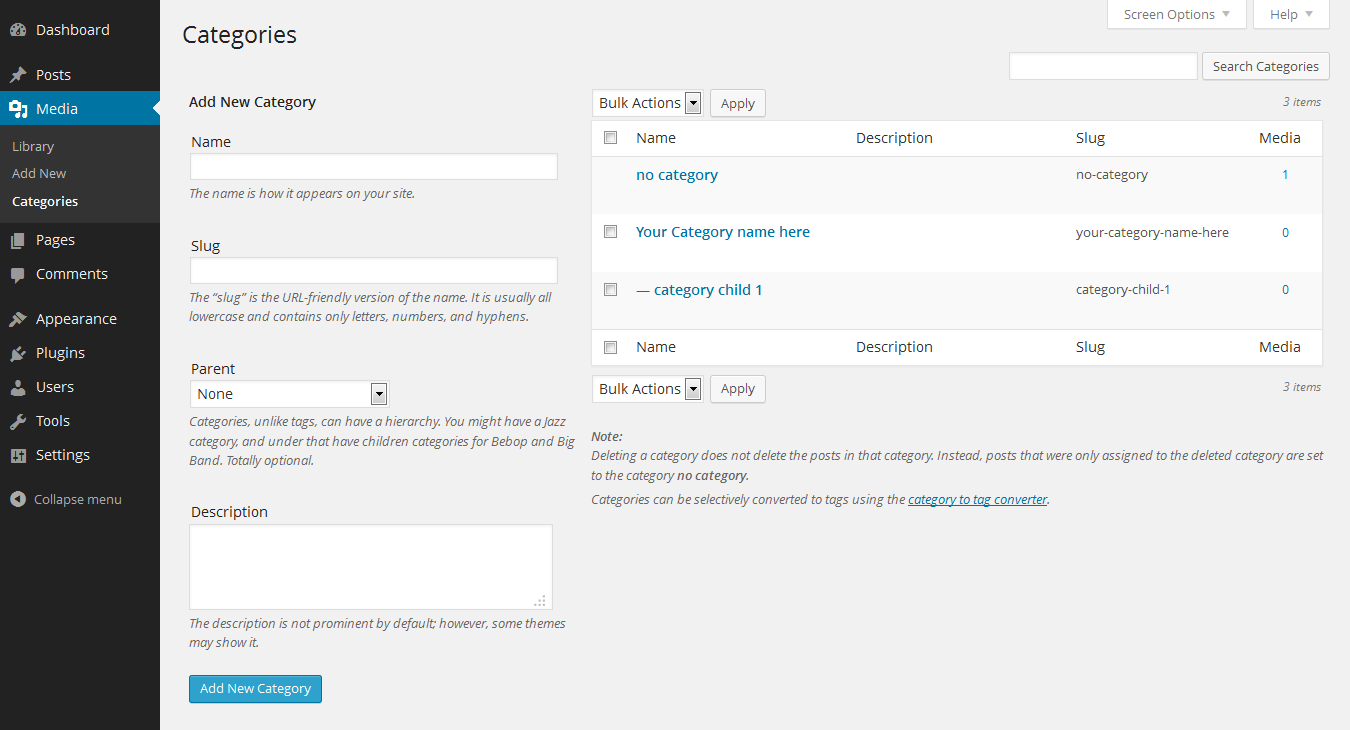
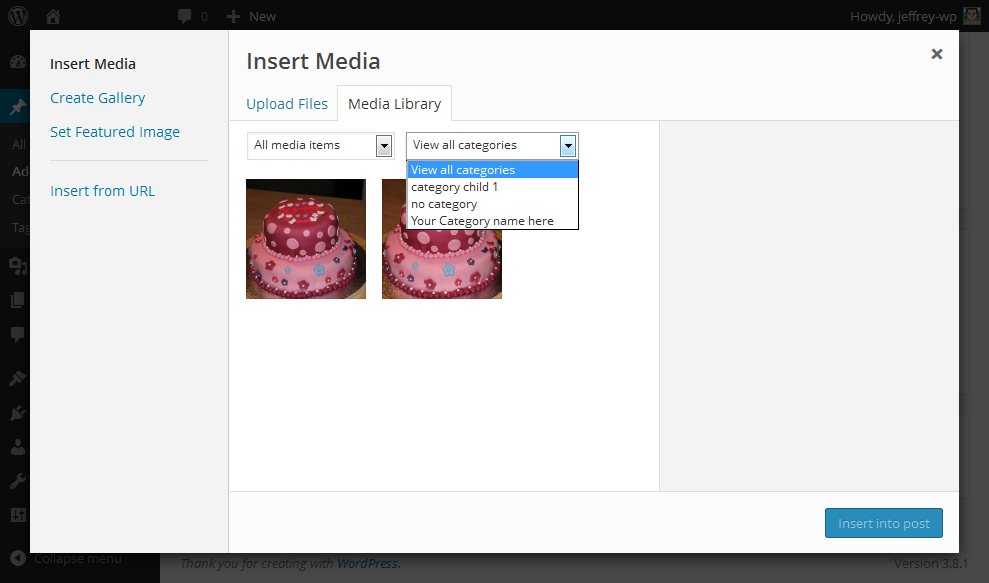
The WordPress Media Library Categories plugin allows you to categorize your media items in the WordPress Media Library. You can easily add, edit, and remove categories, and even change the category of multiple items at once. The plugin also offers options to filter on categories in the media library and when using the gallery shortcode. There is also a premium version available that adds the option to filter on categories when inserting media into a post or page, with a 100% money back guarantee.Screenshots

Frequently asked questions
What does the Media Library Categories plugin do?
The Media Library Categories plugin adds the ability to use categories in the WordPress Media Library. It allows you to add, edit, and remove categories from media items.
Can I manage categories for multiple media items at once?
Yes, you can change the category of multiple items at once using bulk actions within the media library.
Does this plugin support filtering media by category?
Yes, you can filter on categories in the media library and also when using the gallery shortcode.
What WordPress versions are supported?
The plugin supports WordPress versions from 4.0 to 6.7.
Are there premium features available?
Yes, a Premium version adds the option to filter on categories when inserting media into a post or page.
Changelog
2.0.2
- Update Select2 dependency
2.0.1
- Fix XXS vulnerability
2.0.0
- Add escape function for input field custom taxonomy slug
1.9.9
- Fix ‘jQuery.fn.load() is deprecated’ warning
1.9.8
- Remember selected category in dropdown when filtered
1.9.7
- Add autocomplete search to the category dropdown in Media Library list view (which can be turned on under Settings Media)
- Add usability fix to highlight media library settings section when directly linked
1.9.6
- Fix taxonomy checkbox on media modal (when using custom taxonomy)
1.9.5
- Add autocomplete search to the category dropdown in Media Library grid view (which can be turned on under Settings Media)
- Fix some translation strings
1.9
- Add interface (located under Settings Media) to separate the media categories from the default WordPress categories
1.8
- Indent child categories in checklist media popup
1.7
- Support WordPress 5.0
- Support multiple slugs and id’s in gallery shortcode
- Support WordPress Coding Standards 1.1.0
- Add support for Dark Mode in WordPress