Are you searching for the perfect Learning Management System (LMS) plugin to supercharge your online courses? Well, good. In the world of eLearning, selecting the right tool can make or break your success.
This blog post is designed to help you find the best LMS plugins for your WordPress site, ensuring your eLearning projects are both effective and engaging.
We will delve into the top LMS plugins for WordPress, including Tutor LMS, LearnPress, LifterLMS, Namaste! LMS, and MasterStudy LMS. Each plugin will be evaluated based on its features, user-friendliness, pricing, and community rating among other factors.
By the end of the article, you’ll have a clear understanding of the various LMS solutions available, empowering you to make an informed decision tailored to your specific needs.
Tutor LMS – eLearning and online course solution
Overview
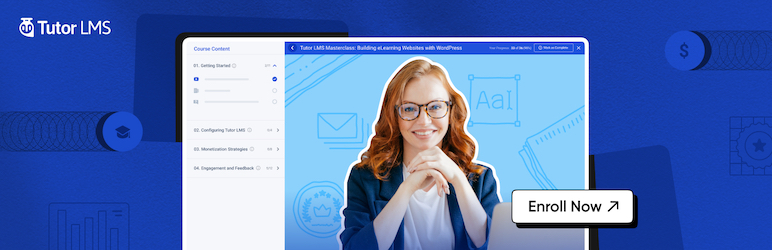
Tutor LMS is a comprehensive WordPress plugin that enables users to create, manage, and sell online courses. It provides a wide range of features, making it an exceptional choice for educational institutions, online schools, and individuals looking to monetize their knowledge. It stands out for its user-friendly interface, advanced analytics, and seamless integration with WooCommerce.
Pricing
Tutor LMS is a completely free WordPress LMS plugin. However, it also offers premium high-quality add-ons that you can add to enhance the functionality of the core plugin. These add-ons include certificates, email notifications, shopping carts, and more.
User-Friendliness
Tutor LMS is easy to set up and use, even for users with no coding knowledge. Its intuitive frontend course builder allows you to create, customize, manage, and sell online courses with ease. The plugin also features a minimalistic and uniform design that provides a seamless user experience.
Use Cases
Tutor LMS is ideal for anyone looking to create a full-fledged learning management system. It can be used for blended learning, community education, online classrooms, training courses, and professional continuing education.
Customer Support
The Tutor LMS team offers prompt and efficient customer support to assist users with any issues they may encounter. Many users have praised the support team for their quick response and resolution of problems.
Community Rating
Tutor LMS has received positive reviews from the community, with users praising its powerful features, ease of use, and excellent customer support. It is highly recommended by users for creating and managing online courses.
Additional Notes
Besides its extensive features, Tutor LMS also values security and accessibility. It supports two-factor authentication, email verification, and fraud protection to keep your e-learning platform secure.
It also offers international language support and is ready for RTL languages. Moreover, the plugin ensures accessibility for users with disabilities, making it a truly inclusive learning management system.
LearnPress – WordPress LMS Plugin
Overview
The LearnPress WordPress LMS Plugin is a comprehensive tool designed for creating and selling online courses. With its user-friendly interface, you can easily manage a course curriculum, including lessons and quizzes. This plugin is ideal for creating online education, online school, or online-course websites, even without any coding knowledge.
Key Features
- Allows for easy creation of online courses with a full curriculum layout
- Provides a smooth interface for course management
- Supports the sale of courses with various billing methods like PayPal, WooCommerce, Stripe, etc.
- Facilitates communication between students and instructors via the WordPress forum
- Offers a range of add-ons for enhanced functionality
- Supports multilingual sites, as recommended by WPML
- Compatible with any WordPress themes
- Supports WordPress multisite making it possible to create a multi-site based LMS
Integration
The LearnPress plugin integrates seamlessly with popular tools like BuddyPress for improved communication with students, WooCommerce for secure transactions, and WPML for multilingual support.
Pricing
LearnPress is free and aims to remain so, making education accessible to as many people as possible. However, it supports premium add-ons for extended functionality.
User-Friendliness
With its easy-to-use interface, LearnPress is user-friendly for both course creators and learners. It also provides detailed documentation for easy setup and use.
Use Cases
This plugin is perfect for educational institutions, online tutors, or any business looking to sell courses online. It is also ideal for creating multilingual educational sites.
Customer Support
LearnPress provides robust customer support through its documentation and dedicated support forum.
Community Rating
While specific community ratings for LearnPress were not mentioned, it’s highly recommended by its users and WPML for multilingual sites.
Additional Notes
Besides its core functionalities, LearnPress offers a range of add-ons both free and premium. These add-ons enhance its features, making it a versatile and powerful LMS plugin.
LifterLMS – WordPress LMS Plugin for eLearning
Overview
LifterLMS is a comprehensive WordPress plugin designed to transform your site into a fully-fledged eLearning platform. Its extensive features allow you to create, sell, and protect engaging online courses and training-based membership websites. It stands out for its user-friendly interface, customizable features, and strong community support.
Key Features
- Intuitive course builder for creating multimedia lessons
- In-depth student progress tracking including timed or open quizzes, drip content, and awarding certificates
- Complete eCommerce platform with built-in gateway integration for Stripe and PayPal
- Community and social learning features such as discussion forums and multiple instructors
Integration
LifterLMS is compatible with any well-coded WordPress theme or page builder including Elementor, Beaver Builder, and Divi. Additionally, it can integrate with over 5,000 other apps via Zapier.
Pricing
The core LifterLMS plugin is free with no limits on your courses, memberships, enrollments, or earnings. Premium add-ons and bundles are available for purchase to enhance functionality.
User-Friendliness
Designed with ease of use in mind, LifterLMS is ideal for both builders and beginners. It provides an industry-leading course builder for creating online courses and allows users to test drive the core plugin and all premium add-ons before purchase.
Use Cases
LifterLMS excels in situations where users want to create high-value online courses, coaching, or training-based membership websites. It is ideal for entrepreneurs, educators, and organizations that wish to democratize education in the digital classroom.
Customer Support
LifterLMS offers robust customer support with a dedicated team of talented course creators, developers, designers, marketers, and entrepreneurs. They provide assistance and guidance to users, helping them make the most of the plugin.
Community Rating
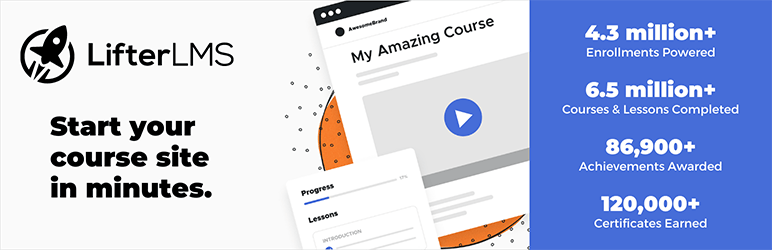
LifterLMS has over 10,000 active installs of the WordPress LMS plugin and boasts 297 five-star reviews, reflecting its popularity and high user satisfaction.
Additional Notes
LifterLMS is committed to giving back to the open source community and believes in free, distributed learning for all. It also offers a $1 temporary 30-day website for users to get a feel for the product and its premium features.
Namaste! LMS
Overview
Namaste! LMS is a comprehensive Learning Management System plugin for WordPress. It supports an unlimited number of courses, lessons, assignments, and students, and offers a variety of customizable rules for course and lesson access based on assignment completion, test results, or manual admin approval.
It also provides various user roles for managing the LMS, and allows students to earn certificates upon completing courses.
Key Features
- Unlimited course and lesson management.
- Free and paid course options.
- Ability to create assignments and approve or reject student’s solutions.
- Gradebook and point systems for evaluating student performance.
- Connection to quizzes, tests, and exams created with plugins like Watu or WatuPRO.
- Auto-approval or manual review of students who want to enroll in a course.
- [PRO] Delayed access to course material.
- [PRO] Assignment of teachers to manage content.
- [PRO] Creation of discount coupons for paid courses and classes.
- [PRO] Selling bundles of courses to boost revenue.
Integration
Namaste! LMS integrates with Watu/WatuPRO and Chained Quiz for handling quizzes, tests and exams, MoolaMojo for transferring points from the points system as virtual credits and selling courses for virtual credits, WooCommerce for selling access for paid courses, myCRED for transferring points and badges, and GamiPress for adding new activity events.
Pricing
While the basic version of Namaste! LMS is free, it also offers a PRO version with additional features.
User-Friendliness
Namaste! LMS is developer-friendly and extendible, with a list of WordPress action hooks and filters available for customization. Full documentation and demo is provided for easy setup and use.
Use Cases
This plugin is perfect for educational institutions, training centers, or any organization offering online courses. It’s also ideal for users who want to sell courses and manage student performance.
Customer Support
Detailed help and documentation are available on the Namaste! LMS website.
Community Rating
Community translations are available in German and Russian, indicating a wide and diverse user base. However, specific community ratings or user reviews are not mentioned.
Additional Notes
Namaste! LMS offers basic BuddyPress integration, allowing users to automatically become a member of a BuddyPress group when they enroll or complete a course. It also has the ability to send webhooks to Zapier and similar services for added functionality.
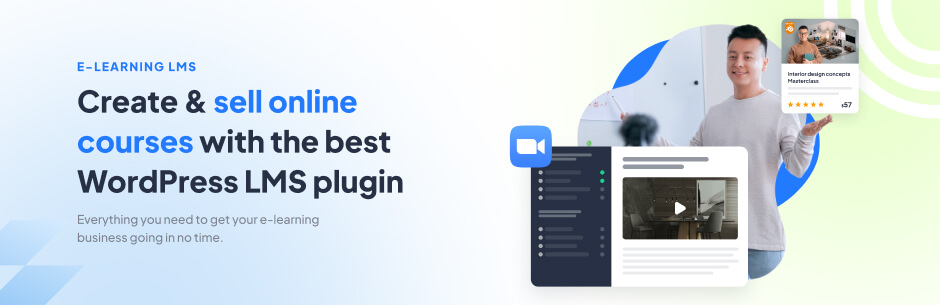
Overview
MasterStudy LMS is the ultimate WordPress plugin for eLearning businesses. It empowers any WordPress website with essential Learning Management System (LMS) features, enabling you to effortlessly manage courses, lessons, quizzes, and educational content.
Key Features
- Create and manage an unlimited number of courses and lessons.
- Offer both free and paid course options.
- Easily build assignments and review student submissions.
- Implement a comprehensive grading system.
- Seamlessly integrate quizzes, tests, and exams.
- Choose between auto-approval or manual enrollment review.
- Unlock premium features with the PRO version, including delayed course access, teacher assignments, discount coupons, and bundled course sales.
Who Is It For?
MasterStudy LMS caters to various user groups:
- Private Instructors (Tutors, Coaches): Perfect for individuals seeking to establish their personal eLearning platform. It offers interactive lessons, message boards, and progress tracking.
- Learning Institutions: Streamline operations in educational institutions with course management, assessment tools, and student communication features.
- Marketplaces: Create an online course marketplace similar to Udemy or Coursera, where you can manage subscriptions, grade quizzes, and issue certificates.
How to Use It
- Effortlessly create courses using the intuitive course builder.
- Add lessons, quizzes, and assignments with customizable details.
- Enhance courses with video lessons, attachments, and teacher assignments.
- Utilize advanced quiz features with multiple question types.
- Provide students with a sleek, distraction-free course player.
Free and Pro Versions
MasterStudy LMS offers both a free version and a Pro version with additional features. The Pro version includes capabilities such as certificate creation, Udemy course importing, prerequisites, advanced quizzes, gradebook management, and more.
Multilingual Support
This plugin is available in multiple languages, ensuring a localized experience for your audience.
Design Options with Shortcodes
MasterStudy LMS provides a range of shortcodes for creating appealing course elements. You can easily integrate search boxes, course carousels, course categories, instructor profiles, and more using shortcodes.
Optional Extras
The Pro Plus version includes an Email Template Manager and Branding Editor for customizing email notifications, making communication with your audience more effective.
WooCommerce Integration
MasterStudy LMS seamlessly integrates with WooCommerce, offering advanced eCommerce features for course sales, subscriptions, and more.
With MasterStudy LMS, you can create a feature-rich online learning platform, cater to various user groups, and provide an engaging and effective eLearning experience.
Please note that this description is based on the provided information and can be further tailored or expanded as needed.
Final Word
In conclusion, LMS plugins can significantly enhance your WordPress site’s capacity for eLearning. Among the top contenders are Tutor LMS, LearnPress, LifterLMS, Namaste! LMS, and MasterStudy LMS.
These plugins are lauded for their extensive features, user-friendly interfaces, and robust customer support. They cater to various needs, from creating a comprehensive online course marketplace to building a secure eLearning platform for a diverse audience.
Now, it’s your turn to take the leap. Try out these recommended LMS plugins, and discover how they can transform your WordPress site into a thriving eLearning hub. Remember, it’s not just about selecting an LMS plugin; it’s about choosing a tool that can empower you and your users in the pursuit of knowledge.
So, make your choice count! Feel free to share your experiences and thoughts in the comments below. Let’s all learn and grow together in the world of online education.
FAQs
1. What is an LMS plugin for WordPress?
An LMS (Learning Management System) plugin for WordPress is a tool that allows you to create, manage, and deliver online courses and educational content directly from your WordPress website.
2. Why should I use an LMS plugin for my WordPress site?
LMS plugins help you easily set up and manage online courses, making it a powerful solution for educators, trainers, and organizations looking to provide online learning experiences to their audience.
3. What are the key features to look for in an LMS plugin?
Important features include course creation tools, quiz and assessment capabilities, student progress tracking, e-commerce integration for selling courses, and support for different media types (videos, PDFs, quizzes, etc.).
4. Which LMS plugin is best for beginners?
For beginners, user-friendly LMS plugins like LearnDash, LifterLMS, and MasterStudy LMS are great choices as they provide easy-to-use interfaces and extensive documentation.
5. Are there free LMS plugins available for WordPress?
Yes, there are free LMS plugins such as LearnPress and Tutor LMS that offer essential features at no cost. They are a good starting point for those on a budget.
6. What are the advantages of using a paid LMS plugin?
Paid LMS plugins often provide more advanced features, better support, and regular updates. They are ideal for serious eLearning businesses and institutions.
7. How can I sell courses using an LMS plugin?
Most LMS plugins integrate with popular e-commerce platforms like WooCommerce, allowing you to set up a seamless course selling system, handle payments, and manage subscriptions.
8. Are there any LMS plugins that support multi-instructor environments?
Yes, some LMS plugins like LearnDash and MasterStudy LMS offer multi-instructor support, enabling multiple educators to manage and create their courses on your platform.
9. Can I track the progress of my students with these plugins?
Yes, LMS plugins typically include student progress tracking features, which let you monitor how students are performing, what lessons they’ve completed, and their quiz results.
10. Do I need coding skills to use an LMS plugin for WordPress?
No, most LMS plugins are designed with user-friendliness in mind and do not require coding skills. You can create and manage courses using a visual interface.
11. How can I choose the best LMS plugin for my specific needs?
To choose the right LMS plugin, consider your budget, the features you need, the scale of your eLearning project, and whether you require additional integrations.
12. Can I use these plugins to offer certificates upon course completion?
Yes, many LMS plugins, including LearnPress and MasterStudy LMS, offer certificate creation and issuance features to reward students upon completing courses.


