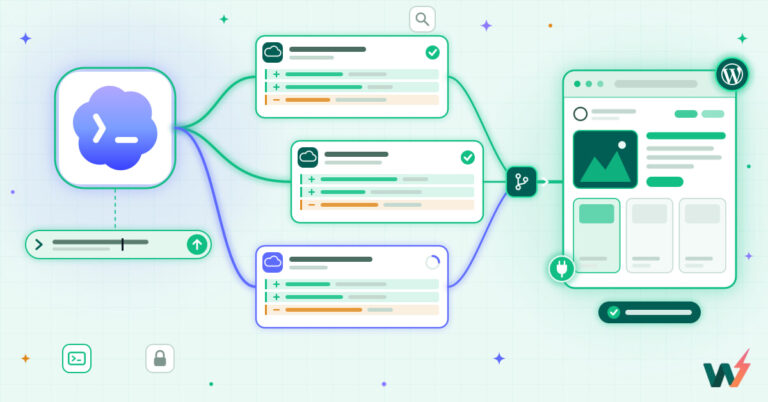
Imagine a world where mundane tasks are automated, content is optimized, and your WordPress website runs like a well-oiled machine. It’s not fantasy, it’s reality with the power of AI plugins for WordPress! Agencies, it’s time to embrace the future. Struggling with SEO? There’s a plugin for that.
Need a chatbot? Got you covered. Can’t create compelling content? AI to the rescue. Let’s take a journey into the world of WordPress AI plugins, and let your problems be a thing of the past!
Table of Contents
How AI is Used in WordPress Development?
AI is integrated into WordPress development primarily through plugins to achieve various functionalities. Here are the key ways AI in WordPress is being used:
- Content Generation: AI can automatically generate various forms of content, including blog posts, product descriptions, page content, lists, and tables. This helps speed up content creation and can provide initial drafts for developers and agencies. Still, if you want your copy to sound like it was written by a real person with a pulse, an AI humanizer can give it that warm, natural touch machines often miss.
- SEO Optimization: AI assists in optimizing websites for search engines by generating SEO metadata like titles and descriptions, suggesting relevant keywords, analyzing content for SEO issues, and providing smartlink suggestions for internal linking.
- Malware Detection and Security: AI algorithms are used to scan WordPress sites for malware, viruses, malicious code, and other security threats. These tools learn over time to improve their detection accuracy.
- Customer Service and Engagement: AI-powered chatbots can be integrated to provide 24/7 customer support, answer frequently asked questions, and improve user engagement on websites.
- Accessibility Enhancement: AI can power features like text-to-speech technologies, making websites more accessible to a wider audience.
- Form Building: AI is used to enhance form builders by offering features like grammar correction, SEO meta description optimization, and generating summaries based on form inputs.
- Website Building and Design: Some AI-powered tools can automatically create entire websites based on user input, including selecting categories, generating content, and tailoring the design.
- Code Generation: AI can even assist developers by generating code snippets, such as CSS or SQL queries, based on simple prompts.
- Content Personalization: While not explicitly detailed in the text, AI could potentially be used to personalize website content based on visitor behavior and preferences.
In essence, AI for WordPress aims to automate complex tasks, improve website functionality, enhance user experience, and boost efficiency for both website owners and WordPress professionals.
Which are the Best WordPress AI Plugins for Agencies & Developers?
Here are some of the best WordPress AI plugins that agencies can use for different types of workflows.
Special Mention: Before you think of using any of this WordPress AI plugin, test it in a staging environment as it can potentially conflict with other plugins or themes, may generate unexpected outputs, or consume significant server resources. A staging site allows you to assess its impact on your website’s performance and functionality without affecting the live site.
And, when we talk about staging sites for testing, nothing can beat InstaWP staging sites. InstaWP makes it incredibly easy to spin up a staging environment in seconds—without the complexity of manual setup. You can create isolated, disposable WordPress staging sites for testing plugins, themes, or even full website updates with just one click.
Plus, InstaWP allows real-time sync, making it a game-changer for developers and agencies who need to validate changes before deploying to production.
Now, let’s get back to the crux of the matter, which is the best WordPress AI plugins.
1. AI Engine

WordPress Version Support: WordPress 5.8+
AI Used in WordPress: The AI Engine plugin uses AI in WordPress to create customizable chatbots, generate and optimize content, build AI-driven forms, fine-tune AI models, and provide real-time analytics and usage control.
Price: Free basic plan, AI Engine Pro plan costs $59 per year
The AI Engine plugin brings the power of artificial intelligence to WordPress, enabling agencies and developers to automate a range of tasks. This AI for WordPress offers a wide array of functionalities that can be used to enhance your website’s capabilities.
With this AI plugin, you can create customizable chatbots capable of handling complex conversations, generate and optimize content using advanced AI models, and build forms that utilize AI for better user interactions.
The plugin also provides real-time analytics and usage control, ensuring a secure environment for your website. What’s more, the AI Engine plugin supports multiple AI providers like OpenAI, Anthropic, Google, and more.
Best AI for WordPress Features
1. Multi-Model Chatbots
2. Enhanced AI Forms
3. Copilot Editing
4. Image Generation & Translation
5. Fine-tuning & Embeddings
6. Discussions & Memory Tracking
7. Function Calling
Why to Use
AI Engine plugin can automate tasks, optimize content, build AI-driven forms, and provide real-time analytics, making it a powerful tool for WordPress developers and agencies.
Why to Avoid
If you’re not comfortable with AI technology or prefer to handle all tasks manually, this plugin might not be for you.
Pro Tip for Users
To make the most of the AI Engine plugin, ensure your website is compatible and ready to integrate with AI technology.
2. Gutenberg Blocks with AI by Kadence WP

WordPress Version Support: The plugin supports WordPress 5.0 and higher versions.
AI Used in WordPress: This plugin uses AI in WordPress for text generation, keyword optimization, and customizable design patterns.
Price: The Kadence Blocks plugin is free, but there is a Pro version starting at $59 per year.
Kadence Blocks is a WordPress AI plugin that integrates AI for WordPress to enhance Gutenberg’s editing capabilities. This AI plugin for WordPress offers a range of AI-powered features like text generation, smart keyword optimization, customizable design patterns, and an inline editor for real-time content editing.
The AI capabilities of the plugin make web design more intuitive and efficient, providing a unique blend of performance, accessibility, and extensibility. It leverages AI in WordPress to create visually impressive, engaging content without any coding. By automating design patterns and content creation with AI, Kadence Blocks brings a new level of efficiency to WordPress agencies and developers.
Do you know that Kedeance Blocks lets you preview the designs directly in the WordPress Editor?
Best AI for WordPress Features
1. AI-powered text generation
2. Smart keyword optimization
3. Customizable design patterns
4. Inline editor for real-time content editing
5. AI-powered design library
6. Pre-built patterns and pages tailored by AI
7. AI-driven performance and accessibility improvements
Why to Use
The Kadence Blocks plugin is a game-changer for WordPress agencies and developers, enhancing their ability to create visually impressive and engaging content without coding, thanks to AI-powered features.
Why to Avoid
If you prefer traditional coding and manual design processes, this plugin might not be for you.
Pro Tip for Users
Always use the inline AI editor for real-time content editing. It will help you to tailor your content length, tone, and more to suit your needs.
3. AI Power

WordPress Version Support: WordPress 4.5 or higher
AI Used in WordPress: AI Power uses AI in WordPress to generate content, images, and forms with customizable options. It also uses AI for training, chat widgets, and WooCommerce integration.
Price: The plugin comes in three different plans – Basic (Free), Premium ($59/year), and Ultimate ($99/year)
AI Power is a comprehensive AI plugin for WordPress, offering advanced automation and enhanced features for WordPress agencies and developers. This plugin uses state-of-the-art AI models like OpenAI’s o1, o3, GPT-4, GPT-4.5, and GPT-3.5, Assistant API, along with various others like DeepSeek, Claude, and Gemini.
These AI technologies are used to generate high-quality content, images, and forms, all of which can be customized according to your needs. The plugin also offers AI training, a chat widget, and WooCommerce integration, making it a versatile tool for any WordPress website. Furthermore, AI Power supports multiple AI providers, including OpenAI, Microsoft Azure, Google, and OpenRouter.
Best AI for WordPress Features
1. Multiple AI providers
2. Latest AI models
3. OpenAI Assistant API
4. Chatbot
5. Content writer
6. Bulk writer
7. WooCommerce product writer
Why to Use
AI Power provides a comprehensive set of AI tools for WordPress, making it an excellent choice for automating tasks, generating content, and enhancing your website’s functionality.
Why to Avoid
The plugin might be complex for beginners due to its advanced AI features and multiple AI providers.
Pro Tip for Users
Take time to explore and understand each feature of the AI plugin WordPress to maximize its use and optimize your website effectively.
4. Rank Math SEO

WordPress Version Support: 4.0.1 or higher, tested up to 5.8.1
AI Used in WordPress: Rank Math SEO uses AI to optimize SEO, suggest keywords, analyze content for SEO, and provide intelligent recommendations for improvements.
Price: Free version available, Pro version at $59/year, and Business version at $199/year.
Rank Math SEO is a groundbreaking WordPress AI plugin that uses AI to optimize your website’s SEO. This AI for WordPress plugin analyzes your site’s content, suggests relevant keywords, and provides intelligent recommendations to enhance your SEO strategy. It uses AI to automate tasks such as keyword suggestion, content analysis, and SEO optimization.
This plugin can significantly improve your site’s search engine rankings, driving more traffic to your website. Its technical features include smart link suggestions, dynamic suggestions, intelligent questions with schema markup, and much more.
Best AI for WordPress Features
1. AI-powered SEO optimization
2. Keyword suggestions
3. Content analysis
4. Intelligent recommendations
5. Schema Markup Integration
6. Google Analytics Integration
7. Google Search Console Integration
Why to Use
Rank Math SEO simplifies SEO tasks using AI, allowing you to optimize your site quickly and efficiently. It provides intelligent recommendations that help you improve your SEO strategy and increase your website traffic.
Why to Avoid
There can be a learning curve for beginners to understand all the features and tools. Certain features are only available in the premium version.
Pro Tip for Users
Regularly use the AI content analysis feature to optimize your blog posts or pages for SEO. This will help you identify areas of improvement and rank better in search engine results.
5. BERTHA AI.

WordPress Version Support: Bertha AI supports WordPress 5.0 and higher.
AI Used in WordPress: Bertha AI uses AI in WordPress to generate unique content, write product descriptions, create articles and blog posts, generate compelling website copy, craft marketing copy, create SEO titles and meta tags, and generate alt text for image uploads.
Price: Bertha AI offers a free version with full access to all models except Chat and Write, allowing users to evaluate the capabilities with 500 words to start. For premium features, users can subscribe directly from the Bertha Settings or License screen.
Bertha AI is a high-tech WordPress AI plugin that uses AI for WordPress to automate and streamline your content creation process. With its state-of-the-art AI capabilities, it can generate unique content, write persuasive product descriptions, create audience-focused blog posts, and craft conversion-driving marketing copy.
It can also create SEO titles and meta tags, assisting you in improving your website’s SEO performance. Furthermore, Bertha AI comes with a unique feature that generates alt text for every image upload, enhancing the accessibility of your WordPress site.
Developed on top of multiple Large Language Models, Bertha AI leverages advanced AI technology to provide a top-notch content generation solution for your WordPress needs.
Best AI for WordPress Features
1. Unique content generation
2. Product description writing
3. Article and blog post creation
4. Compelling website copy generation
5. Marketing copy crafting
6. SEO title and meta tag creation
7. Alt text generation for image uploads
Why to Use
Bertha AI is an innovative AI plugin WordPress that enables users to automate various content-related tasks, reducing their workload and enhancing the quality of their website content. It’s a smart solution for WordPress agencies and developers aiming to optimize their content strategy and improve their SEO performance.
Why to Avoid
While Bertha AI provides a robust solution for content generation, it may be unnecessary for smaller websites or blogs with a tight budget as the premium features require a subscription.
Pro Tip for Users
To make the most out of Bertha AI, start with the free version to evaluate its capabilities and consider subscribing to the premium features once you are convinced of its value for your WordPress site.
6. AI Autotagger

WordPress Version Support: Supports all versions starting from WordPress 4.5.
AI Used in WordPress: This WordPress AI plugin uses AI for tasks like recommending relevant taxonomy terms for your content, analyzing posts for specific terms and automatically adding those terms as tags, and auto-linking terms in the content to their respective archive pages.
Price: Free version available and TaxoPress Pro for $39/year.
Introducing the TaxoPress plugin, a unique AI for WordPress that leverages the power of artificial intelligence to better manage and organize your content. This AI plugin WordPress uses AI tools from notable brands like OpenAI, IBM Watson, and Dandelion to suggest relevant taxonomy terms for your content.
It can automatically analyze your post content and titles for specified terms and add them as tags, helping in better content categorization. The AI in WordPress also aids in improving SEO by auto-linking the terms in your content to their archive pages. The plugin offers advanced features like showcasing related posts and tag clouds.
Best AI for WordPress Features
1. AI-powered term suggestions
2. Auto linking of terms
3. Automatic addition of terms as tags
4. Showcasing related posts
5. Tag clouds
6. Managing taxonomies
7. Term synonyms
Why to Use
TaxoPress is an excellent tool for improving content organization and SEO in WordPress. It uses AI to automate the process, saving time and ensuring consistency in taxonomy application.
Why to Avoid
If you prefer manually managing your taxonomies and tags, this plugin might seem too automated.
Pro Tip for Users
Use the AI-powered term suggestions to ensure your content is tagged and categorized accurately, improving SEO and site navigation.
7. AI Powered Starter Templates by Kadence WP

WordPress Version Support: The AI-Powered Starter Templates by Kadence WP supports WordPress versions 5.0 and higher.
AI Used in WordPress: This plugin uses AI in WordPress to create and customize professionally designed websites, generate images and text for the specific site, optimize the site for performance and accessibility, and globally link color palette and font selector.
Price: The plugin is free to download and use.
The AI-Powered Starter Templates by Kadence WP is a revolutionary WordPress AI plugin that uses AI in WordPress to provide users with customized, performance-optimized website templates. Leveraging the power of AI, the plugin generates images and text tailored to the specific site, making the process of creating a website simple and straightforward.
The templates are designed with a globally linked color palette and font selector, allowing users to easily modify the color scheme and fonts across the entire website. This AI for WordPress is a game-changer for WordPress agencies and developers who want to streamline their website creation process and deliver high-quality, optimized websites to their clients.
Best AI for WordPress Features
1. AI-powered website customization
2. Image and text generation
3. Performance optimization
4. Accessibility optimization
5. Globally linked color palette and font selector
6. Easy template import
7. Integrates with the Kadence Theme
Why to Use
This AI plugin for WordPress makes website creation a breeze, saving time and resources by automating the customization and optimization process.
Why to Avoid
If you prefer to manually customize every aspect of your website or if you use another theme that is not compatible with Kadence, this plugin may not be suitable for you.
Pro Tip for Users
To maximize the benefits of this plugin, ensure you have a clear understanding of your website’s theme and color scheme before choosing and importing a template.
8. AI Bud

WordPress Version Support: WordPress 4.7 and higher
AI Used in WordPress: Content generation, Comment generation, Image generation, SEO optimization, Text proofreading, Chatbot, Multi-language content translation
Price: Free, Plus ($49/month), Premium ($99/month), Enterprise ($149/month)
AI Bud is a powerful AI for WordPress plugin that leverages advanced AI technology to automate a wide range of tasks. From content and comment generation to SEO optimization and text proofreading, AI Bud uses AI in WordPress to streamline your content creation process and ensure high-quality output. It uses different AI models including GPT-3, GPT-4, Google Gemini, and Claude for different tasks.
It also supports multiple languages for content translation and has a built-in chatbot for customer interaction. Whether you are an agency or a developer, AI Bud is the perfect tool for harnessing the power of AI in WordPress.
Best AI for WordPress Features
1. AI Content Generation
2. AI Comment Generation
3. AI Image Generation
4. AI SEO Optimization
5. AI Text Proofreading
6. AI Chatbot
7. Multi-language Content Translation
Why to Use
AI Bud is a comprehensive AI plugin WordPress tool that can significantly automate and improve your content creation process. It provides a wide range of AI-powered features that can help you generate high-quality content, engage with customers, and improve your SEO.
Why to Avoid
If you require advanced customization and control over the AI algorithms, AI Bud may not be the best fit.
Pro Tip for Users
To get the most out of AI Bud, explore all its features and leverage its multi-language support for targeting a global audience.
9. SEO Plugin by Squirrly SEO

WordPress Version Support: WordPress 5.8 or higher
AI Used in WordPress: The plugin uses AI in WordPress for keyword research and analysis, SEO audits, real-time content optimization, ranking tracking, and competitor analysis.
Price: Squirrly SEO offers three plans – Pro Plan ($29.99/month), Business Plan ($71.99/month) and Agency Plan ($75.99/month).
Introducing the SEO Plugin by Squirrly SEO, a revolutionary AI-powered plugin that brings holistic SEO capabilities to your WordPress site. This plugin uses artificial intelligence to streamline SEO processes and optimize your site’s performance.
With innovative features such as AI-driven keyword research and analysis, SEO audits, real-time content optimization, and competitor analysis, Squirrly SEO offers a comprehensive solution for your SEO needs.
The plugin’s AI capabilities allow for precise and efficient SEO implementation, ensuring that your site ranks higher on search engine results pages. With Squirrly SEO, you can expect a seamless, efficient, and highly effective approach to SEO, all powered by the advanced technology of AI.
Best AI for WordPress Features
1. AI-driven keyword research and analysis
2. Real-time content optimization
3. SEO audits powered by AI
4. AI-backed ranking tracking
5. Competitor analysis using AI
6. Schema rich results
7. Keyword portfolio management and tracking
Why to Use
Squirrly SEO’s AI-powered features simplify and optimize your SEO processes, saving you time while significantly improving your site’s ranking. It’s a comprehensive solution for all your SEO needs.
Why to Avoid
If you’re not looking for an all-in-one SEO solution or if you don’t want to invest in a paid plugin, Squirrly SEO might not be the best choice for you.
Pro Tip for Users
Utilize the full suite of AI features offered by Squirrly SEO to optimize your site’s SEO effectively. Regularly perform SEO audits to ensure optimal website performance.
10. Tidio

WordPress Version Support: Tidio supports WordPress 3.0 and later versions.
AI Used in WordPress: Tidio uses AI in WordPress to automatically answer customer queries, recommend products in chat, and manage customer messages efficiently. It also uses AI to offer personalized assistance through the Lyro AI chatbot.
Price: Tidio offers a Free plan, a Communicator plan: $18, Mailer Plan: $25
Tidio is a WordPress AI plugin that uses AI to automate customer service tasks on your WordPress site. It leverages AI technology to manage customer messages, answer frequently asked questions, and recommend products during chat conversations.
This AI for WordPress plugin also uses Lyro AI chatbot to offer personalized assistance, learning from your FAQs to formulate complex answers that solve customer problems. Tidio’s AI plugin WordPress is easy to implement and does not require training, making it a convenient tool for WordPress developers and agencies looking to enhance their customer experience.
Best AI for WordPress Features
1. Automated customer service
2. Product recommendations in chat
3. Personalized assistance with Lyro AI chatbot
4. Easy implementation with no training required
5. FAQ learning system
6. Multichannel communication
7. Pre-built chatbots for sales and support
Why to Use
Tidio streamlines customer service tasks, increases sales, and enhances customer experience on your WordPress site with the help of AI.
Why to Avoid
If your website doesn’t require extensive customer service interactions or if you prefer manual control over customer communications, Tidio might not be necessary.
Pro Tip for Users
Make the most out of Tidio’s AI capabilities by regularly updating your FAQs to train Lyro AI chatbot and continuously improve your automated customer service.
11. GetGenie

WordPress Version Support: 3.10.1
AI Used in WordPress: GetGenie uses AI in WordPress to generate various types of content, perform keyword research, and analyze competitor strategies. It leverages AI for writing blog posts, product descriptions, and other marketing materials, as well as for identifying profitable keywords and understanding the competitive landscape. GenieChat, an AI chatbot, also provides interactive assistance.
Price: Starter: $5.5/month billed annually; Writer: $10.5/month billed annually; Pro: $27.0/month billed annually; Development Agency Unlimited: $54.5/month billed annually
GetGenie is a WordPress AI plugin that uses AI to automate content creation, enhance SEO through keyword research, and provide insights via competitor analysis on your WordPress site. It leverages AI technology to write blog posts, WooCommerce product descriptions, and other content using 37+ templates.
This AI for WordPress plugin also offers GenieChat, an AI chatbot for user interaction. GetGenie AI plugin WordPress integrates with Elementor and aims to simplify content workflows for website owners, bloggers, and agencies.
Best AI for WordPress Features
- AI Content Writer (37+ templates)
- SEO Keyword Analysis
- Competitor SERP Analysis
- WordPress Blog Wizard (including One-click Blog Generator)
- WooCommerce Product Wizard
- GenieChat – AI Chatbot
Why to Use
GetGenie streamlines content creation, helps identify profitable keywords, provides insights into competitor strategies, and offers an AI chatbot, ultimately saving time and improving SEO efforts on your WordPress site.
Why to Avoid
If you do not require automated content generation, in-depth keyword research directly within WordPress, or competitor analysis tools, GetGenie might offer more features than you need.
Pro Tip for Users
Explore the various AI templates to discover the full range of content GetGenie can create. Regularly utilize the keyword research and competitor analysis tools to inform your content strategy and optimize for better search engine rankings. Integrate GenieChat to provide instant support and engagement on your website.
12. Kubio AI Page Builder

WordPress Version Support: Kubio AI Page Builder plugin supports WordPress versions 5.0 and above.
AI Used in WordPress: Kubio AI Page Builder uses AI to generate entire website pages based on short prompts, automatically generate images and text, and re-generate sections in your preferred style.
Price: Kubio AI Page Builder offers two plans: Free and Pro. The Pro plan costs $69 per year for a single site.
Kubio AI Page Builder is a WordPress AI plugin that uses advanced AI technology to automate and enhance the process of creating and designing websites. This AI for WordPress plugin allows users to generate entire website pages based on short prompts, which can be further customized according to user preferences.
The plugin’s AI technology also automatically generates images and text, creating a seamless and efficient web design process. Additionally, Kubio enables users to re-style any section of the website, providing a personalized and unique website design experience. It is a block-based builder, offering a variety of blocks and endless styling options for users to create rich and intuitive websites.
Best AI for WordPress Features
1. Generate entire pages based on short prompts.
2. Automatic generation of images and text.
3. Re-generate any section in your style.
4. Full-site editing.
5. Custom headers and footers.
6. Blocks drag and drop.
7. Advanced block editing.
8. Responsive blocks and sections.
9. Control over global colors and typography.
10. Compatibility with other WordPress themes.
Why to Use
Kubio AI Page Builder provides a seamless and efficient solution for creating unique and personalized websites. It leverages AI in WordPress to automate the generation of website pages, images, and text, saving time and improving efficiency.
Why to Avoid
If you prefer manual control over every aspect of your website design, the AI automation of Kubio might not suit your preferences.
Pro Tip for Users
Regularly experiment with different short prompts for page generation to get the most out of the AI capabilities of this WordPress AI plugin.
13. Media File Renamer

WordPress Version Support: WordPress 5.0 or higher
AI Used in WordPress: Automated renaming of media files for SEO, AI-generated renaming suggestions, AI Vision for smart renaming in Pro version.
Price: Free plan available; Pro version costs $24 for a single site, $49 for 5 sites, and $79 for unlimited sites.
The Media File Renamer is an AI-powered WordPress plugin designed to optimize your media library for SEO and organization. It uses AI to suggest improved names for your media files, based on their Title, ALT Text, and Description. You can apply these changes manually or automatically, depending on your preference.
The plugin also supports a wide range of WordPress features and file types, including Retina and WebP images, PDF thumbnails, and UTF8 files. With the Pro version, you can also use AI Vision for smarter renaming, anonymize your files for privacy, and bulk move files across directories.
Best AI for WordPress Features
1. AI-powered renaming suggestions
2. Automatic or manual renaming
3. Support for a wide range of file types and WordPress features
4. AI Vision for smart renaming in Pro version
5. Anonymization of files for privacy
6. Bulk moving of files across directories
7. Synchronization of metadata such as ALT texts and titles
Why to Use
The AI-powered Media File Renamer plugin simplifies the process of optimizing your WordPress media library for SEO, resulting in improved search engine visibility and a more organized and efficient website.
Why to Avoid
Renaming or moving files can be risky, and some plugins might interfere with the process.
Pro Tip for Users
Always make a backup before using the Media File Renamer plugin. Start by renaming files individually to ensure page references update correctly. If issues arise post-renaming, try clearing your cache or using the Undo feature.
14. Alt Text AI

WordPress Version Support: AltText.ai supports WordPress version 5.0 and above.
AI Used in WordPress: AltText.ai uses AI in WordPress to automatically generate optimized alt text for images, analyze uploads, support multiple languages, and integrate focus keyphrases from popular SEO plugins.
Price: Free; Pro Plan: $5
AltText.ai is a revolutionary WordPress AI plugin that leverages the power of AI to automate the process of generating alt text for images. This AI for WordPress intelligently analyzes every uploaded image, automatically adding optimized alt text to the image properties.
This AI plugin WordPress offers an optimized SEO for WooCommerce, seamlessly integrating focus keyphrases from popular SEO plugins for natural language optimization. It supports over 130 languages and provides support for WPML and Polylang translations. Additionally, it allows users to review and manually edit the generated alt text if desired, thereby offering more control over the content.
Best AI for WordPress Features
1. Automatic alt-text generation
2. Optimized SEO for WooCommerce
3. Keyword-rich alt text
4. Chat GPT for customizable prompts
5. Support for multiple languages
6. Bulk actions tool
7. Review and edit feature
Why to Use
AltText.ai is a comprehensive solution for automating image alt text generation, improving SEO, and enhancing website accessibility. Its AI capabilities help save time and effort, making it a worthwhile investment for agencies and developers.
Why to Avoid
If your website doesn’t heavily rely on images or if you prefer manually writing your own alt text, this plugin may not be necessary for your needs.
Pro Tip for Users
Regularly review and edit the automatically generated alt text to ensure it aligns with your SEO strategy and accurately represents your image content.
15. AI Powered Marketing

WordPress Version Support: Kliken’s AI Powered Marketing plugin is compatible with WordPress 5.4 and higher versions.
AI Used in WordPress: This AI plugin for WordPress automates advertising campaign creation, targeting, bidding, budget allocation, sales tracking, and conversion tracking. It also leverages AI for retargeting existing customers, optimizing product feeds with daily inventory sync, and maximizing sales.
Price: Kliken’s automation fee is $10 per month. Additionally, users can choose their Shopping Ads Campaign budget based on their needs.
Kliken’s AI Powered Marketing is a WordPress AI plugin that uses AI to automate several aspects of digital marketing, making it ideal for WordPress agencies and developers. The plugin uses AI to automate the creation and management of advertising campaigns on Google, Facebook, and the Open Web.
It aids in finding ideal customers, retargeting existing ones, and optimizing product feeds with daily inventory sync. The AI in WordPress also optimizes your marketing performance by computing your return on advertising spend and adjusting your campaigns accordingly.
This advanced use of AI for WordPress makes it easier for small businesses to leverage Fortune 500 advertising power at a small business price.
Best AI for WordPress Features
1. Automated ad creation
2. Targeting and retargeting capability
3. Product feed optimization
4. Sales and conversion tracking
5. Campaign performance optimization
6. Google Merchant Center Account creation and linking
7. Access to Google Product Listings
Why to Use
Kliken’s AI Powered Marketing plugin offers a comprehensive suite of AI-powered marketing tools that can help businesses increase their reach, conversion rates, and sales.
Why to Avoid
If your business does not rely heavily on digital advertising or if you prefer manual control over your marketing campaigns, this plugin may not be necessary.
Pro Tip for Users
To maximize the benefits of Kliken’s AI plugin for WordPress, ensure your product inventory is always up-to-date and utilize the plugin’s targeting and retargeting capabilities.
16. Xagio SEO

WordPress Version Support: WordPress 5.3 or higher.
AI Used in WordPress: Xagio SEO plugin uses AI to handle SEO optimizations, generate titles, meta descriptions, content, and schema, and centralize your entire SEO workflow.
Price: Free.
Xagio SEO is a revolutionary WordPress AI plugin that uses AI in WordPress to automate SEO tasks and optimize your website. It uses AI to generate titles, meta descriptions, content, and schema, thus eliminating the need for manual optimization.
The plugin also features a Project Planner that allows users to manage their entire SEO workflow from a single dashboard, making the optimization process more efficient. With its built-in features, Xagio SEO provides a comprehensive solution for SEO without requiring extra plugins or upgrades. It’s packed with AI-driven automation and a structured workflow, making SEO simple, fast, and effective.
Best AI for WordPress Features
1. AI-Powered SEO
2. Project Planner
3. Built-in Features
4. AI Meta Optimization
5. Keyword Import & Clustering
6. Automatic Site Audit
7. 301 & 404 Management
Why to Use
Xagio SEO is a powerful tool for WordPress agencies and developers looking to leverage AI for WordPress for efficient SEO optimization. It centralizes the SEO workflow, automates tasks, and provides a comprehensive SEO solution.
Why to Avoid
If you prefer manual control over all SEO aspects or if you are not comfortable with AI handling your SEO, then this plugin might not be suitable for you.
Pro Tip for Users
Utilize the Project Planner to manage and optimize your entire site from a single dashboard. This will help you save time and make smarter SEO decisions.
17. AIKO

WordPress Version Support: WordPress 4.6 or higher.
AI Used in WordPress: In WordPress, the AIKO AI Developer Lite plugin uses AI to generate custom plugins, provide feedback and improvement suggestions, rephrase user requirements for better output, and perform code checking, testing, and deployment.
Price: Lite version is free. Pro version available at $29.
AIKO AI Developer Lite is an innovative WordPress AI plugin that revolutionizes the way WordPress agencies and developers create custom plugins. Using advanced AI technology, AIKO simplifies the process of plugin development, allowing users to generate custom plugins tailored to their specific needs in minutes.
This AI for WordPress plugin is designed for users with no programming knowledge, offering an easy-to-use interface and clear instructions. It leverages the power of OpenAI to understand user requirements, rephrase them for better output, and generate a functional plugin.
The AI also provides feedback and improvement suggestions, enabling users to refine the plugin for optimal performance. All these tasks are performed within a few minutes, saving significant time and effort that would otherwise be spent on manual coding.
Best AI for WordPress Features
1. AI-powered plugin generation.
2. User requirement rephrasing for better output.
3. Feedback and improvement suggestions.
4. Quick and easy plugin creation process.
5. Code checking, testing, and deployment.
6. Saves code history and plugin revisions.
7. Includes ready-to-use examples.
Why to Use
AIKO AI Developer Lite is a time-saving tool for WordPress agencies and developers, enabling them to create custom plugins quickly and efficiently without the need for coding skills. It’s also great for beginners who want to create their own plugins.
Why to Avoid
If you’re already comfortable with coding and prefer to have full control over the plugin development process, AIKO might not be necessary.
Pro Tip for Users
To get the most out of AIKO, take time to clearly define your plugin requirements, as the AI uses this information to generate your custom plugin. The clearer your instructions, the better the output.
18. AI WP Writer

WordPress Version Support: The AI WP Writer plugin supports WordPress versions from 4.6 and upwards.
AI Used in WordPress: The plugin uses AI to generate SEO-optimized articles, AI-powered images, and automated meta titles and descriptions. It also features an AI-assisted text rewriting tool and an AI writing assistant tool.
Price: Basic (29/month), Standard(29/month), and Professional ($99/month) plans.
AI WP Writer is an innovative WordPress AI plugin that utilizes AI for WordPress to automate content generation. By leveraging advanced AI technologies like ChatGPT, GPT-4, and Dalle 3, it provides a seamless solution for creating high-quality, SEO-optimized content.
From generating short and long-form articles based on user-defined keywords, to creating matching AI-powered images, and automating meta title and description generation for SEO, this plugin covers all aspects of content creation.
It also includes an AI-assisted text rewriting tool and an AI writing assistant to refine and generate specific text fragments. All these functionalities are delivered through a real-time API, providing a seamless and intuitive user experience.
Best AI for WordPress Features
1. AI-powered Article Generation
2. AI Image Generation
3. Automated Meta Title and Description Generation
4. AI-assisted Text Rewriting
5. AI Writing Assistant
6. SEO-focused Article Generation
7. Scheduled Content Publication
Why to Use
Using AI WP Writer allows for consistent production of high-quality, SEO-optimized content, saving time and effort on manual content creation and enhancing website engagement and SEO rankings.
Why to Avoid
If you prefer creating your own content or have specific content requirements that AI might not fully grasp, this plugin might not be the ideal solution for you.
Pro Tip for Use
To maximize the plugin’s potential, set a regular schedule for content publication and fully utilize the SEO-focused article generation feature for optimized results.
19. Generate Images (AI)

WordPress Version Support: This plugin is compatible with WordPress 5.7 and later versions.
AI Used in WordPress: The Magic Post Thumbnail plugin uses AI to automatically generate featured thumbnails or images inside the post based on the post’s title or text analysis.
Price: The plugin comes in two versions: the Free version and the Pro version. The Pro version costs $29 for the Regular License.
Magic Post Thumbnail is an innovative WordPress AI plugin that leverages the power of AI to automate the image generation process for your blog posts. The AI in WordPress plugin uses advanced algorithms to analyze the post’s title and content, and then retrieves relevant images from various image banks like Google Images, DALL·E, Stable Diffusion, Pexels, Unsplash, Envato Elements, or Pixabay.
This AI plugin for WordPress saves you the hassle of manually searching and selecting images for each post, thus improving efficiency and productivity. The plugin comes with customizable settings, allowing you to select the image bank, search language, post types, image type, usage rights, and size.
Best AI for WordPress Features
1. Automatic Image Generation
2. Image Retrieval from Multiple Sources
3. Text Analysis and Title-Based Image Selection
4. Customizable Settings
5. Featured Thumbnail Generation
6. In-Post Image Insertion
7. Supports Posts, Pages, and Custom Post Types
Why to Use
Magic Post Thumbnail plugin is a game-changer for WordPress agencies and developers who handle a large number of blog posts. It automates the tedious task of image selection and improves the visual appeal of your posts.
Why to Avoid
If you prefer to handpick each image for your posts or if you have specific image requirements, this plugin might not provide the desired control.
Pro Tip for Users
To get the most out of this AI plugin WordPress, experiment with different settings and image sources to find what works best for your content.
20. Echo Knowledge Base

WordPress Version Support: 5.0+
AI Used in WordPress: Content creation and editing assistance, spelling and grammar checks with AI, article outline generation.
Price: Basic (Free), Access Manager ($35), Elegant Layouts ($35), Advanced Search ($35)
The Knowledge Base plugin is a comprehensive AI for WordPress that revolutionizes the way you create, organize, and manage your documentation, FAQs, and articles. This AI plugin WordPress leverages AI to assist with documentation creation and editing, check spelling and grammar, and generate article outlines.
It also includes advanced features like content organization, an article views counter, customizable category archive page, and article enhancements. This AI in WordPress is optimized for search engines and supports multiple languages, making it accessible for an international audience. With its responsive design, your Knowledge Base will look great on all devices.
Best AI for WordPress Features
1. AI-assisted content creation and editing
2. Spelling and grammar checks using AI
3. Article outline generation with AI
4. Content organization into categories and subcategories
5. Article views counting and popular articles display
6. Customizable category archive page
7. Article enhancements like breadcrumbs, back buttons, navigation, print options, and table of contents
Why to Use
The plugin provides a user-friendly interface and comprehensive features that can help you to create, manage, and present your documentation in an organized manner. The AI capabilities assist in documentation creation, spelling and grammar checks, and also in generating outlines for your articles.
Why to Avoid
If your website doesn’t require a comprehensive knowledge base or if you prefer to manually create and manage your documentation, this plugin may not be necessary.
Pro Tip for Users
To make the best use of this AI plugin, make sure you fully utilize its AI capabilities in content creation and editing, spelling and grammar checks, and article outline generation.
21. AI Infographic Maker

WordPress Version Support: 5.8
AI Used in WordPress: Create infographics, generate content, visualize data, generate shortcodes, automate live chat support.
Price: Free version available, Pro version: $69 for a single site license, $99 for 5 sites, $199 for unlimited sites
AI Infographic Maker is a ground-breaking WordPress AI plugin that brings the power of AI to WordPress. The plugin leverages OpenAI to generate content and create impressive infographics effortlessly.
It is the first of its kind that allows you to create free AI Infographic from your WordPress backend. This plugin not only automates the creation of infographics but also supports data visualization with HTML5 charts and graphs.
With this AI for WordPress, you can build dynamic, HTML, and responsive infographics or elegant text and image lists easily. It also incorporates a live chat support feature, powered by AI, to answer user queries and collect information.
Best AI for WordPress Features
1. Content Generation with AI
2. Automated Infographics Creation
3. Data Visualization with Charts and Graphs
4. Live Chat Support with AI
5. Dynamic, HTML, and Responsive Infographics
6. Elegant Text and Image Lists Creation
7. Shortcode Generator Block for Gutenberg
Why to Use
This AI plugin for WordPress allows you to create and visualize content in a more engaging way. It not only saves time but also offers a unique way to present data and information in a visually appealing format.
Why to Avoid
If your website doesn’t require data visualization or you prefer creating content manually, this plugin might not be as beneficial to you.
Pro Tip for Users
Spend some time exploring the different templates and features available in this plugin to maximize its potential. Remember, great infographics can boost user engagement and SEO.
22. BetterDocs

WordPress Version Support: WordPress 4.7 or higher
AI Used in WordPress: BetterDocs uses AI for creating advanced documentation, providing instant support answers, and generating FAQs.
Price: Lifetime Unlimited Sites ($299 one-time payment), Single Site ($39/year), Unlimited Sites ($99/year)
Want to transform your customer support from a reactive chore to a proactive resource? BetterDocs, a powerful WordPress AI plugin, is here to revolutionize how you handle customer queries.
By leveraging the power of AI, this AI plugin for WordPress allows you to effortlessly create stunning knowledge bases and deploy intelligent chatbots, providing instant support and dramatically improving customer satisfaction.
Reduce your support workload and elevate customer satisfaction with its powerful AI plugin for WordPress features. Instantly generate advanced documentation using the “Write With AI” feature powered by ChatGPT, and provide seamless, intelligent support with the BetterDocs AI Chatbot Addon.
Say goodbye to lengthy support conversations and hello to a stunning, resourceful knowledge base built with the best of AI.
Best AI for WordPress Features
- AI-Powered Documentation Generation (Write With AI)
- Intelligent AI Chatbot
- Enhanced Documentation Searchability (via AI Chatbot)
- AI-Driven Instant Answers (via AI Chatbot)
- ChatGPT Integration
- AI-Enhanced Support
Why to Use
BetterDocs AI plugin for WordPress helps in reducing support tickets and improving customer service by providing instant, AI-powered support. It automates the process of creating advanced documentation and FAQs, thereby saving time and resources.
Why to Avoid
It might not be the best choice for small businesses or startups due to its premium pricing plans.
Pro Tip for Users
Make the most out of the Instant Answer Bot and AI Chatbot Addon to improve your customer service.
23. Blogify-AI

WordPress Version Support: This plugin supports WordPress 5.0 and later versions.
AI Used in WordPress: Automated content creation, SEO optimization, content scheduling, and multi-site management.
Price: Free, Pro(29/month), and Business(99/month).
Blogify.ai is an innovative WordPress AI plugin that leverages artificial intelligence for automated content creation and management. This advanced AI for WordPress transforms videos, audio, and text into engaging, SEO-optimized blog posts. It simplifies content management by automating content transfer, formatting, scheduling, and multi-site support.
The AI in WordPress ensures delivery of unique, high-quality content to keep your audience engaged. The Blogify.ai plugin is a game-changer for WordPress agencies and developers looking to streamline their workflow and improve their site’s SEO performance.
Best AI for WordPress Features
1. Effortless Integration
2. Automated Content Transfer
3. Versatile Content Creation
4. SEO Optimization
5. Complete Control over Formatting and Scheduling
6. Multiple Site Support
7. High-quality, AI-generated Content
Why to Use
The Blogify.ai plugin is a powerful tool for automating content creation and management, improving SEO, and enhancing user engagement. It simplifies tasks, saves time, and increases productivity.
Why to Avoid
If you prefer manually creating and uploading content, or if you’re not keen on AI-generated content, this plugin may not be for you.
Pro Tip for Users
To ensure a smooth experience, deactivate and reactivate the plugin whenever you encounter problems. If issues persist, don’t hesitate to reach out to the Blogify.ai support team.
24. WP Wand

WordPress Version Support: Compatible with WordPress 4.7 and later versions.
AI Used in WordPress: WP Wand uses AI for generating SEO-friendly blog content, crafting marketing copy, creating social media posts, and formulating product descriptions. It also uses AI for content improvement, grammar correction, and creating custom prompts.
Price: Free version available. Pro version costs $49(single-site license), $99 (multi-site license), and $199 (unlimited-site license).
WP Wand is an innovative AI plugin WordPress that leverages the power of artificial intelligence to automate content creation tasks. Using advanced algorithms and OpenAI models, this AI for WordPress plugin creates high-quality content that engages readers and improves SEO.
It’s fully integrated with Gutenberg Editor, Classic Editor, Elementor Page Builder & WooCommerce, making it a versatile tool for developers and agencies. WP Wand is capable of generating a long-form blog post in under two minutes, making it an ideal solution for bulk content creation. It also supports popular SEO plugins like Rank Math and Yoast SEO, further enhancing its capabilities.
Best AI for WordPress Features
1. AI Content Generation
2. Integrated with Gutenberg Editor, Classic Editor, Elementor Page Builder & WooCommerce
3. Advanced Bulk Post Generator
4. Supports Rank Math and Yoast SEO
5. Custom Prompt Creation
6. Grammar Correction
7. 42+ Language Support
Why to Use
WP Wand makes content creation effortless and quick using AI, which helps to improve productivity and SEO ranking. It is compatible with popular WordPress editors and SEO plugins, making it a versatile choice for developers and agencies.
Why to Avoid
The learning curve may be steep for those new to AI technology. Also, the free version has limited features compared to the Pro version.
Pro Tip for Users
Leverage the AI capabilities of WP Wand to automate your content creation tasks and focus on strategizing and other critical business aspects.
25. Greenshift Smart Code AI

WordPress Version Support: 4.0 and higher
AI Used in WordPress: Suggesting relevant code, error checking, snippet suggestions, auto-completions, code previewing.
Price: Free
Greenshift Smart Code AI is an innovative WordPress AI plugin that leverages the power of AI for WordPress development. It’s designed to streamline your work by offering real-time, AI-driven code suggestions as you build your custom snippets.
This AI in WordPress not only checks your code for errors, but also suggests snippets and auto-completions. The revolutionary feature of this AI plugin WordPress is its ability to let you preview your HTML, JS, CSS, and even PHP code directly in the editor. It also comes with a code snippets library for saving and reusing code snippets anywhere on your site through shortcodes.
Best AI for WordPress Features
1. AI-Powered Suggestions
2. Code checker and snippets
3. Code snippets library
4. Code previewing in editor
5. Collapsed mode for clean page view
6. Greenshift Companion plugin
7. Real-time error detection and correction
Why to Use
Greenshift Smart Code AI speeds up the coding process and reduces errors by utilizing AI. It’s perfect for developers who want to automate their coding and enjoy a seamless WordPress development experience.
Why to Avoid
If you are not comfortable with AI assistance for coding or prefer traditional coding methods, this plugin may not be for you.
Pro Tip for Users
Use the preview mode to test your code in real-time without having to switch between frontend and backend. This way, you can correct errors in the early stages of coding.
26. Genolve

WordPress Version Support: Genolve supports WordPress 5.8 and higher versions.
AI Used in WordPress: This plugin uses AI to generate images and videos, provide prompt suggestions, in-painting, and variation creation. It also uses AI to generate subtitles from audio tracks and create ads, product descriptions, and proofread text.
Price: Free with in-app purchases. Premium membership is available with additional features and capabilities.
Genolve is an innovative WordPress AI plugin that brings the power of AI to your WordPress site. This AI for WordPress allows you to generate videos and images using a single phrase. With the help of AI, it can create eye-catching animations and music tracks for your videos. It also uses AI for in-painting, variation creation, and offers prompt suggestions.
Furthermore, it utilizes ChatGPT to automatically generate suggested prompts. If you have an audio track, you can supply the MP3 to generate matching videos. You can access the AI image generation feature directly from the Gutenberg Image block. The plugin also includes a feature that allows you to easily expand the crop on AI-generated images as well as your own images in the media library.
Best AI for WordPress Features
1. Text 2 Video.
2. Audio 2 Video.
3. AI Image Generation.
4. Out Painting.
5. In Painting.
6. Variations.
7. GhatGPT.
Why to Use
Genolve is a comprehensive solution for generating AI-based images and videos in WordPress. It offers a robust set of features and supports multiple AI image generators, making it a versatile choice for WordPress agencies and developers.
Why to Avoid
If you’re looking for a simple, straightforward plugin without many advanced features, Genolve might be overwhelming.
Pro Tip for Users
To maximize the usage of this AI plugin WordPress, experiment with different AI image generators and utilize ChatGPT for generating ads and proofreading texts.
Final Word
Harness the power of AI to automate and enhance your WordPress experience. From content generation to SEO optimization, chatbots to page builders, these plugins offer advanced solutions for WordPress agencies and developers. Level up your WordPress capabilities and stand out in the digital space!
Don’t wait, start exploring these AI plugins for WordPress today! Unleash the potential of AI and transform your website. Get ready to experience improved efficiency, increased productivity, and superior results.
FAQs
What exactly is an AI plugin for WordPress?
An AI plugin for WordPress is a software tool that integrates artificial intelligence capabilities directly into your WordPress website. These plugins use AI algorithms to automate tasks, enhance content, improve user experience, and provide intelligent features.
Why should I consider using an AI plugin on my WordPress site?
AI plugins can offer numerous benefits, including automating content creation, improving SEO, enhancing customer support, personalizing user experiences, optimizing website performance, and saving you time and resources.
What are some common tasks that AI plugins can perform in WordPress?
Common tasks include generating blog content, writing product descriptions, performing keyword research, analyzing SEO, optimizing images, providing chatbot support, translating content, and personalizing user recommendations.
Are AI plugins for WordPress difficult to set up and use?
The ease of use varies depending on the plugin. However, many AI plugins are designed with user-friendly interfaces and often require minimal technical expertise to set up and start using.
Will using an AI plugin completely automate my website?
While AI plugins can automate many tasks, they are generally designed to assist and enhance human efforts rather than completely replace them. Human oversight and strategic input are still crucial for most website operations.
How do I choose the best AI plugin for my specific needs?
Consider your website’s goals and the specific tasks you want to automate or improve. Evaluate the plugin’s features, pricing, user reviews, compatibility with your WordPress version and other plugins, and the quality of customer support.
Are AI plugins for WordPress expensive?
The cost of AI plugins varies widely. Some offer free versions with limited features, while others are premium plugins with subscription-based or one-time purchase pricing. Consider your budget and the value the plugin provides.
Should I look for a single AI plugin that does everything? While some comprehensive AI plugins exist, you might find it more effective to use specialized plugins that excel in specific areas like content writing, SEO analysis, or customer support.
Can AI plugins really write high-quality content for my blog?
AI content generation has advanced significantly. While AI can produce content quickly, it often requires human editing and refinement to ensure accuracy, tone, and originality.
How can AI plugins help with SEO on my WordPress site?
AI plugins can assist with keyword research, content optimization, generating meta descriptions, analyzing website traffic, and identifying areas for SEO improvement.
Can AI plugins improve customer support on my WordPress site?
Yes, AI-powered chatbots can provide instant answers to common customer queries, freeing up your support team to handle more complex issues.
Are there AI plugins that can help with image optimization in WordPress?
Some AI plugins can automatically optimize images for better website performance and SEO.