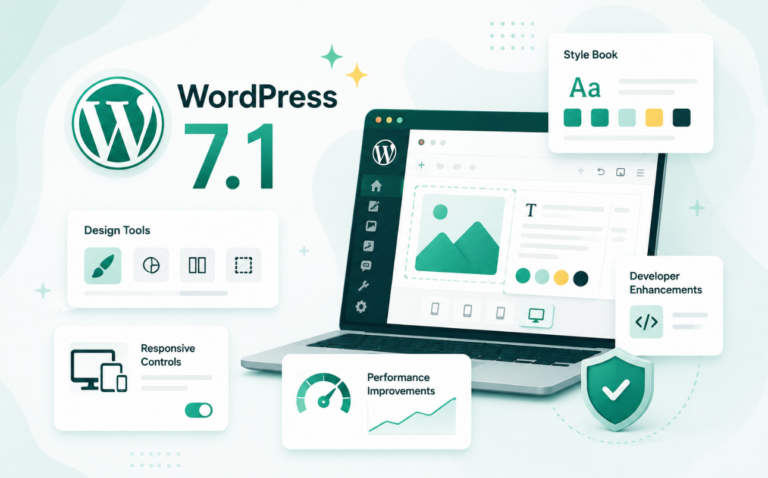
If you’ve spent any amount of time developing with WordPress, you’ve likely encountered common headaches—fragmented design controls, sluggish performance, tricky query loops, outdated security mechanisms, and accessibility nightmares.
The good news? WordPress 6.8 is now out and promises solutions to these long-standing issues, making your development workflow smoother and more enjoyable.
Let’s dive into the specifics! Also, we’ll help agencies tap into new growth opportunities with WordPress 6.8 features in a series of blogs. Don’t miss out those as well.
Table of Contents
Quick Update: WordPress 6.8.1 Maintenance Release is Live!
WordPress 6.8.1 has just dropped, bringing 15 important bug fixes to Core and the Block Editor — including improvements for multisite setups and REST API. If your sites support automatic updates, the rollout should already be underway. Prefer manual updates? Head to your WordPress dashboard and hit “Update Now.”
The Struggle Was Real: Issues Developers Hated Most in Earlier Versions
WordPress has grown tremendously from its humble blogging roots, becoming one of the most powerful CMS platforms globally. Yet, like any evolving platform, it has faced its share of pain points:
Clunky Design Controls & Fragmented Experience
Remember when you had to jump between multiple settings to tweak colors, typography, or patterns? Consistency wasn’t WordPress’s strongest suit. You had blocks, global styles, and patterns scattered in different menus, making design consistency challenging.
Performance Bottlenecks & Slow Load Times
WordPress has always had a complex relationship with performance optimization, unless developers and agencies start using site management with an in-built performance scanner that provides detailed insights on the site’s performance issues.
Bloated queries, unoptimized loops, and slow load times were a nightmare. Developers constantly battled these bottlenecks, using third-party solutions to patch these glaring holes.
Security Vulnerabilities & Old-School Hashing
Using outdated password hashing techniques has been a significant security headache. The phpass hashing method was no longer cutting it against modern brute-force attacks, leaving sites vulnerable and developers scrambling for secure alternatives.
Accessibility Woes
WordPress has been progressively improving accessibility, but it still wasn’t smooth sailing. Navigation challenges and missing accessibility features required extensive developer workarounds.
Introducing WordPress 6.8: The Ultimate Developer-Friendly Update!
The wait is over! WordPress 6.8 is finally here and aims to wipe away those tears of frustration. It’s packed with game-changing updates that developers have been craving for ages.
Here is a video helping you understand what’s new in WordPress 6.8.
Let’s break down the most exciting features you’ll see in WordPress 6.8.
1. Speculative Loading Support for Faster Page Transitions
Good news, speed lovers! WordPress 6.8 integrates speculative loading into its core, using the Speculation Rules API to prefetch URLs based on user interactions. This smart loading approach drastically reduces Largest Contentful Paint (LCP), helping your websites load faster than ever.
This significantly boosts key metrics like Largest Contentful Paint (LCP). The default setup uses conservative rules to ensure compatibility. You can customize behavior using filters:
How It Works:
When a user hovers over or pauses on an internal link, the browser prefetches the destination page in the background. WordPress 6.8 integrates this logic through a core update based on the existing “Speculative Loading” plugin by the Performance Team.
By default, speculative loading is enabled in a “conservative mode,” meaning it will preload links safely without overloading the server.
Developer Options:
Developers can control this behavior using the new filter:
wp_speculation_rules_configuration
This allows custom rules to be set for when and how speculative loading should trigger.
Why It Matters:
- Reduces latency between page clicks
- Improves Core Web Vitals and overall site performance
- Seamlessly enhances user experience without visual changes
Use Case Example: For blogs or content-heavy sites where internal navigation is frequent, speculative loading can significantly reduce load time between article clicks.
2. Style Book Enhancements in the Site Editor
The Style Book gives users a bird’s-eye view of how each block appears under the current design system (colors, typography, spacing). WordPress 6.8 improves this experience both functionally and visually.
Say goodbye to scattered design settings! The revamped Style Book now neatly organizes your colors, typography, and block styles into a unified view, significantly improving the design workflow. For classic themes, patterns are now housed in Appearance > Design > Patterns, making theme development a breeze.
Agencies and freelance WordPress developers can now instantly create and reuse design blueprints across client projects. With WordPress 6.8’s streamlined design controls, InstaWP’s Templates let you start with a fully styled, pre-configured site that you can tweak without touching multiple menus. It’s like combining the power of global styles with your reusable site starter kit.
What’s New in 6.8:
- The Style Book now has a better-structured layout, helping users preview block styles by section (e.g., typography, layout, media).
- As you browse through the style categories, the layout expands logically instead of replacing previous sections.
- A new entry point is available directly from the Styles tab in the sidebar, making the feature easier to discover.
Why It Matters:
These updates make it easier for users to manage and customize their block styles visually. It helps both beginners and advanced users ensure visual consistency across their entire site without digging into custom CSS.
Use Case: A site designer using a custom block theme can now access and refine block styles faster, with less guesswork.
3. Persistent Rendering Mode Selection per Post Type
This feature gives users control over how they view the editor interface when editing posts or pages—either seeing the post content in isolation or with the full site template applied.
How It Works:
When editing a page or post, users can now toggle between:
- Content-only view: Just the content block
- Template view: Full-page layout including headers, footers, and sidebars

Once chosen, this setting is saved per user and post type, so you don’t need to toggle it again next time.
Why It Matters:
It provides a tailored editing experience for different workflows. Writers may prefer a clean content-only view, while designers benefit from seeing how content interacts with the site layout in real time.
Performance Note: Template view may load slower if your layout includes large images or multiple blocks.
4. Starter Content Improvements via Block Inserter
Starter content refers to pre-built layouts and page patterns to help users get started with content creation quickly. WordPress 6.8 improves how this content is accessed and inserted.
Changes in 6.8:
- Instead of using a modal popup, starter content is now directly accessible from the Block Inserter panel
- A new “Starter Content” category has been added for quicker browsing of professional templates
- All patterns are now shown in list view, improving usability
Why It Matters:
This change aligns starter content with the rest of the block editor interface, creating a more seamless experience. Beginners can jumpstart their pages without being overwhelmed by modals or hunting for patterns.
Use Case: A user building a new homepage can now insert a professionally designed layout with just a couple of clicks, directly from the editor panel.
5. Query Loop Block Enhancements
The Query Loop block allows users to dynamically display a list of posts based on defined criteria (like blog posts, categories, or tags).

What’s New in 6.8:
- Ability to include or exclude sticky posts
- More sorting options (e.g., by date, title, custom order)
- Option to retrieve pages from all levels of hierarchy

Why It Matters:
This gives creators finer control over how lists of content are displayed—whether for a blog, custom archive, or portfolio.
Example: A news site can exclude sticky posts from a section of “Recent Stories” while showing them in a “Top Picks” section.
A Caution Note for Developers: Whether it’s WordPress 6.8 or WordPress 6.7, testing a customer query loop setup should be done in staging sites. It enables you to A/B test layouts, showcase ideas to clients, and merge only the winner to production. No surprises, no rework. Here is you can create a staging site.
6. New Query Total Block
This new block works alongside the Query Loop block to display the total number of results found.
How It Works:
When added to a template or query layout, it can dynamically display text like “12 results found” based on the post query.
Why It Matters:
It improves UX on archive, category, or search results pages, setting expectations for the user before they scroll.
7. Cover Block Resolution Controls
The Cover block, often used for hero sections or content dividers, now includes resolution controls for images and backgrounds.
What’s New:
Users can adjust the image resolution to optimize performance or presentation directly in the editor.
Why It Matters:
Improves loading time and design flexibility, especially for image-heavy sections.
Use Case: A homepage hero image can now be set to medium resolution for mobile performance while maintaining style.
8. Rock-Solid Security with bcrypt Password Hashing
Security just got serious! WordPress 6.8 transitions from outdated phpass to bcrypt for password hashing.
- Stronger protection against brute-force attacks.
- Better compatibility with modern cryptographic standards.
- Existing passwords get rehashed automatically at login—no manual migration needed.
For devs managing large user databases, this is one less headache to worry about. And if you’re managing multiple client sites, it’s wise to combine your WordPress development workflows with Vulnerability Scanner right in its dashboard to simplify WordPress security management.
9. Accessibility Like Never Before
Accessibility improvements ensure that your site meets WCAG guidelines effortlessly. Better keyboard navigation, accessible tooltips, and improved screen reader compatibility mean fewer workarounds and a much more inclusive site-building experience.
10. Sophisticated Data View Management
Admin dashboards and custom data grids are getting cleaner and more consistent.
- Combined Field Support: View multiple data points together in list views.
- Grid & Table Enhancements: Smaller action buttons to reduce visual clutter. In addition, we will also have density options for tighter or looser layouts. Not to forget the improved semantics with badge components and consistent spacing.
- Smarter Layouts: Popovers no longer have max height limits, and truncation issues are being resolved for better readability.
- New Template Edit Mode: Inline editing of template sections and confirmation dialogs prevent accidental deletes.
11. Powerful New APIs
WordPress 6.8 introduces more robust tools under the hood for developers building custom themes and plugins.
Block Hooks API
- Dynamically insert blocks at section levels (like headers or footers) in block themes.
- Great for modular development where blocks auto-register themselves.
register_block_type('my-plugin/cta', [
'hook' => 'core/template-part/footer',
'callback' => 'render_cta_block'
]);
HTML API Enhancements
- Speed improvements when parsing and rendering HTML.
- Support for safe, composable templating with inner and outer HTML methods.
Interactivity API (Partial)
- Still in progress, but major groundwork has been laid for client-side navigation and instant search in Query and Gallery blocks.
- New server directives now handle more complex interactions securely.
Excited about all these new API capabilities? Well, sign up for InstaWP today as this WordPress development toolkit lets you spin up sandbox environments in seconds, ideal for testing Block Hooks or trying out interactivity APIs. Even better—integrate with Git, and every PR can trigger an auto-generated testing site.
12. Performance Optimizations Across the Board
Beyond speculative loading, WordPress 6.8 introduces several performance-focused updates:
Lazy loading for post meta and user capabilities.
Speed boosts for ORDER BY RAND() queries.
Caching improvements in:
- get_uploaded_header_images()
- WP_Query
- WP_Theme_JSON::sanitize
These performance optimization features are great, but it take a lot more to for your blazing-fast WordPress 6.8 site to stay fast? Host with the best managed WordPress hosting, which brings global edge caching, built-in CDN, DDoS protection, and hourly backups. Perfect for agencies that want scalable performance without extra setup.
13. Details Block Improvements
The Details block lets users add collapsible content—commonly used for FAQs, toggles, and progressive content reveal.

What’s New in 6.8:
A name attribute has been added to the block settings, allowing developers and site builders to group or style multiple Details blocks together consistently.
Why It Matters:
The name attribute enables advanced customization, especially when creating connected behaviors (like synchronized opening/closing or grouped styling). It improves control for structured content like help centers or Q&A pages.
Use Case: An FAQ section using multiple Details blocks can now be styled uniformly and dynamically using the shared name attribute.
14. Gallery Block: Expand on Click
The Gallery block now includes a new “expand to click” option, enabling lightbox-style behavior.
How It Works:
When users click any image in a gallery, all images open in a full-size view. This feature enhances visual storytelling and improves mobile usability.
Why It Matters:
Previously, lightbox effects required third-party plugins. This update brings native, no-code interactivity to photo galleries.
Use Case: Portfolios, travel blogs, or product showcases can now offer fullscreen image previews with no additional setup.
15. Set Image Block as Featured Image
A long-awaited workflow improvement: now you can directly set any image block within your content as the featured image for the post.
How It Works:
Simply select the Image block and click “Use as featured image.”

Why It Matters:
Saves time by eliminating the need to upload the same image twice—once in the content and again in the sidebar.
Use Case: Bloggers can drop an image into their intro paragraph and assign it as the post thumbnail in one step.
16. Navigation Block Upgrades
Navigation block is polished further with changes such as:
- Menu names are now displayed in List View, helping you better organize and manage multiple menus.
- A new “Clear” button in the color picker allows faster resetting of design choices.
- Backend code improvements make menus more efficient and predictable.

Why It Matters:
These changes make it easier for users to build complex navigation structures while maintaining control over styling and structure.
Use Case: Agencies building multi-language or multi-menu sites will benefit from improved clarity and customization.
17. Social Icons Block Enhancements
As social appearance matters, WordPress 6.8 ensured that social media integration is better than before. Here are certain upgrades this section has got.
What’s New:
- Discord has been added as a supported social platform.

- Easier clearing of color settings for icon customization.
- Streamlined method for adding and organizing links.
Why It Matters:
Enables more accurate brand representation and cleaner design for social media sections.
Use Case: Creators and streamers can now add Discord links without using custom icons or hacks.
How InstaWP Can Help Developers Test WordPress 6.8 Features
WordPress 6.8 is packed with new features, but how do you safely test them before rolling out to production? Enter InstaWP—your go-to sandbox platform for spinning up instant WordPress environments in seconds.
Whether you’re a plugin developer, theme builder, or agency pro, InstaWP helps you:
Launch a WordPress 6.8 Instance Instantly: No need to set up local environments or wait for hosting provisioning. With InstaWP, you can deploy a fresh WordPress 6.8 site in under 10 seconds—preconfigured with beta or RC versions. Well, WordPress 6.8 is the default configuration for every site built on InstaWP.
Safely Test Compatibility for Themes & Plugins: Break things without breaking your live site. Use InstaWP to check if your custom code, themes, or third-party plugins play nicely with the latest changes like speculative loading, Query Loop enhancements, or the new Block Hooks API.
Experiment with New Features Without Hassle: Want to explore the new Zoom Out mode or play around with updated Style Book layouts? Launch a clean WP staging site and go wild—no cleanup needed afterward.
Share Test Links With Your Team or Clients: Every InstaWP instance comes with a live preview link you can send to clients or collaborators. Perfect for gathering feedback on UI/UX changes in WordPress 6.8’s updated editing experience.
One-Click Rollbacks & Multiple Environments: Quickly clone your site, test different configurations, or roll back to a stable version—all within your InstaWP dashboard.

⚡ Pro Tip: Use InstaWP’s template feature to save a configured 6.8 dev stack. Launch test sites with your must-have plugins and settings in one click!
InstaWP isn’t just a time-saver—it’s a developer’s secret weapon for staying ahead of core updates and shipping faster, better-tested websites.
How WordPress 6.8 Will Make Your Development Life Easier
All these WordPress 6.8 changes sound impressive. Don’t they? And they are going to make WordPress development easier and smoother than before for sure.
1. Effortless & Unified Design Workflow
WordPress 6.8’s unified design controls mean you spend less time hunting through settings and more time being creative. Imagine setting your entire site’s design in one spot—pure bliss.
Previously, tweaking patterns required jumping between menus. With 6.8, everything sits neatly under:
Appearance > Design > Patterns
Simpler, right?
2. Better Performance & Happy Users
Your site’s visitors will thank you for lightning-fast page loads, courtesy of speculative loading. With minimal effort, you can significantly boost site performance.
Customizing speculative loading:
add_filter(‘wp_speculation_rules_configuration’, function($config) {
$config[‘prefetch’] = [‘hover’, ‘visible’];
return $config;
});
Instant performance improvement, minimal fuss.
3. Bulletproof Security, Less Worrying
bcrypt password hashing strengthens security right at the core level. This means less panic about outdated security methods and more trust in WordPress’s built-in protection.
No additional plugins or coding required—bcrypt integration is automatic. Your existing user passwords will seamlessly update upon login.
4. Greater Accessibility Compliance Made Easy
Accessibility enhancements mean fewer manual accessibility checks, freeing you from repetitive work and allowing you to focus on building fantastic websites for everyone.
Automatic accessible tooltips and improved keyboard navigation out-of-the-box significantly cut down the developer’s accessibility tasks.
5. Flexible, Future-Proof APIs
The new APIs expand your toolbox, enabling more advanced customizations with less hassle.
Using the Block Hooks API:
register_block_type(‘my-plugin/hero-block’, [
‘hook’ => ‘core/template-part/header’,
‘callback’ => ‘render_hero_block’
]);
Instantly inject custom hero sections into themes without extensive custom coding.
Your WordPress Development Life Is About to Get Amazing!
WordPress 6.8 isn’t just another update—it’s a transformative release. It solves persistent developer pain points, introduces powerful new capabilities, and significantly improves your workflow. With smarter design tools, faster performance, stronger security, better accessibility, and flexible APIs, your life as a WordPress developer is set to get dramatically easier.

Ready to See WordPress 6.8 Features in Action?
Build WordPress 6.8 sites without any coding and hosting with InstaWP