

The Elementor Website Builder has it all: drag and drop page builder, pixel perfect design, mobile responsive editing,…
About Limit Login Attempts
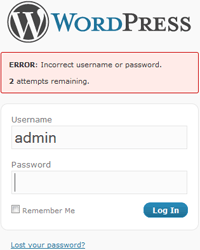
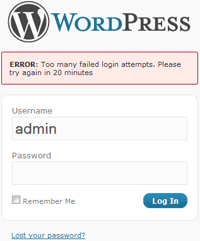
Limit Login Attempts is a WordPress plugin that helps protect your website from brute-force attacks by limiting the number of login attempts allowed. It blocks an IP address from making further attempts after reaching the specified limit, making it difficult or impossible for hackers to crack passwords. The plugin also provides features such as informing users about remaining retries or lockout time, optional logging and email notification, and compatibility with server behind reverse proxy.Screenshots
Frequently asked questions
What does Limit Login Attempts do?
Limit Login Attempts blocks an Internet address from making further attempts after a specified limit on retries is reached, making a brute-force attack difficult or impossible.
What are the features of Limit Login Attempts?
The features include limiting the number of retry attempts when logging in (for each IP), limiting the number of attempts to log in using auth cookies, informing the user about remaining retries or lockout time on the login page, optional logging and email notification, and handling servers behind reverse proxies.
Are there translations available for Limit Login Attempts?
Yes, there are translations available in Bulgarian, Brazilian Portuguese, Catalan, Chinese (Traditional), Czech, Dutch, Finnish, French, German, Hungarian, Norwegian, Persian, Romanian, Russian, Spanish, Swedish, and Turkish.
Does Limit Login Attempts use any non-standard actions or filters?
No, Limit Login Attempts uses only standard actions and filters.

