

Just another contact form plugin. Simple but flexible.
About Disqus Comment System
Disqus is a popular commenting system that allows website owners to engage with their readers and build a community. The Disqus for WordPress plugin makes it easy to add Disqus to your WordPress site, and there are different pricing plans available, including a free option.Screenshots






Frequently asked questions
What is Disqus?
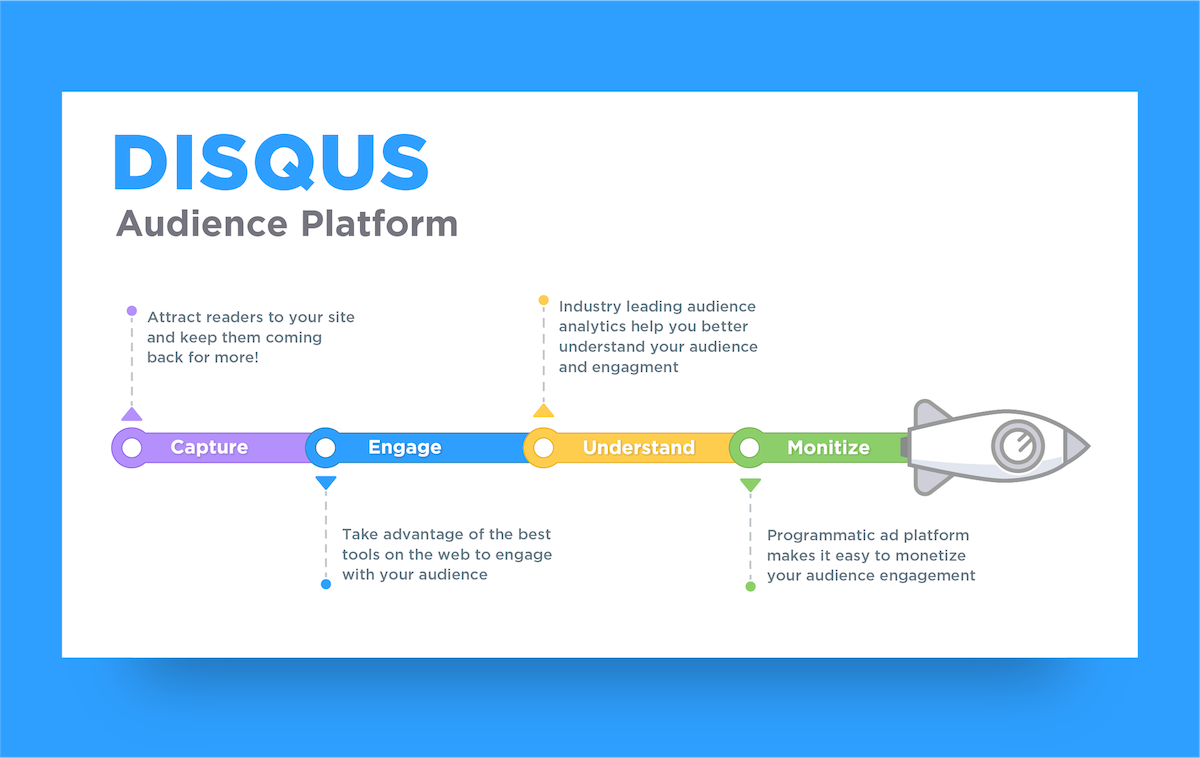
Disqus is the web’s most popular commenting system trusted by millions of publishers to increase reader engagement, grow audience and traffic, and monetize content. Disqus helps publishers of all sizes engage directly with their audiences to build loyalty, retain readers, and foster thriving communities.
Why should I use Disqus?
Disqus offers a simple one-click installation that seamlessly integrates with WordPress, keeps users engaged on your site longer with a commenting experience readers love, brings users back to your site with web and email notifications, improves SEO ranking with user generated content, keeps spam out with a best-in-class anti-spam filter, and provides a single profile for commenting on over 4 million sites including social login support for Facebook, Twitter, and Google accounts.
What are the features of Disqus?
Disqus features include syncing comments automatically to WordPress for backup and flexibility, loading asynchronously with advanced caching for improved site performance, monetization options to grow revenue, exporting comments to WordPress-compatible XML for backup or migration, an analytics dashboard for measuring overall engagement on your site, and mobile responsive design.
What engagement features does Disqus offer?
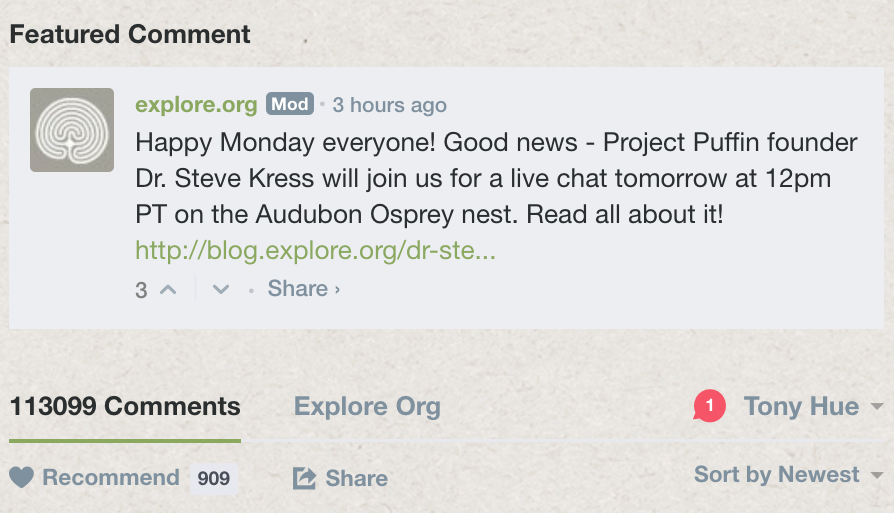
Disqus offers a realtime comments system with fun discussion interactions, comment text formatting using HTML tags and code syntax highlighting, threaded comment display with the ability to collapse individual threads, sorting discussions by oldest, newest, and best comments, flexible login options including social login, SSO, and guest commenting support, instant activity notifications, email notifications, and digests to pull readers back in, user profiles that show recent comment history and frequented communities, and a recommendations widget that shows where active discussions are happening elsewhere on your site.
What moderation features does Disqus have?
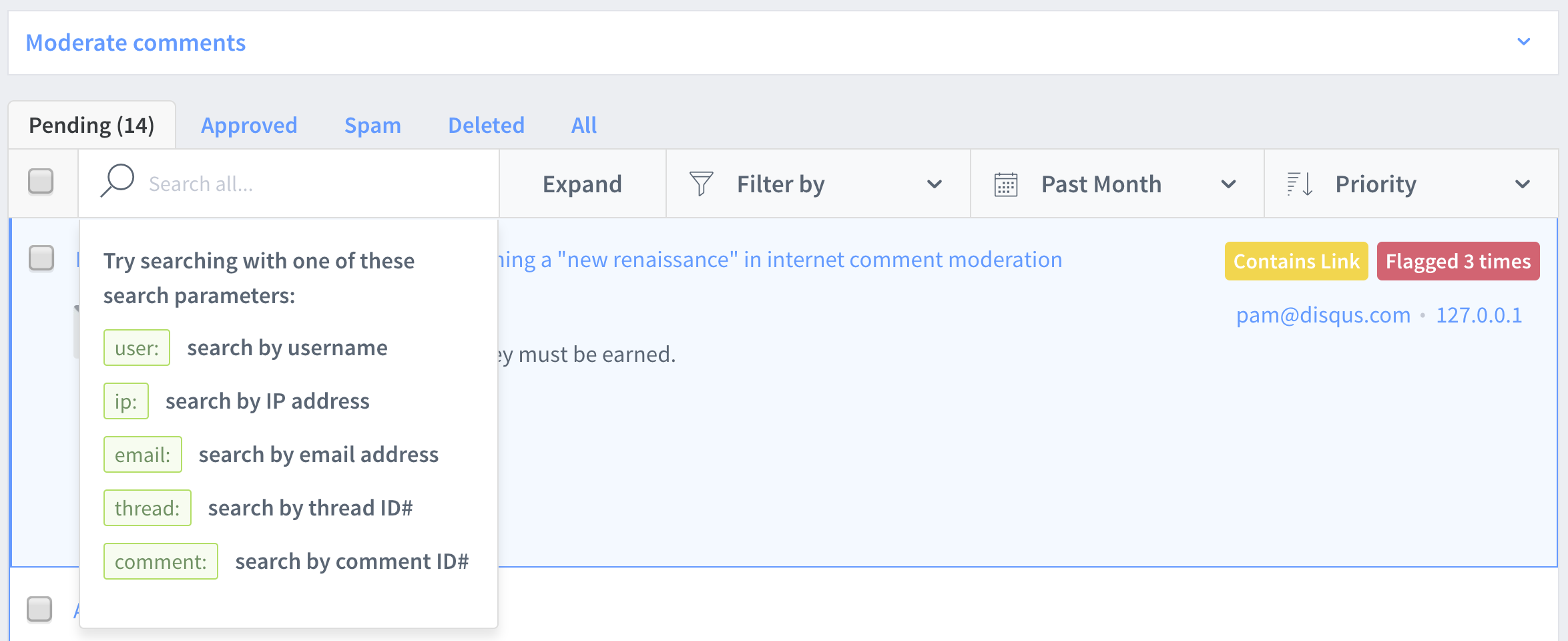
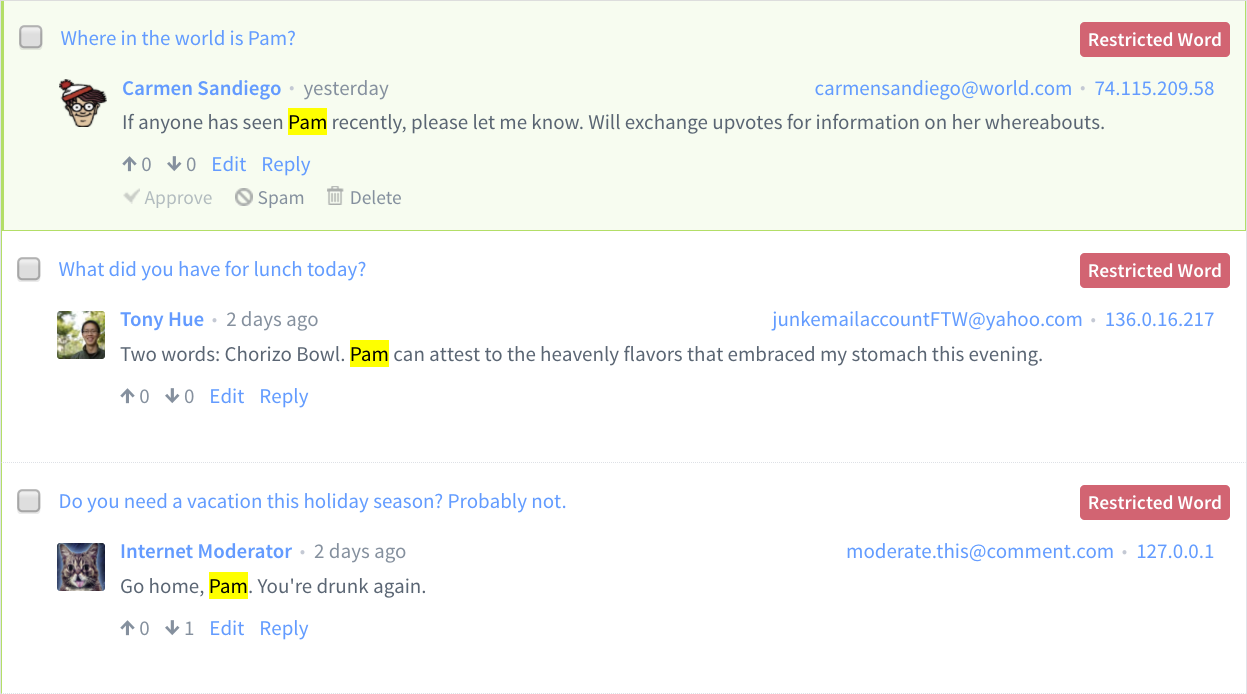
Disqus has an automatic anti-spam filter powered by Akismet, automated pre-moderation controls to flag comments based on links and user reputation, the ability to moderate directly in the discussion, via email, or through the moderation panel, email notifications for newly posted comments and replies, a moderation panel that lets you search, filter, sort, and manage your comments, and self-moderation tools like user blocking and comment flagging.
Changelog
3.1.2
- Add Disqus Polls Information
3.1.1
- Add WP 6.5 to Github Actions CI
3.1
- Disqus Embed now loads correctly on WordPress Block Themes.
- Improved visibility for latest plugin version and important changes.
- Added links to remove ads and clarified language around ad-supported plans.
- Modernized styling and effects to match Disqus colors.
3.0.24.1
- Add WP 6.4 to Github Actions CI and fixed dependency issues for WP 6.4
3.0.24
- Fixed multiple bugs with the manual syncing tool regarding syncing comments without parents and syncing comments missing thread data.
- Increased allowable date range for manual syncing tool to allow for easier syncing of historical comment data.
- Improved automatic syncing tool’s error messaging and troubleshooting with regards to issues with fetching sync status and starting automatic syncing.
- Improved the error messages that get exposed to the browser console when issues occur with the manual and automatic syncing tools for easier future troubleshooting.
3.0.23
- Fixed a bug with the automatic comment import tool with newer versions of WordPress and added tests.
- Improved visual layout of the plugin. Updated corresponding snapshot for frontend test.
- Added updated directions for running tests locally.
- Update CI/CD to use GitHub actions.
3.0.22
- Added improvements to manual comment syncing (thanks Artem Russakovskii)
- Fixed a bug with the embed handling pages with missing container IDs
- Fixed a bug with REST URLs handling emtpy host configurations
3.0.21
- Fixed issue with mismatched DISQUSVERSION causing admin issues
3.0.20
- Fixed issue with comments syncing to one sticky post
3.0.19
- Fixed issue with missing admin bundles
3.0.18
- Tested plugin with WordPress 5.6 and updated documentation
- Fixed count.js script being loaded on unnecessary pages
- Fixed comments showing sync date instead of creation date in WordPress admin
3.0.17
- Bumping version for WP 5.1 version bump. (Changes to README versions and main php file’s version)
- Fixed Undefined index bug where HTTP_HOST could not find web server
3.0.16
- Add a manual syncing option that allows retroactive syncing within a selected date range
- Fixed bug where SSO avatar URLs were malformed (Thanks to klaufel)
3.0.15
- Fixed bug preventing sites from importing WordPress comments to Disqus
3.0.14
- Add a prompt to create a secret key if missing. Fixes issue preventing some sites from using automatic installation and enabling syncing
- Made it easier to reinstall the same site without having to select a new one
- Bug fix for some browsers from autofilling site configuration forms
- Bug fix for sites whose admin URL was different than their public site URL
- Prevent Disqus from loading on pending and scheduled posts
3.0.13
- Added a new option for rendering comments javascript directly into page markup
- Fixed warning that stated “cannot access private method Disqus_Rest_Api::dsq_get_settings_schema()”
- A few small copy changes in plugin’s admin UI
3.0.12
- Disabled browser autocomplete for site configuration form
- Fixed an issue where admin JavaScript bundle was missing for sites with WP_DEBUG enabled
- Implemented a dsq_can_load filter for custom control of when Disqus loads
3.0.11
- Improved UX on updating the site configuration manually
- Fixed an issue causing a site crash with PHP version 5.2
- Added additional information to support diagnostics
3.0.10
- Lowered minimum-supported version of PHP to 5.4
- Fixed a syntax issue in PHP version 5.3
3.0.9
- Added a check to deactivate plugin if PHP version is earlier than the minimum-supported version 5.6.
3.0.8
- Fixed a bug that prevented automatic installation when upgrading from version 2.86 or earlier.
3.0.7
- Plugin has been completely rewritten to support modern and secure WordPress features.
- Added new Automatic Installation for installing Disqus on your site. This also creates the API application required for enabling comment syncing.
- Completely redesigned plugin settings page. Disqus replaces the Comments menu link in your WordPress admin and includes shortcut links to popular settings.
2.86
- Don’t attempt to use cURL on IIS servers
- Check is dsq_sync_forum is scheduled before scheduling
- Add updates for Travis CI
- Fixes a bug in the upgrade process
2.85
- Fixes deprecation warnings on sites running PHP7
- Removes a javascript alert from the admin
2.84
- Fixes a bug where the comment count won’t work on some themes
2.83
- Fix errors when using SSO and rendering javascript inline
2.82
- Fix PHP errors when there are no comments to sync
- Adds a new option to render Disqus javascript directly in page markup
2.81
- Fix for automatic comment syncing
- Make sure all markup validates for HTML5
2.80
- Move all scripts to separate files instead of rendering them in php
- Added a hook to attach custom functions to disqus_config in javascript
- Fixed exporting bug introduced in 2.78 (Thanks to mkilian)
- Numerous small compatibility and security enhancements
2.79
- Reinstate changes removed by 2.78
2.78
- Security fixes
- Compatibility for WordPress version 4.0
2.77
- Fixes login by email issue
- Make sure Disqus is enabled after installation
- Additional security fixes
2.76
- Security fixes (Thanks to Nik Cubrilovic, Alexander Concha and Marc-Alexandre Montpas)
- Bump tested WordPress version to 3.9.1
- Remove obsolete SSO button uploader
- Enable ‘Output javascript in footer’ by default during installation
- Fix for ‘Reset’ function not completely working the first time
2.75
- Bump supported WordPress version to 3.8.
- Properly encode site name for SSO login button.
- Increased timeout for comment exporter to 60 seconds.
- Use https: for admin pages
- Miscellaneous bug fixes and improvements.
2.74
- Updated settings UI
- Add filter hook for setting custom Disqus language
- For WP >= 3.5, use new media uploader
- Disable internal WordPress commenting if Disqus is enabled (thanks Artem Russakovskii)
- Cleaned up installation and configuration flow
- Added link to WP backup guide in README
- Fix admin bar comments link
- Added a check to avoid a missing key notice when WP_DEBUG=TRUE (thanks Jason Lengstorf)
- Prevent 404 errors for embed.js from being reported by Google Webmaster Tools (missed in 2.73 README)
2.73
- Apply CDATA patch from WordPress 3.4 to dsq_export_wxr_cdata() (thanks Artem
Russakovskii for the patch). - Added Single Sign-On log-in button and icon to options (only for sites using SSO)
- Output user website if set in SSO payload
- Added plugin activation statuses to debug info
- Bump supported WordPress version to 3.4.1
- Fixed issue where disqus_dupecheck won’t properly uninstall
- Load second count.js (output-in-footer version) reference via SSL too
- Added screenshots
2.72
- Load count.js via SSL when page is accessed via HTTPS
- Fixed styling issue with Disqus admin.
2.71
- Fixed issue where embed wasn’t using SSL if page was loaded via HTTPS
- Fixed issue with syncing where to user’s without a display_name would
revert back to Anonymous (really this time). - Fixed issue where Google Webmaster Tools would incorrectly report 404s.
- Fixed issue with Disqus admin display issues.
2.70
- Properly uninstall disqus_dupecheck index when uninstalling plugin.
- Fixed issue with syncing where to user’s without a display_name would
revert back to Anonymous. - Fixed issue where IP addresses weren’t being synced properly.
- Allow non-Administrators (e.g., editors) to see Disqus Moderate panel
inline (fixes GH-3)
2.69
- Bumped version number.
2.68
- Removed debugging information from web requests in CLI scripts (thanks
Ryan Dewhurst for the report). - Reduced sync lock time to 1 hour.
- Fixed an issue which was not allowing pending posts (for sync) to clear.
- Fixed an issue with CLI scripts when used with certain caching plugins.
2.67
- Bumped synchronization timer delays to 5 minutes.
- wp-cli.php now requires php_sapi_name to be set to ‘cli’ for execution.
- Fixed a bug with imported comments not storing the correct relative date.
- Added a lock for dsq_sync_forum, which can be overriden in the command line script
with the –force tag. - dsq_sync_forum will now handle all pending post metadata updates (formerly a separate
cron task, dsq_sync_post).
2.66
- Fixed issue with jQuery usage which conflicted with updated jQuery version.
2.65
- Corrected a bug that was causing posts to not appear due to invalid references.
2.64
- Added an option to disable Disqus without deactivating the plugin.
- Added a second check for comment sync to prevent stampede race conditions in WP cron.
2.63
- Added command line script to import comments from DISQUS (scripts/import-comments.php).
- Added command line script to export comments to DISQUS (scripts/export-comments.php).
- The exporter will now only do one post at a time.
- The exporter now only sends required attributes to DISQUS.
- Moved media into its own directory.
2.62
- Changed legacy query to use = operator instead of LIKE so it can be indexed.
2.61
- Fixed an issue which was causing invalid information to be presented in RSS feeds.
2.60
- Added support for new Single Sign-On (API version 3.0).
- Improved support for legacy Single Sign-On.
2.55
- Added support for get_comments_number in templates.
2.54
- Updated URL to forum moderation.
2.53
- Fixed an issue with fsockopen and GET requests (only affects certain users).
2.52
- Fixed issue with Disqus-API package not getting updated (only affecting PHP4).
2.51
- Added CDATA comments for JavaScript.
- Syncing comments will now restore missing thread information from old imports.
- Install and uninstall processes have been improved.
- Fixed an issue in PHP4 with importing comments.
- Fixed an issue that could cause duplicate comments in some places.
- Added an option to remove existing imported comments when importing.
2.50
- Added missing file.
2.49
- Database usage has been optimized for storing comment meta data.
You can perform this migration automatically by visiting Comments -> Disqus, or if
you have a large database, you may do this by hand:
CREATE INDEX disqus_dupecheck ON wp_commentmeta (meta_key, meta_value(11));
INSERT INTO wp_options (blog_id, option_name, option_value, autoload) VALUES (0, ‘disqus_version’, ‘2.49’, ‘yes’) ON DUPLICATE KEY UPDATE option_value = VALUES(option_value);
2.48
- Comment synchronization has been optimized to be a single call per-site.
- disqus.css will now only load when displaying comments
2.47
- Fixed a security hole with comment importing.
- Reverted ability to use default template comments design.
- Comments will now store which version they were imported under.
- Added an option to disable server side rendering.
2.46
- Better debugging information for export errors.
- Added the ability to manual import Disqus comments into WordPress.
- Added thread_identifier support to exports.
- Cleaned up API error messages.
- Fixed a bug which was causing the import process to not grab only the latest set of comments.
- Added an option to disable automated synchronization with Disqus.
2.45
- Comments should now store thread information as well as certain other meta data.
- Optimize get_thread polling to only pull comments which aren’t stored properly.
2.44
- Fixed JavaScript response for comments sync call.
- Comments are now marked as closed while showing the embed (fixes showing default respond form).
2.43
- Fixed a JavaScript syntax error which would cause linting to fail.
- Correct an issue that was causing comments.php to throw a syntax error under some configurations.
2.42
- Correct a bug with saving disqus_user_api_key (non-critical).
- Added settings to Debug Information.
- Adjusting all includes to use absolute paths.
- Adjusted JSON usage to solve a problem for some clients.
2.41
- Correct a bug with double urlencoding titles.
2.40
- Comments are now synced with Disqus as a delayed asynchronous cron event.
- Comment count code has been updated to use the new widget. (Comment counts
must be linked to get tracked within “the loop” now). - API bindings have been migrated to the generic 1.1 Disqus API.
- Pages will now properly update their permalink with Disqus when it changes. This is
done within the sync event above. - There is now a Debug Information pane under Advanced to assist with support requests.
- When Disqus is unreachable it will fallback to the theme’s built-in comment display.
- Legacy mode is no longer available.
- The plugin management interface can now be localized.
- The plugin is now valid HTML5.

