
Just another contact form plugin. Simple but flexible.
About Contextual Related Posts
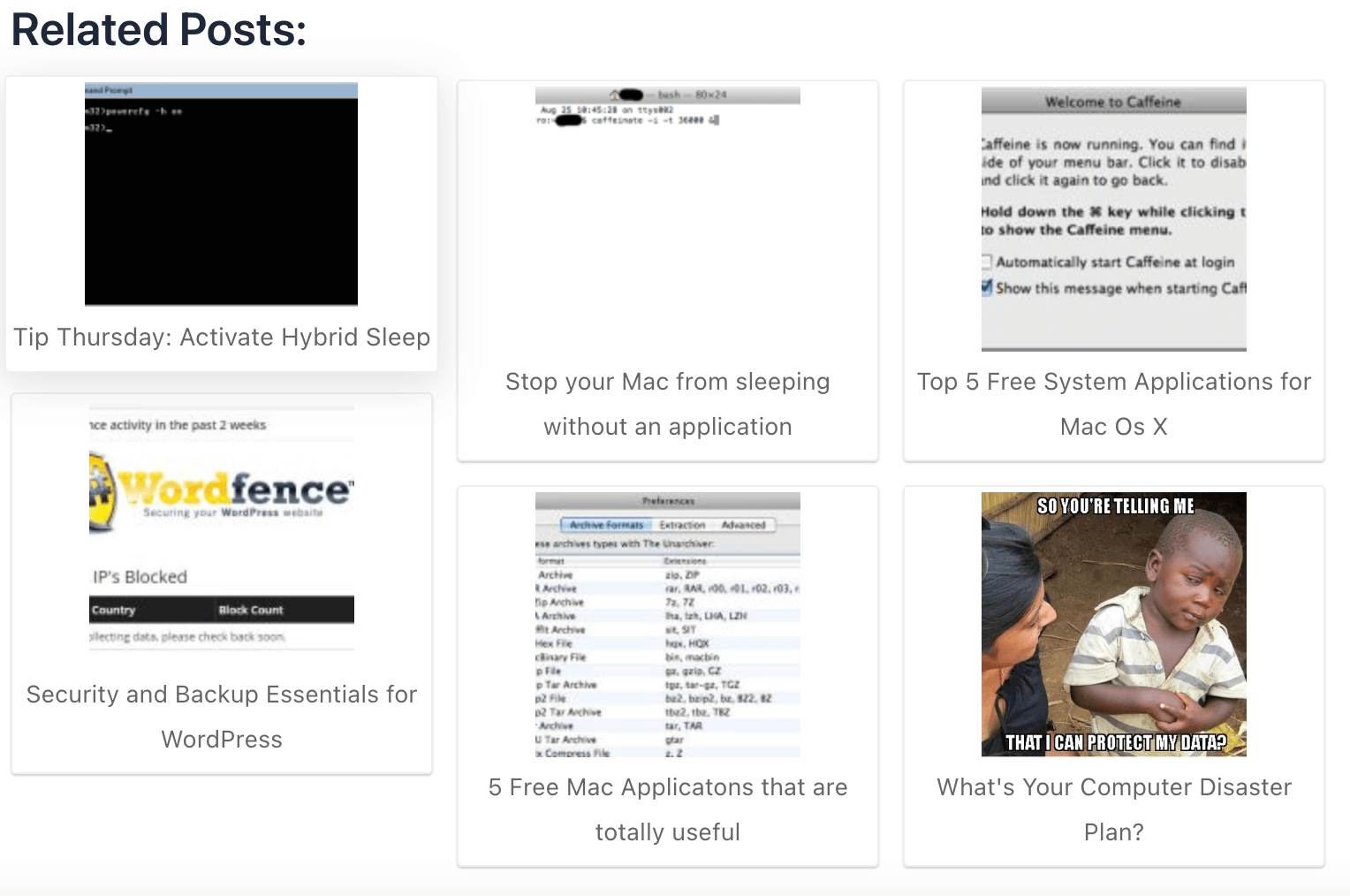
Contextual Related Posts is a WordPress plugin that displays a list of related posts on your site to increase engagement and keep readers on your site longer. It uses a smart algorithm to analyze the title and content of your posts to find the most relevant ones. The plugin also offers customization options and supports various display methods such as widgets, shortcodes, Gutenberg blocks, and REST API.Screenshots


Frequently asked questions
What is Contextual Related Posts?
Contextual Related Posts is a powerful WordPress plugin that helps you increase your site’s engagement by displaying a list of related posts that are relevant and interesting to your readers.
How does Contextual Related Posts work?
Contextual Related Posts uses a smart algorithm that analyzes the title and/or content of your posts to find the most related ones. This way, you can show your visitors more of your awesome content and keep them on your site longer.
What are the key features of Contextual Related Posts?
Contextual Related Posts has many features and options that let you customize the look and feel of the related posts list. You can choose between different styles, layouts, thumbnails, excerpts, and more. You can also use widgets, shortcodes, Gutenberg blocks, or REST API to display the related posts anywhere on your site or in your feed.
How can I add Contextual Related Posts to my site?
You can activate the plugin and it will automatically display related posts on your site and feed after the content. If you want more control over the placement, you can use the FAQ to learn about the functions available for manual install. You can also use Gutenberg / Block Editor support, Widgets, Shortcode, or REST API to display the related posts.
Is Contextual Related Posts GDPR compliant?
Yes, Contextual Related Posts is GDPR compliant as it doesn’t collect any personal data about your visitors when installed out of the box. All posts are processed on your site and not sent to any external service. However, you are responsible for ensuring that all GDPR requirements are met on your website.
Changelog
3.6.2
- Bug fixes:
- Fixed upgrade link in WordPress multisite.
- Fix type casting for row height calculation in thumbs_grid style in Styles Handler class.
- Updated Freemius SDK to v2.11.0.
3.6.1
- Bug fix: Corrected thumbnail images to return the specified image size instead of the full size.
3.6.0
Release post: https://webberzone.com/announcements/contextual-related-posts-v3-6-0/
-
Features:
- [Pro] New block: Contextual Related Posts Featured Image is an advanced featured image block that falls back to the first image, meta key, or a default image if no featured image is set.
- [Pro] Related Posts block now includes:
- Buttons to save and clear default block settings.
- Auto-insertion of default and global settings attributes, with an option to disable this in the List tuning tab.
-
Modifications:
- The “Manual related posts” field in the meta box can now be customized to perform searches without relevance. To disable relevance in searches, use the filter
crp_meta_box_manual_related_relevancewith the following code:add_filter('crp_meta_box_manual_related_relevance', '__return_false');. - Contextual Related Posts Block’s Other attributes moved to Advanced panel.
- Show admin notices when the Style is set to “Rounded Thumbnails”, “Rounded Thumbnails with Grid”, or “Text Only” in the Settings page. A notice will appear below the affected settings, indicating that these options cannot be modified.
- Updated “Rounded Thumbnails” style’s post title line height to 1.1em and removed the padding.
- Updated Freemius SDK to 2.10.1.
- The “Manual related posts” field in the meta box can now be customized to perform searches without relevance. To disable relevance in searches, use the filter
-
Bug fixes:
- Fixed warning message about language files being initiated too early.
3.5.5
- Modifications:
- Updated Freemius SDK to 2.9.0
3.5.4
Release post: https://webberzone.com/announcements/contextual-related-posts-v3-5-0/
- Fixes:
include_post_idsandmanual_relatedwere not being passed correctly to the query
3.5.3
-
Modifications:
- Updated Freemius SDK to 2.7.3
- Updated Contextual Related Posts block apiVersion to 3
- Increase background opacity for the Rounded Thumbs style’s post title for better readability
-
Fixes:
- Allow
manual_relatedattribute in shortcode - Correctly handle manual_related and include_post_ids arguments when set to 0. Ensure manual_related is set to an empty array when 0 is passed.
- Correctly check if
relationattribute is set for meta_query and tax_query - Fixed links to settings and tools page in the admin area
- Pass
post_statuswhen usingget_posts() - Remove
the_postsfilter in CRP_Query - [Pro] Fixed bug in the Query Loop where custom post types didn’t appear in the dropdown
- Allow
3.5.2
-
Modifications:
- [Pro] If “Only from” same category/tag/taxonomy is enabled, the plugin will sort results by the number of matched taxonomies first, then optimize the related posts further. The free version will continue to sort by date
- [Pro] If any of the weights are 0, then the algorithm will not consider that field for matching
-
Bug fix:
- Custom styles did not get enqueued on the front end
- Fixed PHP error on the Network admin page
- Fixed bug where post types and taxonomies settings retained the previous values if no option was selected
3.5.1
- Bug fix:
- Fixed memory issue when using the crp shortcode
3.5.0
Complete code rewrite using OOP, namespacing and autoloading. This will make it easier to maintain and extend the plugin in the future.
-
Features:
- Enter a negative number in the “Insert after paragraph number” setting to insert the related posts from the bottom of the post
- [Pro] New Related Posts Query Block that allows you to query related posts using a block in the block or site editor
- [Pro] New feature to set the weight of the title, content and excerpt in the related posts algorithm
- [Pro] New parameter
display_only_on_tax_idsto display related posts only on specific taxonomy terms - [Pro] New option added to the Edit Post meta box mapped to
include_cat_idsto include related posts from specific categories only - [Pro] New Clear cache button in the settings page to clear the cache
-
Enhancements:
- The plugin supports
WP_Querydirectly ifcrp_queryis set in the query arguments - Optimized media handler to reduce the number of queries
- Cache posts only setting is changed to be true by default
- Cache HTML output will now cache the HTML output of the related posts list, superseding the Cache posts only setting
- The plugin supports
-
Bug fix:
trim_charfunction returned a blank string instead of the original string if the length was 0- Insert after paragraph used to insert after an extra paragraph than what was specified
Earlier versions
For the changelog of earlier versions, please refer to the separate changelog.txt file or the releases page on Github.

