

Just another contact form plugin. Simple but flexible.
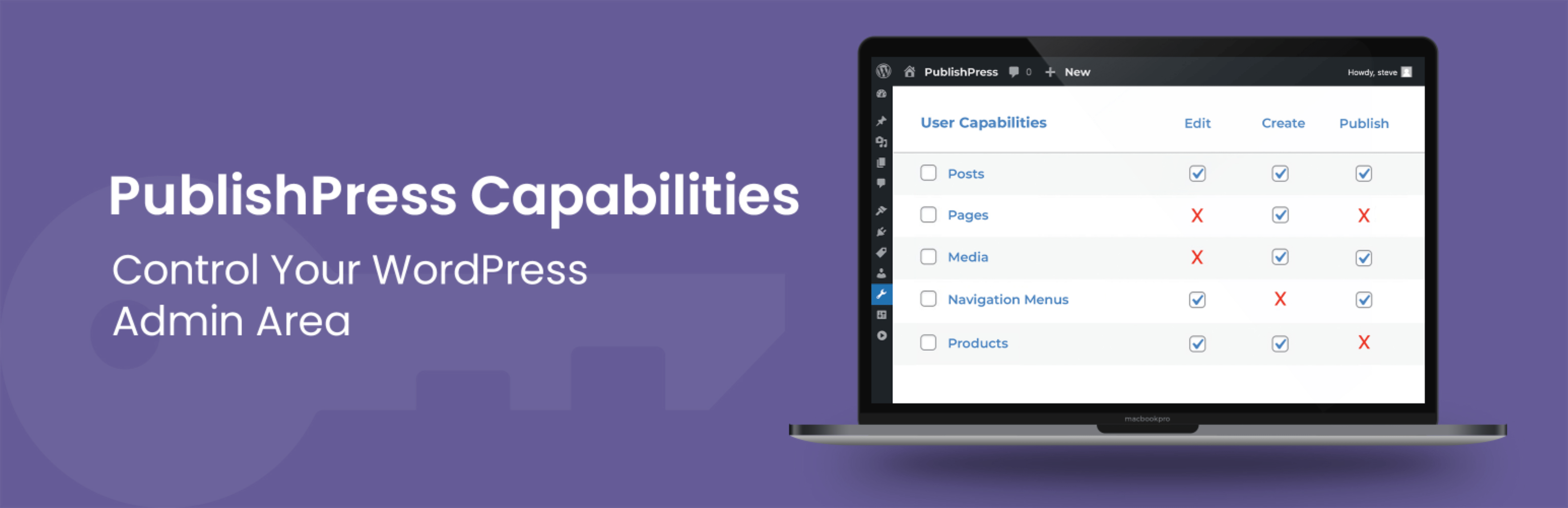
About PublishPress Capabilities – User Role Editor, Access Permissions, Admin Menus
PublishPress Capabilities is a plugin for WordPress that allows you to control user roles and permissions on your site. With this plugin, you can easily manage all your user roles, hide features on the editing screen, remove items from the dashboard, and more. The Pro version of the plugin offers additional features such as editing admin menu links and controlling frontend menu links.Screenshots
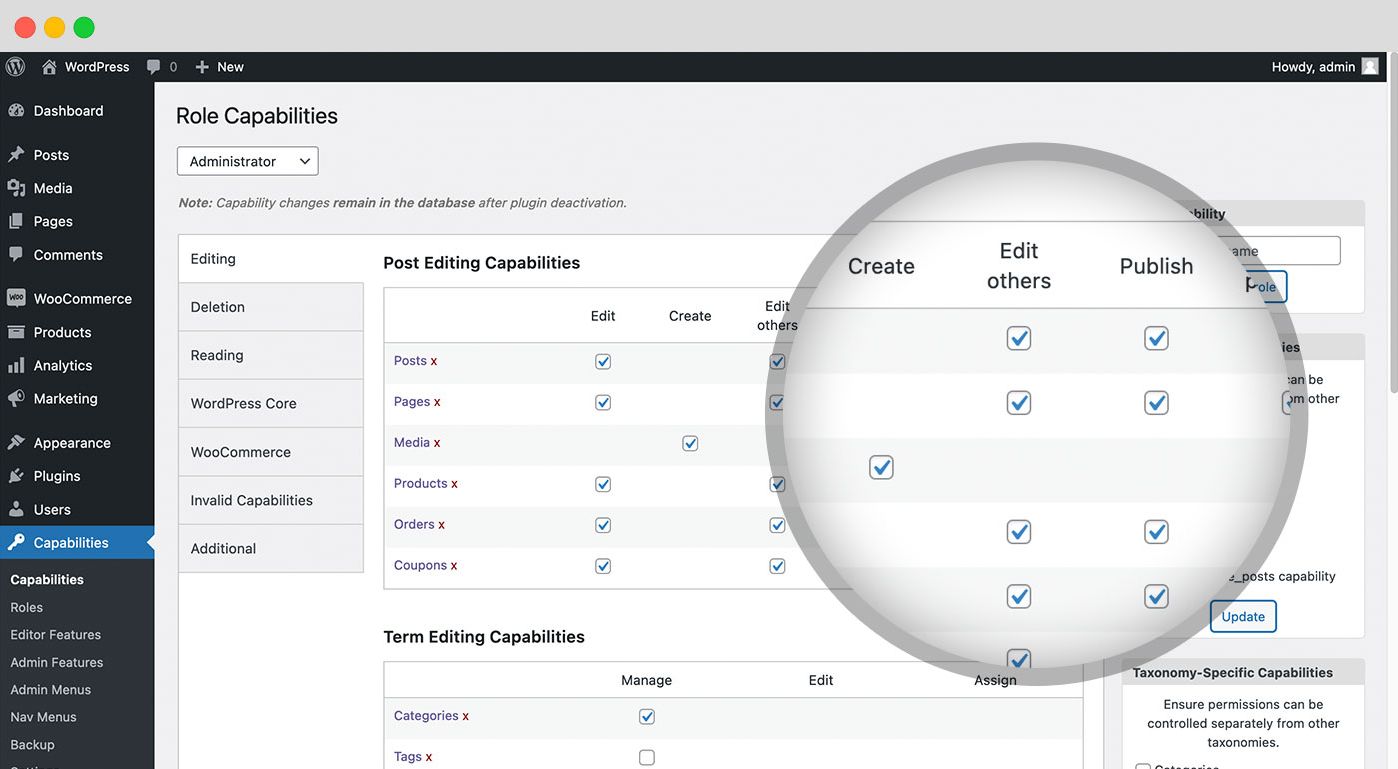
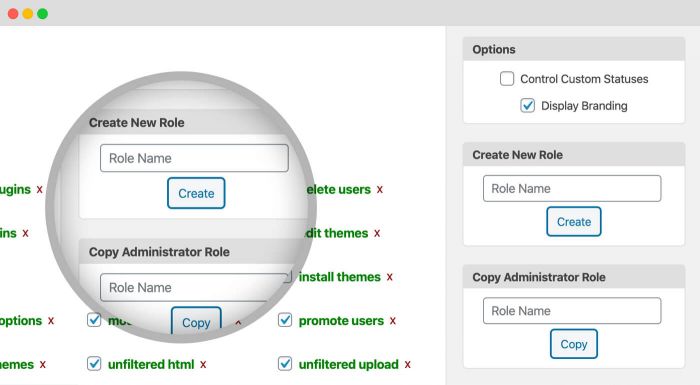
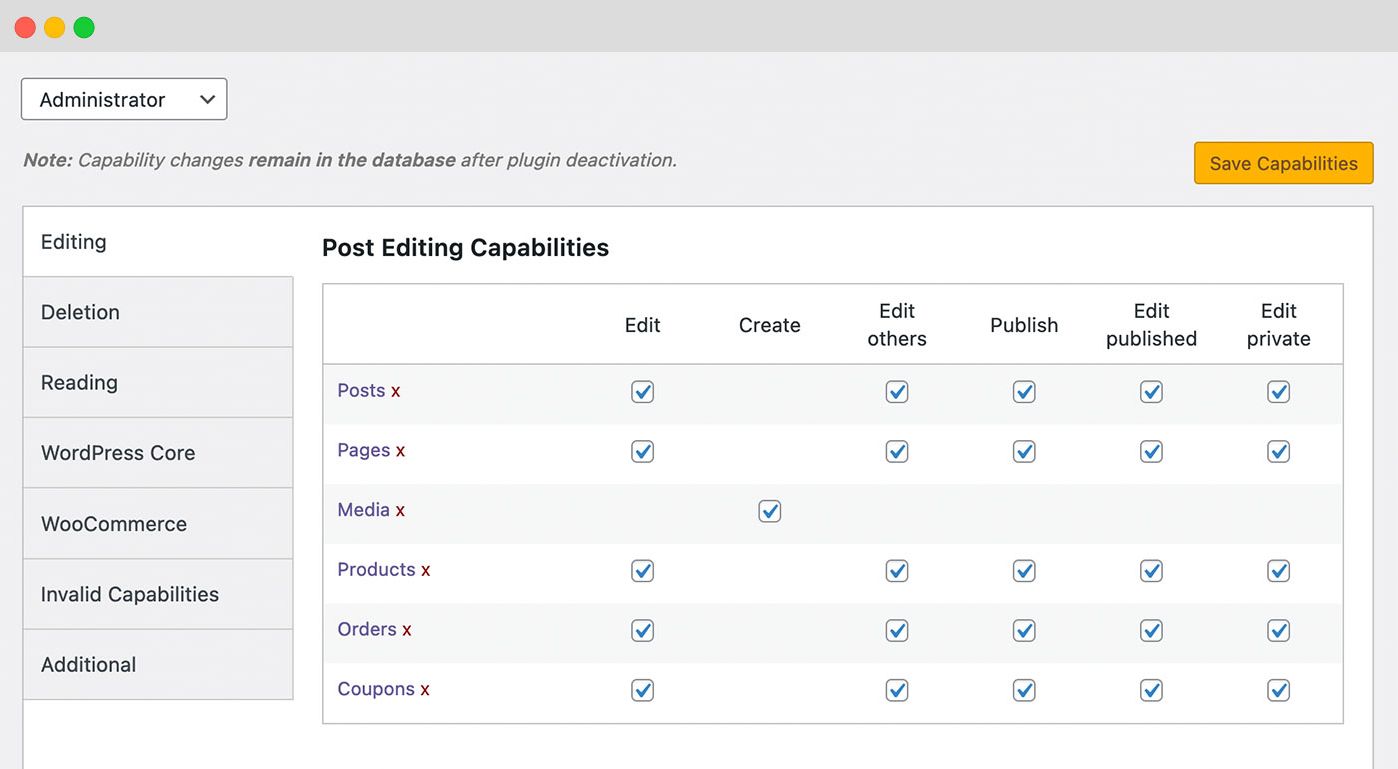
Frequently asked questions
What is PublishPress Capabilities?
PublishPress Capabilities gives you control over all the capabilities and permissions on your WordPress site. We built this user role editor plugin so you have an EASY and POWERFUL way to manage users.
What can I do with PublishPress Capabilities?
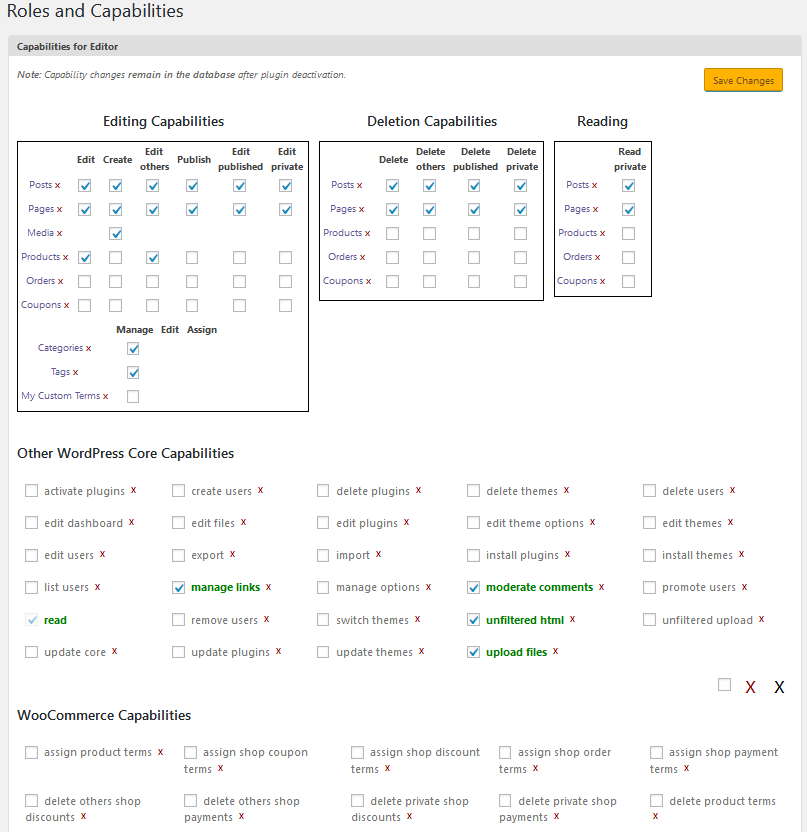
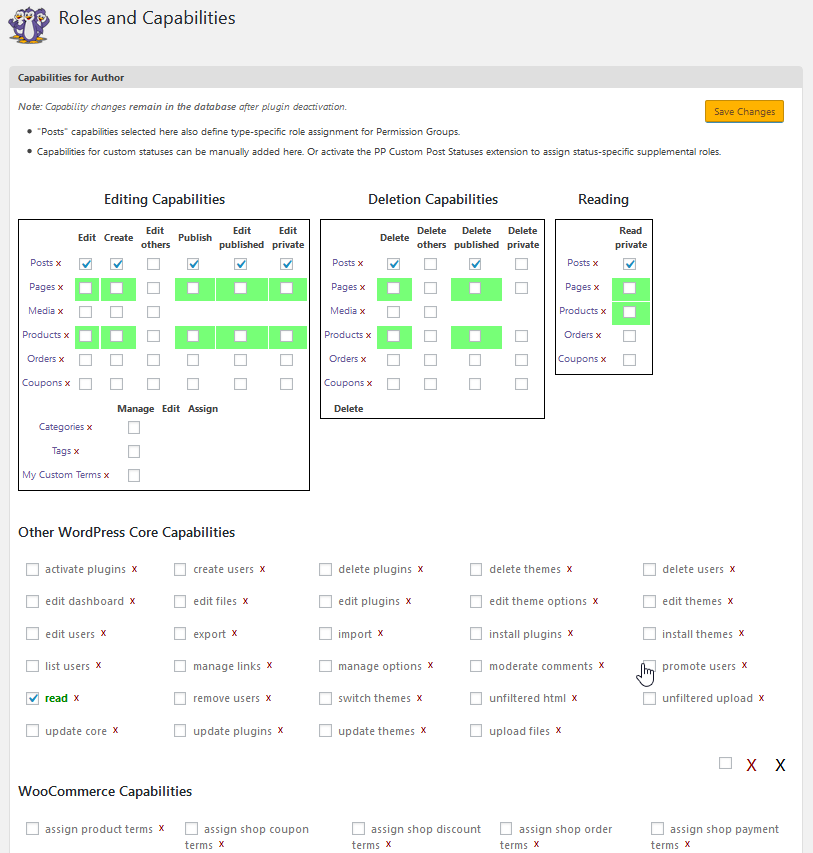
You can use PublishPress Capabilities manage all your WordPress user roles, from Administrators and Editors to Authors, Contributors, Subscribers and custom roles. Each use role can have the exact capabilities that your site needs.
Can I customize the post editing screen and admin area with PublishPress Capabilities?
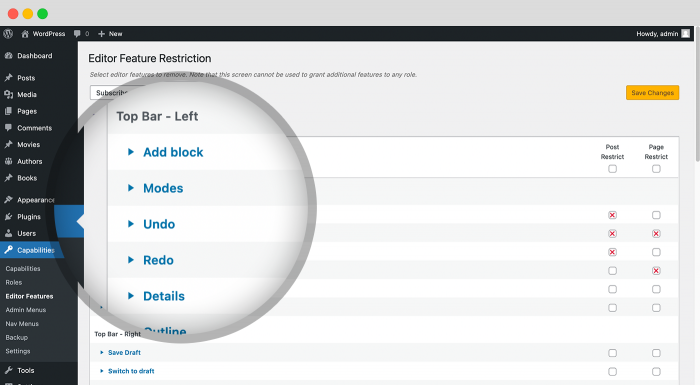
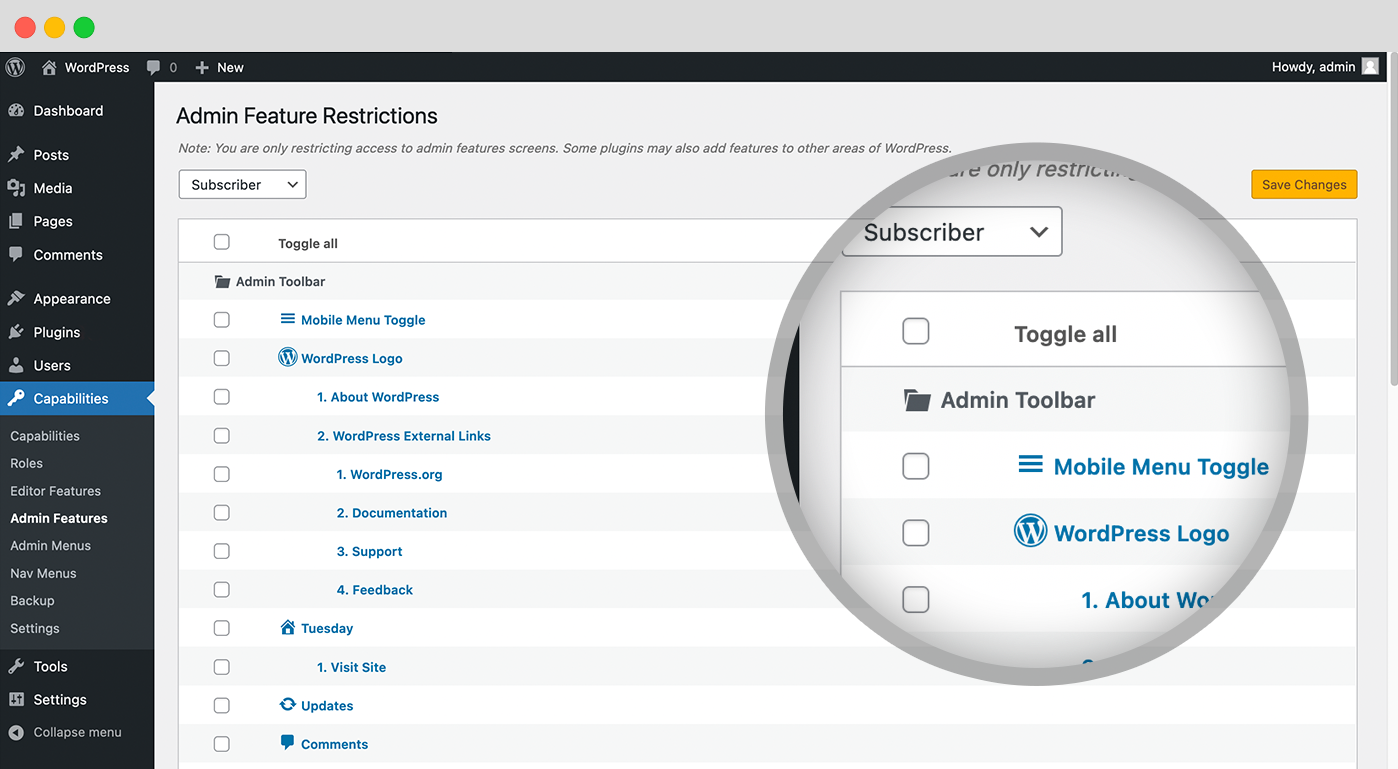
Yes, PublishPress Capabilities can clean up your post editing screen, admin area, and even the Profile screen. You can decide what authors see when they're writing posts. You can hide any feature on the Gutenberg or Classic Editor screens. You can remove items in the WordPress dashboard and inside user accounts screens.
What features does PublishPress Capabilities Pro offer?
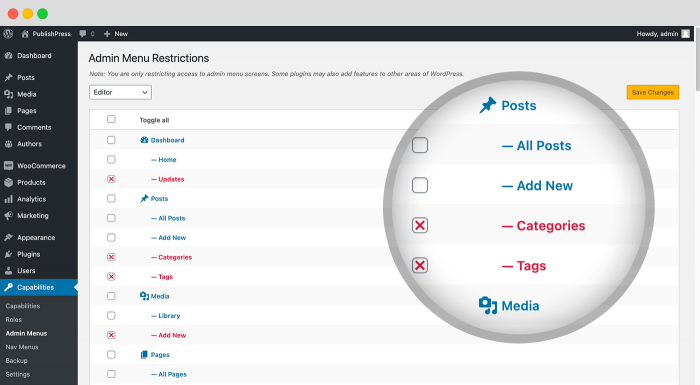
The Pro version of PublishPress Capabilities enables you to stop users from accessing any admin menu link and any frontend menu link.
Is PublishPress Capabilities safe to use?
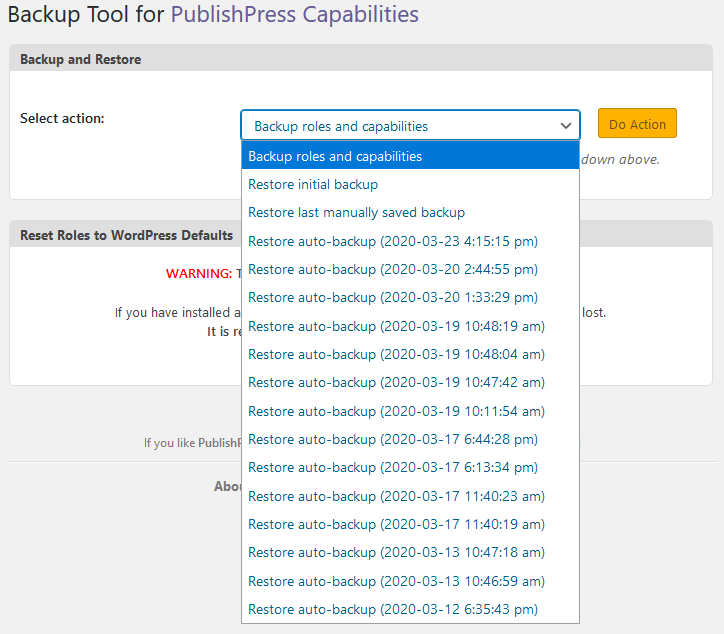
Yes, PublishPress Capabilities is safe to use. Every time you change your site's permissions, this plugin will take a backup that you can restore if anything goes wrong. You can use these backups to migrate your roles and permissions from one site to another.
Changelog
2.19.1
- 25 Feb 2025 =
- Fixed : Conflict with Gravity Forms, #1347
- Update : Hidden notice text, #1329
- Fixed : Custom submenu not showing after created, #1345
- Fixed : Submenu overwrite when create 2 submenus, #1346
- Update : Translation Updates Capabilities 2.19 ES-FR-IT, #1343
2.19.0
- 13 Feb 2025 =
- Feature : Ability to hide admin notices, #135
- Fixed : Broken layout for Admin Features in Free version, #1308
- Fixed : ACF and Custom Post Type UI submenu missing after reorder, #1324
- Update : Update admin menus promo text, #1309
- Update : Update tooltips on Capabilities screen, #1310
- Update : Translation Updates Capabilities 2.18.2, #1306
2.18.2
- 30 Jan 2025 =
- Update : Add Admin Menus sidebar settings to Show/Hide menu slugs, #1274
- Update : Add Admin Menus sidebar settings to Show/Hide sub-menus, #1258
- Update : Make sure Admin Menu slug display represent their url path in WordPress menu, #1302
- Update : Add placeholder text for Admin Menus with empty label text, #1300
- Fixed : Roles bulk delete not working, #1259
- Update : Add Sidebar tabs for Admin Features, #1126
- Update : Rename the “Reading” tab to “Private”, #1295
- Update : Improve tooltips over table headers, #1296
- Update : Add examples for Editor Features, #1127
- Update : Only enforce pp_administer_content when Permission plugin is active, #1301
- Fixed : Menu conflict with Learndash on a multisite, #1286
- Update : Replace “Update Role” with “Save Changes”, #1283
- Fixed : Save Changes button in wrong place, #1303
- Fixed : PHP Fatal error: Uncaught TypeError: Illegal offset type in isset or empty, #1290
- Update : Translation Updates for Capabilities 2.18.0, #1278
2.18.0
- 09 Jan 2025 =
- Update : Add a button to reset Admin Menus Order and Name to their old names and order, #1268
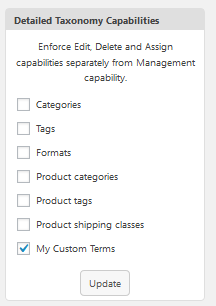
- Fixed : Detailed Taxonomy Capabilities for Custom Taxonomies Not Granted After Page Reload, #1253
- Update : “Registration Redirects” feature redirects admin when new users are added from the admin area, #1269
- Fixed : Admin Menus compatibility issue with TaxoPress Pro menus, #1252
- Fixed : Issue with Capabilities menu order, #1247
- Fixed : Issue with WooCommerce menus, #1255
- Fixed : Missing “Orders” on WooCommerce area in “Admin Menus”, #1254
- Fixed : Tooltip goes behind the sidebar menu, #1260
- Update : Change text to “Menu Link”, #1251
- Update : Added a question mark(?) for deleting new admin menu links, #1257
- Update : Brazil Translation Capabilities, #1249
- Update : Translation Updates Capabilities 2.17.0, #1246
2.17.0
- 17 Dec 2024 =
- Feature : Create a new “Redirects” screen, #1201
- Update : Allow admin to add new menu, sub menu and separators, #1195
- Fixed : Support for custom icons in Admin Menus, #1225
- Update : Update WSForm capabilities, #1215
- Update : Add a heading for custom CSS in Editor Features, #1224
- Update : Small text change for Editor Features, #1223
- Fixed : Cannot access offset of type string on string Profile Feature, #1227
- Fixed : Cannot select role in dropdown when $_POST has values, #1231
- Fixed : ErrorException: Warning: foreach() argument must be of type array|object, string given, #1233
- Fixed : “Undefined array key” and “Attempt to read property on null” errors, #1235
- Compat : Statuses Pro (custom Revision statuses)
2.16.0 – 26 Nov 2024
- Fixed : Admin menu with count losing their counts html part after renaming menu, #1219
- Fixed : Cannot Rename Menu on Omnisend Plugin, #1217
- Fixed : Editor Feature not working Permalink and Template, #1198
- Update : Support for custom menu items, #183
- Update : Allow users in Admin Menus to see the required capabilities, #1200
- Fixed : Admin menu icon not working in Import / Export feature, #1205
- Update : Change “Admin Menu Restrictions” to “Admin Menus”, #1212
- Update : Text update for dashboard, #1207
- Fixed : PHP Warning: Undefined array key 2, #1197
- Update : Brazil Translations for Capabilities Pro, #1213
- Update : Capabilities Translation Updates V 2.15.0, #1210
2.15.0 – 13 Nov 2024
- Feature : Reorder and rename admin menus for roles [PRO], #254
- Fixed : Fatal error: Uncaught Error: Undefined constant “MULTISITE”, #1187
- Update : German translation Update, #1192
- Update : Brazil Translation for PRO, #1191
- Update : Capabilities FREE Translation Updates v. 2.14.0, #1186
2.14.0 – 22 Oct 2024
- Update : Editor feature not working due to duplicate inline css, #1148
- Fixed : Editor Features not working for some items, #1145
- Update : Redirect new users to the “Dashboard” screen, #1150
- Fixed : Changing a capability from disabled to enabled not working when clicking the label, #1173
- Update : Move multisite settings to the sidebar, #1146
- Fixed : PHP warning about status capabilities, #1143
- Fixed : Unnecesary database updates on init, #1139
- Fixed : Double queries in admin pages, #1140
- Update : Update the WooCommerce capabilties, #1135
- Update : Add a mesage if the “Additional” tab is empty, #1137
- Fixed : Warning: Undefined array key “user-testing”, #1174
- Update : Show Wordfence capabilities tab for both Wordfence main and Login Security plugin, #1136
- Update : New filter “add_filter(‘pp_capabilities_frontend_feature_cache’, ‘__return_false);” to disable Frontend feature data cache, #1152
- Update : Add a hook on after user testing action, #1160
- Fixed : pp_capabilities_get_post_type returns wrong post type, #1161
- Fixed : Editor Features custom item adding slashes to double quote(“”), #689
- Fixed : Compatibility issue with Justified Image Grid, #1165
- Update : Permissions Compat: Allow direct assignment of manage_post_tags if unique taxonomy caps enabled for Tags, #1163
- Update : Capabilities screen: “Listing” tab should not require Pro version of Permissions, #1158
- Update : Translation Updates Capanilities v.2.13.0, #1134
2.13.0 – 12 Feb 2024
- Update : Add edit to features custom items, #996
- Update : Option to add Test User to the admin toolbar, #1047
- Update : Add demo content for Frontend Features and Admin Feature, #871
- Fixed : Broken tooltip in Admin Menus, #1125
- Fixed : Capabilities Media tab not working in french, #1119
- Fixed : Frontend feature not working in french, #1118
- Update : Standard approach to all UI elements in Capabilities, #1029
- Update : Match Custom Visibility to other statuses, #1061
- Update : Match the Capabilities Custom Statuses heading to other tabs, #1058
- Update : Hide Document Overview using Editor Feature, #1040
- Fixed : Read Capability not working, #1039
2.12.2 – 6 Feb 2024
- Fixed : French translation caused “Upgrade to Pro” banner to be rendered incorrectly
2.12.1 – 30 Jan 2024
- Change : Improved use of screen space on Capabilties tab panels
- Change : In mobile view, scroll to panel for clicked Capabilities tab
- Change : Display right sidebar metaboxes inside tab panel, but only where they’re relevant
- Change : In Add Capability sidebar metabox, mention that new capabilities will show up on Additional tab
- Change : Bulk Check All box on Editing, Deletion, Listing, Reading, Taxonomies tabs
- Change : Use 90% opacity for Capabilities tool tip
- Change : Don’t display “This capability is” tool tip if capability name is already displayed next to checkbox
- Change : Cleaner styling for capabilities assigned implicitly by Permission Group
- Change : Update Pro promo sidebar on Capabilities Dashboard to mention Custom Statuses, Custom Visibility
- Lang: Some tab captions on Capabilities screen were not translated
- Lang: Default WordPress strings (Edit, Settings, etc.) used by plugin were made to rely on plugin language files
2.11.1 – 04 Jan 2024
- Fixed: Inconsistencies with language files, #311
2.10.3 – 12 Dec 2023
- Fixed: Nav menu not working in latest WordPress version for FSE theme, #1048
- Update: Add ability to define test user cookie name, define(‘PPC_TEST_USER_COOKIE_NAME’, ‘replace_this_with_your_cookie_name’); #1033
- Fixed: Last update breaking nav-menus.php for some sites, #1037
- Fixed: PHP Fatal error: Uncaught Error: Call to undefined function pp_get_enabled_types() on capabilities screen, #1045
- Update: Add support for Squirrly SEO (Newton) plugin capabilities tab, #1044
- Update: Add support for AMP plugin capabilities tab, #1043
- Update: Add support for SEOPress plugin capabilities tab, #1042
- Update: Add support for MailOptin – Lite plugin capabilities tab, #1041
- Update: Capabilities Translation Updates November 2023, #1036
2.10.2 – 15 Nov 2023
- Update: Add view and edit to features custom items, #741
- Update: Capabilities screen: distinguish Navigation Block Menus from legacy Nav Menus, #888
- Update: Hotfix use create posts capability caption, #960
- Update: Return an empty string instead of false in the admin_footer_text filter hook callback, #961
- Update: Text update for “Listing” tab, #811
- Update: Hide “Listing” tab with Permissions Free, #812
- Update: Add settings to choose Role Login Redirect Referrer, #933
- Update: Move items from Roles Column to the Roles screen, #817
- Update: Add visual indicator on Appearance > Menu items when a nav menu item is hidden for roles, #844
- Update: Add support for BetterDocs plugin capabilities tab, #986
- Update: Add support for GravityView plugin capabilities tab, #985
- Update: Add support for Gravity Forms plugin capabilities tab, #984
- Update: Add support for NextGEN Gallery plugin capabilities tab, #983
- Update: Add support for BackWPup plugin capabilities tab, #982
- Update: Add support for Forminator plugin capabilities tab, #981
- Update: Add support for LearnDash LMS plugin capabilities tab, #980
- Update: Add support for MailPoet plugin capabilities tab, #979
- Update: Add support for Fluent Forms plugin capabilities tab, #978
- Update: Add support for All in One SEO plugin capabilities tab, #976
- Update: Add support for Smash Balloon Instagram Feed plugin capabilities tab, #977
- Update: Add support for Site Kit by Google plugin capabilities tab, #975
- Update: Add support for Wordfence Security Duplicate Post plugin capabilities tab, #973
- Update: Add support for Smart Slider 3 plugin capabilities tab, #972
- Update: Add support for Loco Translate plugin capabilities tab, #971
- Update: Add support for Rank Math SEO plugin capabilities tab, #970
- Update: Add support for Query Monitor plugin capabilities tab, #969
- Update: Add support for Strong Testimonials plugin capabilities tab, #968
- Update: Add support for Download Monitor plugin capabilities tab, #967
- Update: Add support for Yoast SEO plugin capabilities tab, #966
- Update: Add support for Formidable Forms plugin capabilities tab, #958
- Update: Add support for Give – Donation plugin capabilities tab, #957
- Update: Add support for BuddyPress plugin capabilities tab, #947
- Update: Add support for bbPress plugin capabilities tab, #946
- Update: Add support for Sunshine Photo Cart plugin capabilities tab, #943
- Update: Capabilities Free Translation Updates October 2023, #934
2.10.1 – 23 Oct 2023
- Fixed: Login redirect not working, #843
- Fixed: Redirect user loop, #849
- Fixed: Alignment for menu items, #780
- Update: Update Capabilities old-fashioned tooltips, #818
- Fixed: Negate could not be removed, #873
- Update: Add a tooltip for manage_post_tags, #919
- Update: Remove add_users from the basic Capabilities, install #918
- Update: Update Body Class description, #893
- Fixed: Profile Features conflict with Advanced Custom Fields: Extended plugin, #910
- Fixed: Function pp_capabilities_sub_menu_lists has wrong return type in the function docs, #848
- Fixed: Admin loosing Access to Capabilities after role reset, #834
2.10.0 – 6 Sep 2023
- Changed: Replaced Pimple library with a prefixed version of the library to avoid conflicts with other plugins;
- Changed: Replaced Psr/Container library with a prefixed version of the library to avoid conflicts with other plugins;
- Changed: Change min PHP version to 7.2.5. If not compatible, the plugin will not execute;
- Changed: Change min WP version to 5.5. If not compatible, the plugin will not execute;
- Changed: Updated internal libraries to latest versions;
- Changed: Refactor some occurrences of “plugins_loaded” replacing it by a new action: “publishpress_capabilities_loaded” which runs after the requirements and libraries are loaded, but before the plugin is initialized;
2.9.1 – 1 Aug 2023
- Fixed : Fatal error: Uncaught Error: Call to a member function has_cap() on null in Installer class, #880
2.9.0 – 31 Jul 2023
- Feature : Allow people to target CSS to user roles (Frontend Features), #4
- Fixed : Error on Backup > Reset Roles, #856
2.8.1 – 17 May 2023
- Fixed : Undefined variable $cap_name, #822
- Fixed : Full Site Editing admin menus issue with custom link, #807
- Fixed : Profile Features table safari styles fix, #770
- Fixed : Update dashboard feature texts, #820
- Fixed : Editor Feature Options not hiding, #805
2.8.0 – 11 May 2023
- Feature : Custom capabilities for each feature/menu, #727
- Feature : Allow users to disable some features [Dashboard Menu], #491
- Update : Remove “Show Classic Editor Controls” on Editor Features screen, #797
- Update : Update Tooltip message for media capabilities, #796
- Update : Add a Promo sidebar, #768
2.7.1 – 20 Apr 2023
- Feature : Nav Menus Block Navigation/FSE theme support, #710
- Update : Capability Sidebar Update #719
- Feature : Add multisite capabilities tab, #737
- Feature : Add tooltips to explain capabilities, #734
- Feature : Single checkbox to block Dashboard access, #693
- Update : Add “Toggle All” option in Admin Features, #694
- Update : Add “Profile Features” column to “Roles”, #740
- Update : Update documentation links, #776
- Update : Profile Features text update, #773
- Update : Add an explanation of each screen, #691
- Fixed : It’s not possible to hide “sticky option” using Editor Feature, #724
- Fixed : Taxonomies Delete title missing for disabled checkbox, #726
2.7.0 – 27 Feb 2023
- Feature : Allow admins to customize the “Profile” screen for users (Profile Features), #271
- Update : Make “Nav Menus” available in Free version, #606
- Update : Add copy & revise capabilities when Revisions activated, #596
- Update : Implement UI friendly checkbox for shared capabilities, #686
- Update : Add required capability for WooCommerce admin restrictions, #687
- Update : Ability to disable multiple roles on user edit screen, #622
- Fixed : Custom item did not included in export/import, #631
- Fixed : Template and Permalink are not hidden, #650
- Fixed : Text error if no “read” capability, #700
- Fixed : Application Timeout error in Capabilities plugin, #683
- Update : Remove Note from plugin screens, #614
- Fixed : Inconsistent right sidebar, #690
- Update : Capabilities FR-IT Translation Updates 2023, #652
2.6.1 – 08 Dec 2022
- Update : Allow users to block some roles from “User Testing”, #621
- Update : Allow admins to test users from the user profile page, #626
- Fixed : Block URL not working, #629
- Update : Block change of user level for Administrators, #628
- Update : UI Consistency: vertical alignment of Usage Keys, Roles screen search box, #617
- Fixed : Unexpected placeholder %1 warning, #624
- Update : Change “PublishPress” to “PublishPress Planner” in Capabiliites, #638
- Update : FREE Capabilities ES-FR-IT Translation Updates October 27, #620
2.6.0 – 25 Oct 2022
- Added : Add a way for admins to test user accounts #57
- Fixed : Multi-select JS fails to load on Profile Edit Screen #576
- Update : Adding an explanation for Checkmark / empty / X #578
- Update : Add text description to Settings #573
- Fixed : Plugin translation ignores user’s language setting #580
- Fixed : Illegal string offset ‘administrator’ & Array to string conversion Warning #589
- Update : Support for the “Templates” metabox #251
- Fixed : Some CPT is missing from Editor Features #582
- Update : Capabilities-FR-IT-TranslationUpdate-September2022 #577
2.5.2 – 04 Oct 2022
- Update : Changes to Import/Export encoding method
2.5.1 – 13 Sep 2022
- Added : Ability to block user login by role #510
- Update : Add disable WooCommerce admin restrictions in role settings #549
- Update : Hide taxonomy screen option for editor features #554
- Update : Hide metabox screen option for editor features #556
- Fixed : It’s possible to access customize page even after blocking with admin menu #559
- Fixed : Uncaught error: Illegal offset type in isset or empty #564
- Update : Translation Note Suggestion for “Editor” #567
- Update : Capability-FR-IT-Translation_updates-August15_2022 #551
2.5.0 – 11 Aug 2022
- Update : Admin Features UI design consistency #466
- Fixed : Support WordPress API for Editor features Classic Editor disable / enable #531
- Fixed : Woocommerce order metabox Illegal offset type in isset or empty warning #538
- Added : Added woocommerce coupon description to editor features #299
- Update : ES-FR-IT-Capability-Translations-Update-August2022 #540
2.4.4 – 02 Aug 2022
- Added : Add “list” capabilities to display #206
- Added : Add a Settings screen to Free version #520
- Added : Add settings to allow users to select multiple roles when creating users #462
- Fixed : Multiple role when creating user doesn’t work #515
- Fixed : Admin Menus issue with Yoast #493
- Fixed : It’s possible to get lockout of admin menus when all items are checked #527
- Update : Limit “Control Custom Statuses” option to settings screens alone #528
- Update : French and Italian Translations updates #524
- Fixed : PHP Warning on viewing Admin Menus #525
2.4.3 – 12 Jul 2022
- Fixed : Capabilities conflict with Advanced Custom Fields #494
- Fixed : Issue with editor features when options is not array #495
- Update : Add checkbox for the “Allowed Editors” feature #498
- Update : Add support for TaxoPress on the Capabilities screen #500
- Update : Use 3 clicks approach for all boxes in Capabilities #497
- Fixed : Uncaught TypeError: in_array(): Argument #2 ($haystack) must be of type array, null given. #513
- Fixed : Hide Invalid Capabilities if empty #490
2.4.2 – 14 Jun 2022
- Fixed : Correct match of post types and Editor Features boxes #427
- Update : Changes to user role selection UI and make role draggable for re-ordering #443
- Added : Two new role tabs (Redirects and Editing) #403
- Added : Redirect users to original page after login to role editor #301
- Added : Redirect on login and logout to role editor #11
- Fixed : Admin Menus issue with JetPack #381
- Added : Hide the “add new block” button to editor feature #436
- Added : Hide the Revisions box in Editor Features #428
- Update : UI clean up for Backup screens #322
- Update : Move the Taxonomy area to it’s own tab #425
- Added : Support for WPML capabilities #411
- Added : Support for WS Form #305
- Added : Support Gravity Forms support #306
- Added : Add a new setting to disable Code Editor in Posts to role editor #298
- Update : Remember last tab after updating role settings #445
- Update : Add toggle all checkmarks options on the Capabilities screen #419
- Update : More categorization for capabilities #303
- Update : Force user roles to use specific editors in role settings #276
- Added : Add a setting to show private taxonomies on the “Capabilities” screen #314
- Added: Extend admin features “hide by css” to include plugin list #488
2.4.1 – 09 May 2022
- Fixed : Small bug with Capabilities search #340
- Update : Add sorting for more table columns in “Roles” #388
- Fixed : Edit Role screen: Right sidebar links to Capabilities screen without role argument #407
- Fixed : Admin Features issue with JetPack #412
- Update : Stop Free and Pro from being enabled together #323
- Update : Add PublishPress Building Package for Capabilities #400
2.4.0 – 28 Apr 2022
- Fixed : Post title not working with editor features #370
- Fixed : Issue with revision metabox and some plugin metabox in Editor features. #369
- Fixed : Editor Features compability with taxonomies created by the “Toolset” plugin. #367
- Fixed : Backup Features text missing some “s” #365
- Update : Change import upload file delete to use WordPress function #364
- Update : Make sure “Copy” feature for roles works with Editor Features and more #362
- Update : Add short description for “Role Level” #361
- Update : Make “Roles” into the top menu link #326
- Update : Vertical tabs similar to the “Capabilities” for Editor Features #257
- Fixed : Can’t hide the “Profile” link with “Admin Menus” #337
- Update : More Columns on Roles Screen #181
2.3.7 – 21 Apr 2022
- Lang : Translations were not loaded on some sites
2.3.6 – 14 Apr 2022
- Fixed : Non-administrators cannot access profile screen
- Compat : WooCommerce – Shop Managers could not access Users
- Compat : WooCommerce – Editor Feature restrictions did not hide Product Categories, Tags in Classic Editor
2.3.5 – 13 Apr 2022
- Feature : Export / Import for new features
- Change : Clarify captions on Roles, Backup screens
- Fixed : Multisite: Don’t apply Feature, Menu Restrictions to Super Administrators unless constant PP_CAPABILITIES_RESTRICT_SUPER_ADMIN is defined
- Fixed : Capabilities could not be updated if third party code executes too early. Now support constant PP_CAPABILITIES_COMPAT_MODE to work around conflicts.
- Fixed : Coding standards – WordPress VIP scan compliance improvements
- Compat : LoginWP – custom redirect failed
- Lang : New French, Italian and Spanish translations
2.3.4 – 26 Jan 2022
- Compat : WordPress 5.9 – failure adding / editing posts under some Editor Features configurations (work around WP hooking late-defined function _disable_block_editor_for_navigation_post_type)
2.3.3 – 13 Jan 2022
- Fixed : Capability names with dashes could not be added
- Fixed : After role rename, title in dropdown does not refresh
- Fixed : Input sanitization consistency
- Fixed : Escape output variables
- Lang : Spanish, French, Italian
2.3.2 – 8 Dec 2021
- Feature : Filter Capabilities display by post type or text entry
- Feature : Editor Features – Restrict editor elements for custom post types
- Feature : Admin Features – Restrict Admin Bar or individual Admin Bar elements
- Feature : Admin Features – More items available for restriction #240
- Change : Admin Features – Captions use dashes, not numbers #229
- Change : Capabilities screen – Tab for PublishPress Capabilities #220
- Fixed : CSRF vulnerability
2.3.1 – 6 Dec 2021
- Fixed : Security issue
- Fixed : PHP Notice on Capabilities screen
2.3 – 28 Oct 2021
- Change : Role Capabilities screen uses tabs
- Feature : New “Admin Features” screen #200
2.2 – 26 Aug 2021
- Feature : Retain last role selection for Capabilities, Editor Features screens
- Perf : Sync role to all sites – Operation timed out on networks with ~100 sites
- Fixed : Some security scans flagged an unused file in external library “chosen”. That file (and other developer documentation files) has been removed
2.1 – 24 Jun 2021
- Feature : Editor Features restriction (new screen to block editor elements per-role)
- Fixed : If Media “Create” capability is selected / unselected by clicking Media caption or Create caption, the corresponding upload_files checkbox (in Other WP Core Capabilities section) is not toggled, leading to an apparant update failure
- Fixed : If Media “Create” capability is negated or un-negated, the corresponding upload_files checkbox (in Other WP Core Capabilities section) is not toggled, leading to an apparant update failure
- Fixed : PHP Warning if a role is stored without a valid capabilities array
2.0.2 – 6 May 2021
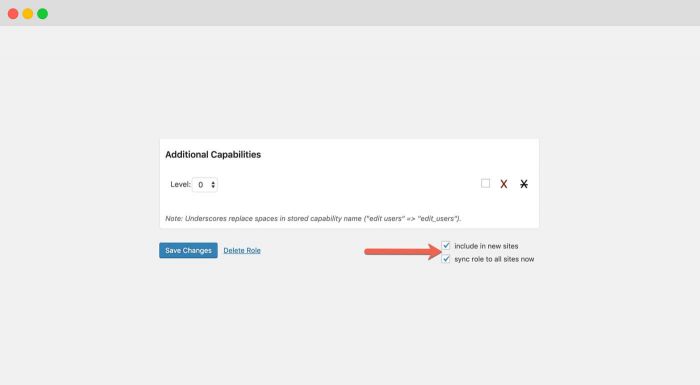
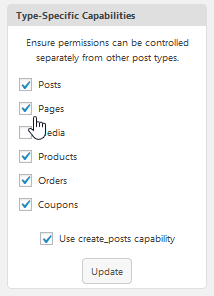
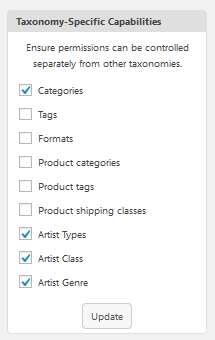
- Feature : Multisite – “sync options to all sites” checkbox. Copies “use create_posts capability”, Type-Specific Capabilities, Taxonomy-Specific Capabilities, Detailed Taxonomy Capabilities settings
- Fixed : Multisite – “sync role to all sites” did not work if main site ID is not 1
- Fixed : Fatal error on Capabilities screen if another plugin calls get_editable_roles() too early
- Fixed : Add New User – couldn’t display password entry
- Compat : PublishPress – Authors without publish capability could directly publish on the Calendar screen
- Change : Permissions – Hide / Unhide Role setting moved to Roles screen row actions
2.0 – 18 Feb 2021
- Feature : Roles screen
- Feature : Multiple role assignment on Add / Edit User screen
- Lang : Fixed handling, activated partial translations in German, Italian, Russian, Spanish, Swedish, Belarusian, Catalan
- Change : Capabilities screen – move role selector to top left, eliminate load button
- Change : Capabilities screen – move some sidebar items to Settings screen
- Change : Adjust some captions, variable names, more selective code execution
- Compat : bbPress – Forum, Topic and Reply capabilities were not displayed in Editing Capabilities grid
- Fixed : uneditable bbPress roles could be opened for editing (require Capabilities Pro)
- Fixed : Invalid Capabilities – Brief explanatory caption; avoid false positives for post types with map_meta_cap disabled
- Fixed : PHP warning for invalid foreach argument, on sites with no active_plugins option stored
- Fixed : Backup > Restore – Negated capabilities were not displayed correctly in restore preview
- Fixed : Backup > Restore – Clicking label for Initial Backup jumped selection to Last Manual Backup
- Change : Backup > Restore – Preview displays “No changes” below role name where appropriate
1.10.1 – 8 Oct 2020
- Fixed : Type-Specific Capabilities options included some non-public WordPress post types that don’t support capability customization
- Fixed : Review of role backup contents does not show name of current roles which would be removed by restoring backup
1.10 – 1 Oct 2020
- Feature : Improved design and styling for Backup and Restore
- Feature : Backup > Restore – filter to display only modified capabilities
- Compat : Advanced Gutenberg – include AG Profile capabilities in Editing, Deletion, Reading capabilities grid
- Fixed : Media Create / upload_files capability could not be removed from role
- Fixed : Multisite – Incorrect menu display on sites where main site ID is not 1
- Fixed : Language file load failure if plugin directory structure is non-standard
1.9.12 – 16 Jun 2020
- Fixed : Fatal error due to missing vendor library folder
1.9.11 – 16 Jun 2020
- Fixed : Upgrade menu links were not displayed
1.9.10 – 1 Jun 2020
- Fixed : PublishPress Permissions – Type / Taxonomy settings incorrectly synchronized under some conditions
1.9.9 – 13 May 2020
- Compat : PublishPress Permissions – “Type-Specific Capabilities” setting was not properly synchronized with Permissions > Settings > Core > Filtered Post Types
1.9.6 – 23 Apr 2020
- Change : Add New Role retains capitalization as entered for role title (otherwise applies proper case)
- Feature : Rename Role sidebar box on Capabilities screen
- Fixed : Fatal error on plugin load if Administrator role does not exist
- Compat : PublishPress Permissions – Post Type selections for “Type-Specific Capabilities” were not synchronized with PublishPress Permissions under some conditions
1.9.5 – 6 Apr 2020
- Fixed : Fatal error loading Capabilities screen on a small percentage of installations
- Compat : PublishPress Permissions – Post Type selections for “Type-Specific Capabilities” were not synchronized with PublishPress Permissions under some conditions
1.9.4 – 2 Apr 2020
- Fixed : Fatal error loading Capabilities screen on a small percentage of installations
- Fixed : Capabilities menu was displayed to non-Administrators with no items except “Upgrade to Pro”
1.9.3 – 17 Mar 2020
- Fixed : Capabilities screen was not accessible to non-Administrators who have “manage_capabilities” capability
- Fixed : Some functions were not accessible to network Super Administrators without a role on the site
- Change : Clarify some messages for plugin access denial
1.9.2 – 16 Mar 2020
- Feature : Auto-backup role and capabilities on each update (and on update to this version)
- Fixed : First-time installation: Capabilities menu item not displayed until after Plugins or Users menu clicked
- Change : Third Party Plugin Capabilities – always display checkboxes even if capabilities not present in Administrator role
- Fixed : Plugin capability sections – pp_set_notification_channel and pp_manage_roles were included in both PublishPress and PublishPress Permissions sections
- Fixed : Capability Negation (Denial) bulk unselect link was ambiguous due to missing strikethrough
1.9.1 – 16 Jan 2020
- Fixed : Create Role, Copy Role, and Add Capability sidebar functions did not work with ENTER keypress (caused screen reload without applying operation)
1.9 – 9 Jan 2020
- Change : Renamed to PublishPress Capabilities
- Feature : Capabilities link on PublishPress > Roles row opens Role Capabilities screen
- Feature : Role Capabilities screen links to PublishPress > Roles for member management
- Fixed : Browser reload caused Role Capabilities screen to display default role
- Fixed : Add Capability sidebar added custom capability to role immediately, but capability checkbox did not display as checked until reload
- Fixed : Category Assign or Delete capabilities were …

