Managing large-scale WordPress sites presents a unique set of challenges, but mastering these can transform your site’s performance and reliability. As WordPress continues to power a significant portion of the web, effective management is crucial for maintaining optimal speed, security, and scalability.
Dive into this guide to discover essential practices and tools that will elevate your site’s performance and streamline your operations.
Table of Contents
Are Large-Scale WordPress Sites a Headache?
Managing large-scale WordPress sites can indeed be daunting. From handling massive amounts of data to managing high traffic volumes, the challenges are significant.
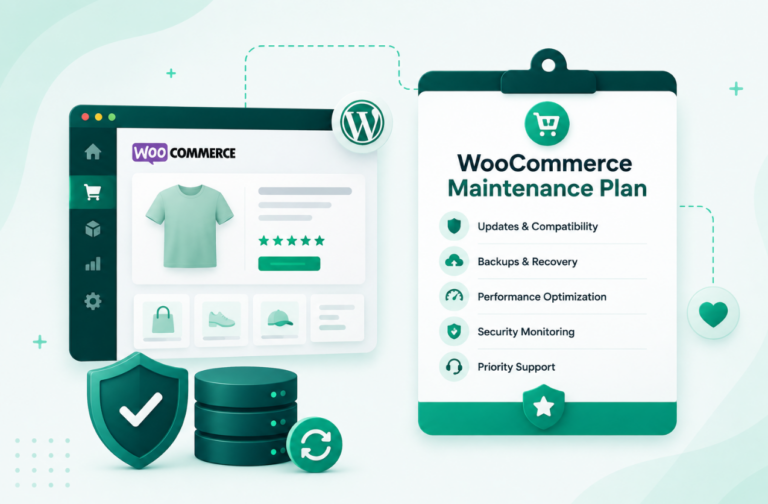
For instance, consider an e-commerce site like WooCommerce that supports thousands of products and sees millions of visitors monthly. Issues like slow load times, frequent crashes during traffic spikes, and inefficient database queries can plague such sites.
Beyond technical glitches, there are operational hurdles such as maintaining plugin compatibility, ensuring timely updates, and managing a robust security posture. Each of these issues demands attention and can escalate if not addressed properly.
For example, outdated plugins can create security vulnerabilities, while poorly optimized databases can lead to slow performance and user frustration.
Why Ignoring These Issues Can Be Costly
Neglecting these challenges can have severe repercussions for agencies and developers. Slow or unreliable sites can damage client satisfaction and lead to lost revenue.
Security breaches can result in data loss and legal ramifications. Moreover, operational inefficiencies can drain resources and hinder growth. Addressing these issues proactively not only enhances site performance but also ensures client retention and business success.
Best Practices for Managing Large-Scale WordPress Sites
From leveraging staging tools and collaborative features to mastering performance optimization and cache management, you have loads of ways to maintain the pink health of a high-functioning site.
Have a look at these best practices that are already helping thousands of WordPress developers to keep the site running smoothly and securely, even under high traffic and complex operations.
Practice#1- Master Your Site’s Evolution with Staging Environments
Managing large-scale WordPress sites demands rigorous testing and development practices, and staging environments are crucial for this. A staging site allows you to test new features, updates, and changes in a risk-free environment before applying them to your live site.
This helps avoid disruptions and ensures that new implementations do not negatively impact the user experience.
InstaWP staging excels in this area by providing a seamless and efficient staging process. With InstaWP, you can easily create, manage, and test staging environments that mirror your live site.

This enables you to catch issues early, test new themes or plugins without risk, and ensure that all updates perform as expected. By integrating staging into your development workflow, InstaWP helps maintain site stability and delivers a smoother, more reliable user experience.
Practice #2- Boost Team Efficiency with Seamless Collaboration
Large-scale WordPress sites means multiple team members working together across various tasks. Effective collaboration is crucial to avoid miscommunication and ensure smooth project execution.
InstaWP enhances team efficiency with its streamlined collaborative features. Start by leveraging pre-configured templates to set up staging sites with custom plugins, themes, and server configurations tailored to client needs. Share these staging sites with clients and team members easily through direct URLs or magic login links.

Create and manage teams within InstaWP, inviting clients and colleagues with specific roles—Admin, Manager, or Member—to control access and responsibilities. This setup promotes organized collaboration, allowing everyone to work on their tasks while maintaining oversight.
For client feedback, InstaWP integrates with tools like Atarim, Ruttl, and Usepastel, making it simple to review and implement suggestions efficiently. By using InstaWP’s collaboration tools, teams can work more effectively, ensuring timely and successful project delivery.
Practice #3- Effortless Migration for Seamless Site Transitions
Migrating large-scale WordPress sites can be a daunting task, fraught with risks of downtime and data loss. Whether you’re moving to a new host or reorganizing your infrastructure, ensuring a smooth transition is crucial to maintaining site performance and accessibility.
InstaWP simplifies the migration process with its advanced tools and seamless integration. The platform offers automated migration features that handle the transfer of complex sites with minimal manual intervention.
From transferring files and databases to updating configurations, InstaWP manages the entire process efficiently. This reduces the risk of errors and downtime, ensuring that your site remains operational throughout the migration.
InstaWP’s migration tool is designed to make the transition as smooth and hassle-free as possible, allowing you to focus on growing your site rather than grappling with migration issues.

Practice #4: Keep Your Site at Peak Speed with Performance Optimization
Managing large-scale WordPress sites demands rigorous performance optimization to handle the immense load and ensure a seamless user experience. Efficient performance management involves several key practices:
- Regular Updates: Keeping WordPress core, themes, and plugins updated prevents slowdowns caused by outdated software. Updates often include performance improvements and bug fixes that help maintain optimal site speed.
- Background Processes Management: Large sites run numerous background tasks, such as backups and scheduled posts. Optimizing these processes to run during off-peak hours reduces their impact on site performance.
- Content Delivery Network (CDN): CDNs distribute your site’s static content (images, CSS, JavaScript) across a network of servers globally. This reduces the load on your primary server and speeds up content delivery by serving files from a location closer to the user.
- Caching: Implementing caching strategies stores frequently accessed data in temporary memory, significantly reducing load times and server strain. Effective caching solutions improve site speed and responsiveness.
- Resource Optimization: Compressing and optimizing images, minifying CSS and JavaScript files, and leveraging browser caching help reduce page load times and enhance overall site performance.
Practice #5: Accelerate Your Site with Smart Caching
For large-scale WordPress sites, effective cache management is crucial to optimize performance and user experience. Here’s how strategic cache management benefits large-scale sites:
- Reduced Server Load: Caching stores static versions of your site’s pages, reducing the need for the server to generate each page from scratch for every visitor. This alleviates server strain and improves response times, especially during traffic spikes.
- Faster Page Load Times: By serving cached content, your site can deliver pages more quickly to users. Faster page loads enhance user satisfaction and can positively impact search engine rankings.
- Efficient Resource Use: Caching minimizes the use of server resources by reducing database queries and processing requirements. This efficiency is particularly important for large-scale sites with high traffic volumes.
- Improved User Experience: Quick loading times contribute to a smoother and more engaging user experience. Users are less likely to abandon a site that loads swiftly, leading to lower bounce rates and higher engagement.
- Customizable Caching Strategies: Implementing various caching mechanisms, such as page caching, object caching, and browser caching, allows for tailored optimization based on the site’s specific needs and traffic patterns.
By implementing effective cache management practices, large-scale WordPress sites can enhance performance, manage server load, and deliver a superior user experience.
Wondering how to set-up catching on your site? This might help.
Practice #6: Keep Your Database Running Smoothly with Database Optimization
For large-scale WordPress sites, efficient database management is essential for maintaining performance and stability. Here’s how database optimization benefits large-scale sites:
- Enhanced Speed and Performance: A well-optimized database ensures faster query execution and reduced load times. Regular maintenance, such as cleaning up obsolete data and optimizing tables, prevents slowdowns that can affect user experience.
- Reduced Storage Costs: By removing unnecessary data, such as spam comments, post revisions, and transient options, you reduce the database size. This can lower storage costs and improve backup and restore processes.
- Improved Backup Efficiency: A smaller, optimized database is quicker to back up and restore. This is crucial for large-scale sites where backup times can be significant. Efficient backups ensure that you can recover quickly in case of a problem.
- Prevention of Data Bloat: Over time, databases can accumulate excessive data, leading to inefficiencies and potential performance issues. Regular optimization helps prevent data bloat, maintaining database health and responsiveness.
- Error Reduction: Regularly checking and repairing database tables can prevent and fix errors that might arise, ensuring that your site operates smoothly without unexpected disruptions.
Large-scale WordPress sites accumulate vast amounts of data, making database optimization critical. Regularly cleaning up unnecessary data and using optimization plugins helps maintain database efficiency. InstaWP provides tools and tips for managing and optimizing your WordPress database effectively.
Practice #7: Shield Your Site from Threats with Security Fortification
For large-scale WordPress sites, robust security measures are essential to protect against potential threats and vulnerabilities. Here’s how strong security practices benefit large-scale sites:
- Protection Against Attacks: Implementing strong security measures such as firewalls, SSL encryption, and regular updates protects your site from malicious attacks, including hacking attempts, malware, and DDoS attacks. This helps maintain site integrity and user trust.
- Data Protection: Secure practices, such as using strong passwords and secure protocols, safeguard sensitive data from unauthorized access. This is crucial for preventing data breaches and ensuring the confidentiality of user information.
- Preventing Unauthorized Access: Effective security measures, including user permission controls and two-factor authentication, help prevent unauthorized access to your site’s admin area. This reduces the risk of internal and external threats compromising your site’s functionality.
- Minimizing Downtime: A secure site is less likely to suffer from disruptions caused by security breaches. By proactively addressing vulnerabilities and maintaining security best practices, you reduce the risk of downtime and ensure a more stable and reliable site.
- Regulatory Compliance: Adhering to security best practices helps in meeting regulatory requirements for data protection. This is especially important for large-scale sites that handle significant amounts of user data and need to comply with data privacy laws.
Conclusion
We know that managing large-scale WordPress sites is no small feat, but with the right practices, you can turn challenges into opportunities for growth. Embrace staging tools for flawless testing, foster team collaboration to streamline workflows, and ensure smooth migrations for uninterrupted operations.
Optimize performance, manage cache, and maintain your database for a speedy and reliable site. Fortify security to keep threats at bay. By incorporating these strategies you’ll not only enhance your site’s performance but also achieve seamless, efficient management. Your large-scale WordPress site will thrive with these best practices in place!