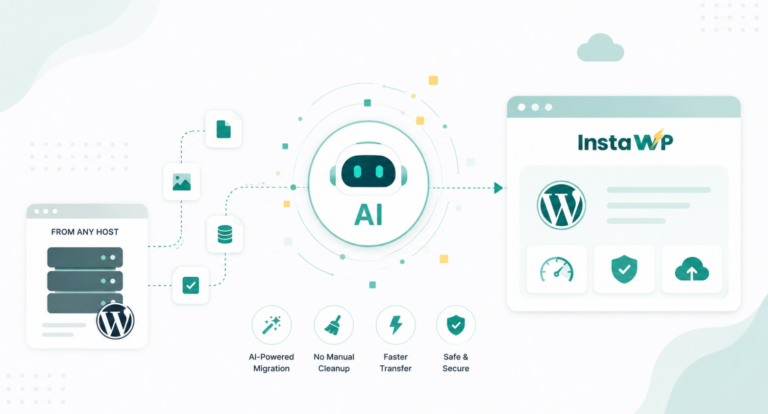
Migrating a WordPress site isn’t just about moving files—it’s about ensuring every piece of data survives the journey. Without careful planning and WordPress data backup, the risk of data loss or corruption looms.
For developers and agencies, safeguarding data integrity is essential to avoid broken sites, frustrated clients, and SEO disasters.
Table of Contents
What is Data Integrity in WordPress Migration?
Data integrity during WordPress migration means ensuring that every piece of information—whether it’s a blog post or a plugin setting—remains accurate, complete, and unaltered throughout the process.
The goal is to make sure that when your website moves, nothing is lost or corrupted. Without proper WordPress data backup, even a small oversight can lead to missing files, broken links, or a dysfunctional site, which can severely impact user experience and business continuity.
Types of Data to Preserve During WordPress Migration
During a WordPress migration, it’s crucial to ensure the following types of data are properly backed up and preserved:
- Database: Posts, pages, comments, user data, and configurations.
- Media Files: Images, videos, and other uploads stored in your media library.
- Plugin Settings: Custom configurations for SEO, security, and other functionalities.
- Theme Customizations: Any personalized code or design changes.
- User Information: Login credentials, roles, and permissions.
- Permalinks and URLs: To prevent SEO issues and broken links.
By creating a thorough WordPress data backup, you can safeguard all these critical components during the migration.
Common Issues When Data Integrity Isn’t Prioritized
Neglecting data integrity during a WordPress migration can lead to numerous issues that could compromise the site’s performance and functionality:
- Missing Media Files: Images and videos may not transfer properly, breaking visual elements.
- Corrupted Database: Key posts, pages, and configurations could be lost, leading to incomplete content.
- Broken Plugin Settings: Plugins may not work as expected, causing site-wide issues.
- SEO Problems: Missing permalinks and incorrect URLs could result in 404 errors and SEO penalties.
- User Data Loss: User accounts, roles, or permissions might not transfer, leading to login issues.
To avoid these risks, ensuring a full WordPress data backup and preserving integrity throughout the process is essential.
Key Best Practices for Maintaining Data Integrity During Migration
Ensuring data integrity during a WordPress migration is crucial for preserving site performance and avoiding potential downtime. Missing files, corrupted databases, and broken links can turn a smooth migration into a developer’s nightmare.
That’s why adhering to the best WordPress migration practices before, during, and after migration is essential. From thorough backups to detailed testing, following these steps ensure that nothing gets left behind, keeping your WordPress site functional and secure.
Pre-Migration Backup
Taking a full WordPress data backup before migration is a critical safety net for developers. It ensures that even if something goes wrong during the process, you have a complete version of your site ready for recovery.
- Protect against data loss: A full backup saves your posts, pages, media files, and settings in case something goes wrong.
- Avoid downtime: Quick restoration from a backup minimizes site downtime, keeping your clients happy.
- Peace of mind: With a backup in place, you can focus on the migration without the fear of losing data.
Recommendations: Use tools like InstaWP to take a full WordPress data backup. InstaWP allows for seamless backups and restores, ensuring that all your data is protected before starting the migration process.
Staging Environment Testing
Before initiating a WordPress migration, testing your site in a staging environment is crucial to maintaining data integrity. This step ensures you can verify all elements of your site in a sandboxed space, preventing errors from going live.
- Prevent errors from going live: Test the migration process without affecting the live site.
- Verify functionality: Ensure that all features, including plugins, themes, and custom code, work as expected.
- Reduce downtime: Any issues found in staging can be resolved before making the switch, keeping downtime minimal.
InstaWP’s staging tool makes this process seamless, allowing you to create a replica of your site for thorough testing. Developers can confirm the migration is complete and error-free before going live.
Recommendations: Once staging is complete, double-check all data by comparing your live and staging environments. Test core functions like user logins, contact forms, and SEO settings to ensure everything is intact.
Database Optimization and Cleaning
Before migrating, it’s important to optimize and clean your WordPress database to prevent carrying over unnecessary data or bloat, which can cause issues during migration.
- Reduce database size: Cleaning up revisions, drafts, and unused data minimizes the chance of migration errors.
- Prevent corruption: A streamlined, optimized database is less likely to face issues during the transfer process.
- Boost performance: An optimized database ensures faster loading times post-migration.
InstaWP’s automated workflows can be set to clean and optimize your database before migration, ensuring everything runs smoothly and no unnecessary data is transferred.
Good Read: How to Optimize Your WordPress Database for Better Performance and Management
Recommendations: Regularly clean your database before any major changes, and use plugins or automated tools to help with optimization.
Preserving URLs and Permalinks
Maintaining consistent URLs and permalinks during a WordPress migration is vital for SEO and site usability. Broken links or incorrect redirects can lead to a poor user experience and loss of search engine rankings.
- Avoid 404 errors: Ensure that all permalinks remain unchanged to avoid broken links.
- Protect SEO rankings: Keeping URLs consistent helps retain your site’s SEO value.
- Maintain user experience: Users expect to navigate the same URLs post-migration, so ensure smooth redirects if needed.
Recommendations: Use tools like Redirection to set up proper 301 redirects if your URL structure changes. Always audit your URLs post-migration to ensure no broken links.
Testing and Validation
After WordPress migration, testing and validating the site is crucial to confirm that all data has transferred correctly, and functionality remains intact.
- Verify data integrity: Check that all posts, media files, and custom settings have migrated without issues.
- Test functionality: Ensure all plugins, forms, and custom code work as expected.
- Check performance: Run speed and performance tests to ensure your site loads quickly post-migration.
Recommendations: Perform an in-depth validation by checking databases, media libraries, and all active plugins post-migration. Use performance tools like Google PageSpeed Insights to verify your site’s speed and functionality.
Conclusion
Ensuring data integrity during a WordPress migration protects your website’s performance, user experience, and SEO. By following best practices—backing up your site, using staging environments, optimizing databases, and validating post-migration—you minimize the risk of data loss or corruption.
Use tools like InstaWP to simplify this process and make migration stress-free. Prioritize data integrity in every migration to safeguard your site’s future success. Ready to start your migration? Try InstaWP’s staging and migration tools to guarantee a smooth, error-free process today!